Proximity Sensor#
The Proximity Sensor is a wrapper around a physics callback that can be attached to any prim in the scene. During simulation execution, the sensor will record collisions between the prim it’s attached to and other prims in the scene each frame; that data can be accessed using a callback function.
Standalone Python#
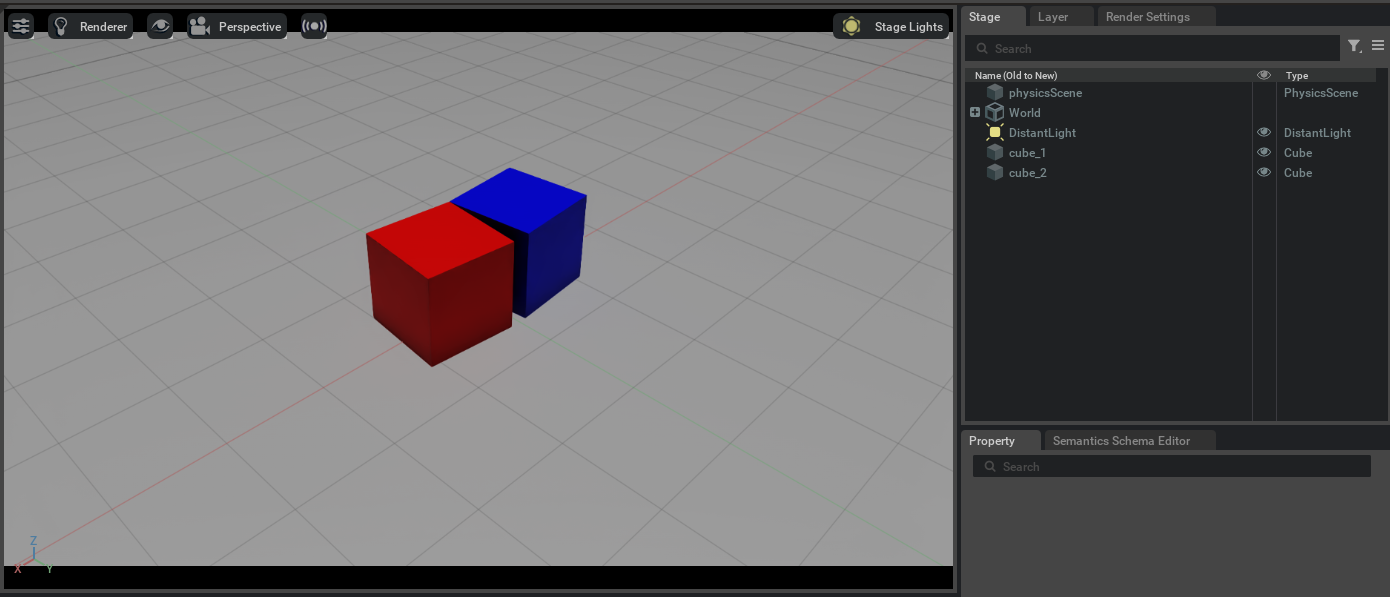
Execute the following script using python.sh. This will create a scene with two cubes, attaching a proximity sensor to one of the cubes.
At the start of the simulation, the two cubes will overlap and then move apart; the callback function in the script will print the proximity
sensor’s output to the screen.
import numpy as np
from isaacsim import SimulationApp

simulation_app = SimulationApp({"headless": False})

import carb
import omni
from isaacsim.core.api.objects import DynamicCuboid, GroundPlane
from isaacsim.core.api.world import World
from isaacsim.core.utils.extensions import enable_extension
from isaacsim.core.utils.prims import get_prim_at_path
from pxr import Sdf, UsdLux

# Set up scene
world = World()
ground_plane = GroundPlane("/World/GroundPlane")

# Add lighting
stage = omni.usd.get_context().get_stage()
distantLight = UsdLux.DistantLight.Define(stage, Sdf.Path("/DistantLight"))
distantLight.CreateIntensityAttr(500)

# Add cubes
cube_1 = DynamicCuboid(
    prim_path="/cube_1",
    name="cube_1",
    position=np.array([0.4, 0, 5.0]),
    scale=np.array([1, 1, 1]),
    size=1.0,
    color=np.array([255, 0, 0]),
)

cube_2 = DynamicCuboid(
    prim_path="/cube_2",
    name="cube_2",
    position=np.array([-0.4, 0, 5.0]),
    scale=np.array([1, 1, 1]),
    size=1.0,
    color=np.array([0, 0, 255]),
)

# Enable isaacsim.sensors.physx extension
enable_extension("isaacsim.sensors.physx")
simulation_app.update()

# Attach sensor to cube 1
from isaacsim.sensors.physx import ProximitySensor, clear_sensors, register_sensor

s = ProximitySensor(cube_1.prim)
register_sensor(s)


# Add callback to print proximity sensor data
def print_proximity_sensor_data_on_update(_):
    data = s.get_data()
    if "/cube_2" in data:
        # /cube_1 is colliding with /cube_2
        distance = data["/cube_2"]["distance"]
        duration = data["/cube_2"]["duration"]
        carb.log_warn(f"distance: {distance}, duration: {duration}")


# Play simulation
world.add_physics_callback("print_sensor_data", print_proximity_sensor_data_on_update)
simulation_app.update()
simulation_app.update()
world.play()

for i in range(100):
    # Run with a fixed step size
    world.step(render=True)
Example proximity sensor output is shown below; there might be small numerical differences in your output run-to-run.
distance: 0.8995118804137266, duration: 0.03952527046203613
distance: 0.9490971672498862, duration: 0.04244112968444824
distance: 0.9978315307718298, duration: 0.045195579528808594
distance: 1.0952793930211249, duration: 0.00010466575622558594
distance: 1.0952880909233123, duration: 0.004382610321044922
distance: 1.0952874949586842, duration: 0.008539199829101562
distance: 1.095288806188406, duration: 0.012722015380859375
After the cubes land, the scene will look like below: