


Mobile Robot Controllers#
Note
For new controller development, consider using the newer experimental motion generation API in Motion Generation (Experimental), which provides improved interfaces and additional features.
Differential controller#
The differential controller uses the speed differential between the left and right wheels to control the robot’s linear and angular velocity. The differential robot enables the robot to turn in place and is used in the NVIDIA Nova Carter robot.

The Math#
where \(\omega\) is the desired angular velocity, \(V\) is the desired linear velocity, \(r\) is the radius of the wheels, and \(l_{tw}\) is the distance between them. \(\omega_R\) is the desired right wheel angular velocity and \(\omega_L\) is the desired left wheel angular velocity.
OmniGraph Node#
Input Commands |
description |
|---|---|
execIn |
Input execution |
wheelRadius |
Radius of the wheels in meters |
wheelDistance |
Distance between the wheels in meters |
dt |
Delta time in seconds |
maxAcceleration |
Max linear acceleration for moving forward and reverse in m/s^2, 0.0 means not set |
maxDeceleration |
Max linear breaking of the robot in m/s^2, 0.0 means not set |
maxAngularAcceleration |
Max angular acceleration of the robot in rad/s^2, 0.0 means not set |
maxLinearSpeed |
Max linear speed allowed for the robot in m/s, 0.0 means not set |
maxAngularSpeed |
Max angular speed allowed for the robot in rad/s, 0.0 means not set |
maxWheelSpeed |
Max wheel speed in rad/s |
Desired Linear Velocity |
Desired linear velocity in m/s |
Desired Angular Velocity |
Desired angular velocity in rad/s |
Output Commands |
description |
|---|---|
VelocityCommand |
Velocity command for the left and right wheel in m/s and rad/s |
Note
VelocityCommand is ordered as [left_wheel_velocity, right_wheel_velocity]. When wiring this output to an Articulation Controller, list the wheel joint names or indices in the same left-wheel, right-wheel order.
Python#
The code snippet below setups the differential controller for a NVIDIA Jetbot with a wheel radius of 3 cm and a base of 11.25cm, with a linear speed of 0.3m/s and angular speed of 1.0rad/s.
# Reference: source/standalone_examples/api/isaacsim.robot.wheeled_robots.examples/jetbot_differential_move.py
# Timeline: use app_utils (play/stop/is_playing) instead of omni.timeline. Use app_utils.update_app(steps=N) instead of for-loop simulation_app.update(); same for other mobile_robot_controllers examples.

import argparse

parser = argparse.ArgumentParser()
parser.add_argument("--test", action="store_true")
args, _ = parser.parse_known_args()

from isaacsim import SimulationApp

simulation_app = SimulationApp({"headless": False})

import isaacsim.core.experimental.utils.app as app_utils
import isaacsim.core.experimental.utils.stage as stage_utils
from isaacsim.core.experimental.objects import DomeLight
from isaacsim.core.simulation_manager import SimulationManager
from isaacsim.robot.experimental.wheeled_robots.controllers import DifferentialController
from isaacsim.robot.experimental.wheeled_robots.robots import WheeledRobot
from isaacsim.storage.native import get_assets_root_path

DEVICE = "cpu"

assets_root_path = get_assets_root_path()
if assets_root_path is None:
    raise RuntimeError("Could not find Isaac Sim assets folder")
jetbot_asset_path = assets_root_path + "/Isaac/Robots/NVIDIA/Jetbot/jetbot.usd"

stage_utils.set_stage_up_axis("Z")
stage_utils.set_stage_units(meters_per_unit=1.0)
stage_utils.add_reference_to_stage(
    usd_path=assets_root_path + "/Isaac/Environments/Grid/default_environment.usd",
    path="/World/ground",
)
dome_light = DomeLight("/World/DomeLight")
dome_light.set_intensities(500)

my_jetbot = WheeledRobot(
    paths="/World/Jetbot",
    wheel_dof_names=["left_wheel_joint", "right_wheel_joint"],
    usd_path=jetbot_asset_path,
    positions=[0.0, 0.0, 0.05],
)
my_controller = DifferentialController(wheel_radius=0.03, wheel_base=0.1125)

# Setup simulation and disable GPU dynamics for this example.
SimulationManager.setup_simulation(dt=1.0 / 60.0, device=DEVICE)
physics_scene = SimulationManager.get_physics_scenes()[0]
physics_scene.set_enabled_gpu_dynamics(False)
app_utils.play()
app_utils.update_app(steps=10)

# Simulation loop: apply [linear_speed, angular_speed]; e.g. 0.3 m/s, 1.0 rad/s.
linear_speed = 0.3
angular_speed = 1.0
step_count = 0
max_test_steps = 60
while simulation_app.is_running():
    simulation_app.update()
    step_count += 1
    if app_utils.is_playing():
        velocities = my_controller.forward([linear_speed, angular_speed])
        my_jetbot.apply_wheel_actions(velocities)
    if args.test and step_count >= max_test_steps:
        break

app_utils.stop()
simulation_app.close()
Holonomic Controller#
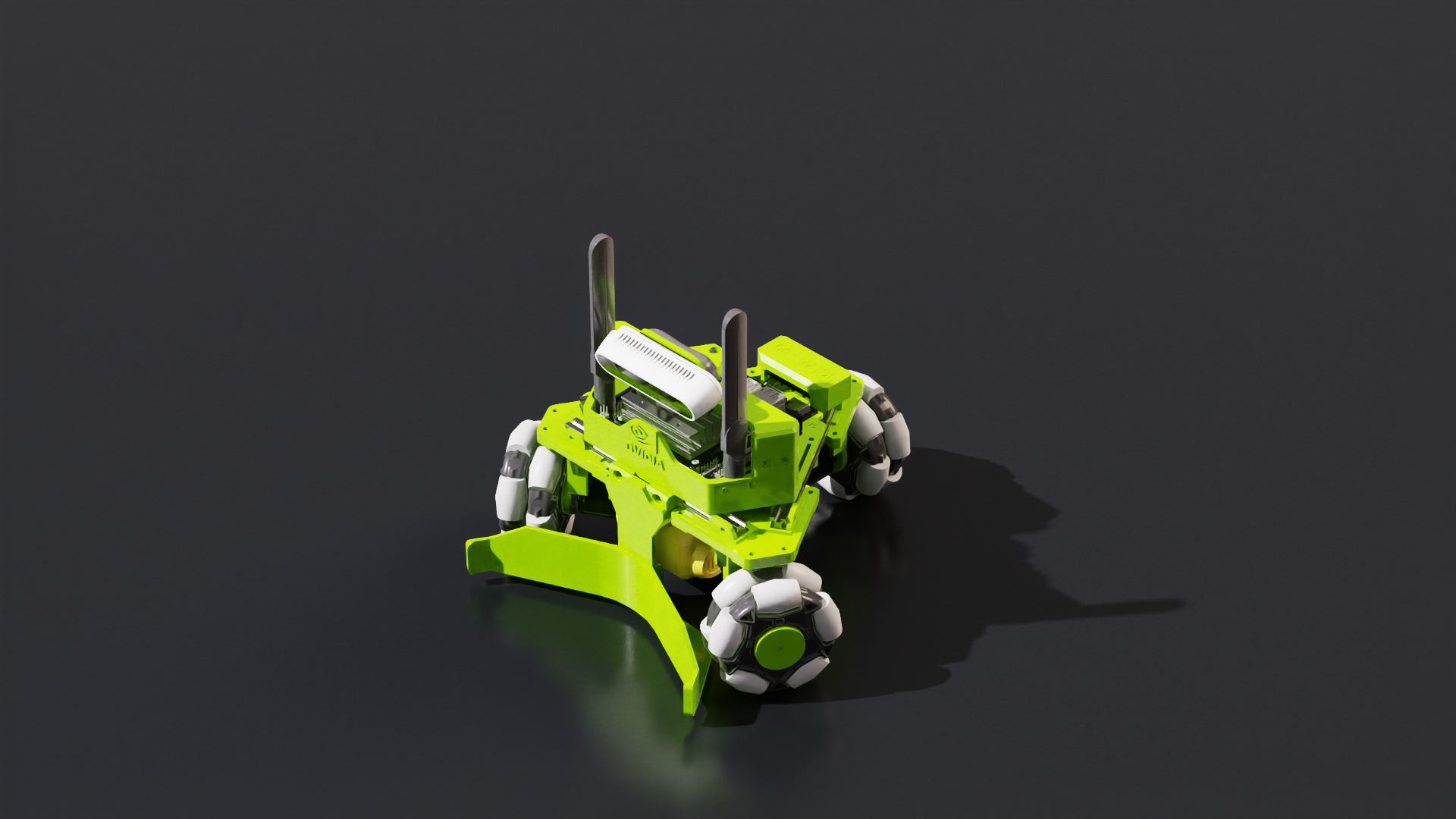
The holonomic controller computes the joint drive commands required on omni-directional robots to produce the commanded forward, lateral, and yaw speeds of the robot. An example of a holonomic robot is the NVIDIA Kaya robot. The problem is framed as a quadratic program to minimize the residual “net force” acting on the center of mass.
Note
The wheel joints of the robot prim must have additional attributes to definine the roller angles and radii of the mecanum wheels.
joint_prim = stage.GetPrimAtPath("/World/robot/wheel_joint")
joint_prim.CreateAttribute("isaacmecanumwheel:radius", Sdf.ValueTypeNames.Float).Set(0.12)
joint_prim.CreateAttribute("isaacmecanumwheel:angle", Sdf.ValueTypeNames.Float).Set(10.3)
The HolonomicRobotUsdSetup class automates this process.
The Math#
The cost funciton is defined as the control input to the robot joints. By minimizing the control inputs, excess acceleration and be reduced.
The equality constrains are set by the linear and angular target velocity Inputs:
OmniGraph Node#
Input Commands |
description |
|---|---|
execIn |
Input execution |
wheelRadius |
Array of wheel radius in meters |
wheelPositions |
Position of the wheel with respect to chassis’ center of mass in meters |
wheelOrientations |
Orientation of the wheel with respect to chassis’ center of mass frame |
mecanumAngles |
Angles of the mecanum wheels with respect to wheel’s rotation axis in radians |
wheelAxis |
The rotation axis of the wheels |
upAxis |
The up axis (default to z axis) |
Velocity Commands for the vehicle |
Velocity in x and y (m/s) and rotation (rad/s) |
maxLinearSpeed |
Maximum speed allowed for the vehicle in m/s |
maxAngularSpeed |
Maximum angular rotation speed allowed for the vehicles in rad/s |
maxWheelSpeed |
Maximum rotation speed allowed for the wheel joints in rad/s |
linearGain |
Gain for the linear velocity input |
angularGain |
Gain for the angular input |
Output Commands |
description |
|---|---|
jointVelocityCommand |
Velocity command for the wheel joints in rad/s |
Python#
The code snippet below computes the joint velocity output for a three wheeled NVIDIA Kaya holonomic robot with command velocity of [1.0, 1.0, 0.1]
# Reference: source/standalone_examples/api/isaacsim.robot.wheeled_robots.examples/kaya_holonomic_move.py

import argparse

parser = argparse.ArgumentParser()
parser.add_argument("--test", action="store_true")
args, _ = parser.parse_known_args()

from isaacsim import SimulationApp

simulation_app = SimulationApp({"headless": False})

import isaacsim.core.experimental.utils.app as app_utils
import isaacsim.core.experimental.utils.stage as stage_utils
from isaacsim.core.experimental.objects import DomeLight
from isaacsim.core.simulation_manager import SimulationManager
from isaacsim.robot.experimental.wheeled_robots.controllers import HolonomicController
from isaacsim.robot.experimental.wheeled_robots.robots import (
    HolonomicRobotUsdSetup,
    WheeledRobot,
)
from isaacsim.storage.native import get_assets_root_path

DEVICE = "cpu"

assets_root_path = get_assets_root_path()
if assets_root_path is None:
    raise RuntimeError("Could not find Isaac Sim assets folder")
kaya_asset_path = assets_root_path + "/Isaac/Robots/NVIDIA/Kaya/kaya.usd"

stage_utils.set_stage_up_axis("Z")
stage_utils.set_stage_units(meters_per_unit=1.0)
stage_utils.add_reference_to_stage(
    usd_path=assets_root_path + "/Isaac/Environments/Grid/default_environment.usd",
    path="/World/ground",
)
# Add dome light to illuminate the whole environment (not just one spot)
dome_light = DomeLight("/World/DomeLight")
dome_light.set_intensities(500)

my_kaya = WheeledRobot(
    paths="/World/Kaya",
    wheel_dof_names=["axle_0_joint", "axle_1_joint", "axle_2_joint"],
    usd_path=kaya_asset_path,
    positions=[0.0, 0.0, 0.02],
    orientations=[1.0, 0.0, 0.0, 0.0],
)

# HolonomicRobotUsdSetup reads wheel geometry from USD for the controller.
kaya_setup = HolonomicRobotUsdSetup(
    robot_prim_path=my_kaya.paths[0],
    com_prim_path="/World/Kaya/base_link/control_offset",
)
(
    wheel_radius,
    wheel_positions,
    wheel_orientations,
    mecanum_angles,
    wheel_axis,
    up_axis,
) = kaya_setup.get_holonomic_controller_params()
my_controller = HolonomicController(
    wheel_radius=wheel_radius,
    wheel_positions=wheel_positions,
    wheel_orientations=wheel_orientations,
    mecanum_angles=mecanum_angles,
    wheel_axis=wheel_axis,
    up_axis=up_axis,
)

# Setup simulation and disable GPU dynamics for this example.
SimulationManager.setup_simulation(dt=1.0 / 60.0, device=DEVICE)
physics_scene = SimulationManager.get_physics_scenes()[0]
physics_scene.set_enabled_gpu_dynamics(False)
app_utils.play()
app_utils.update_app(steps=10)

# Simulation loop: apply [forward, lateral, yaw]; e.g. 1.0, 1.0, 0.1.
command = [1.0, 1.0, 0.1]
step_count = 0
max_test_steps = 60
while simulation_app.is_running():
    simulation_app.update()
    step_count += 1
    if app_utils.is_playing():
        velocities = my_controller.forward(command)
        my_kaya.apply_wheel_actions(velocities)
    if args.test and step_count >= max_test_steps:
        break

app_utils.stop()
simulation_app.close()
Ackermann Controller#
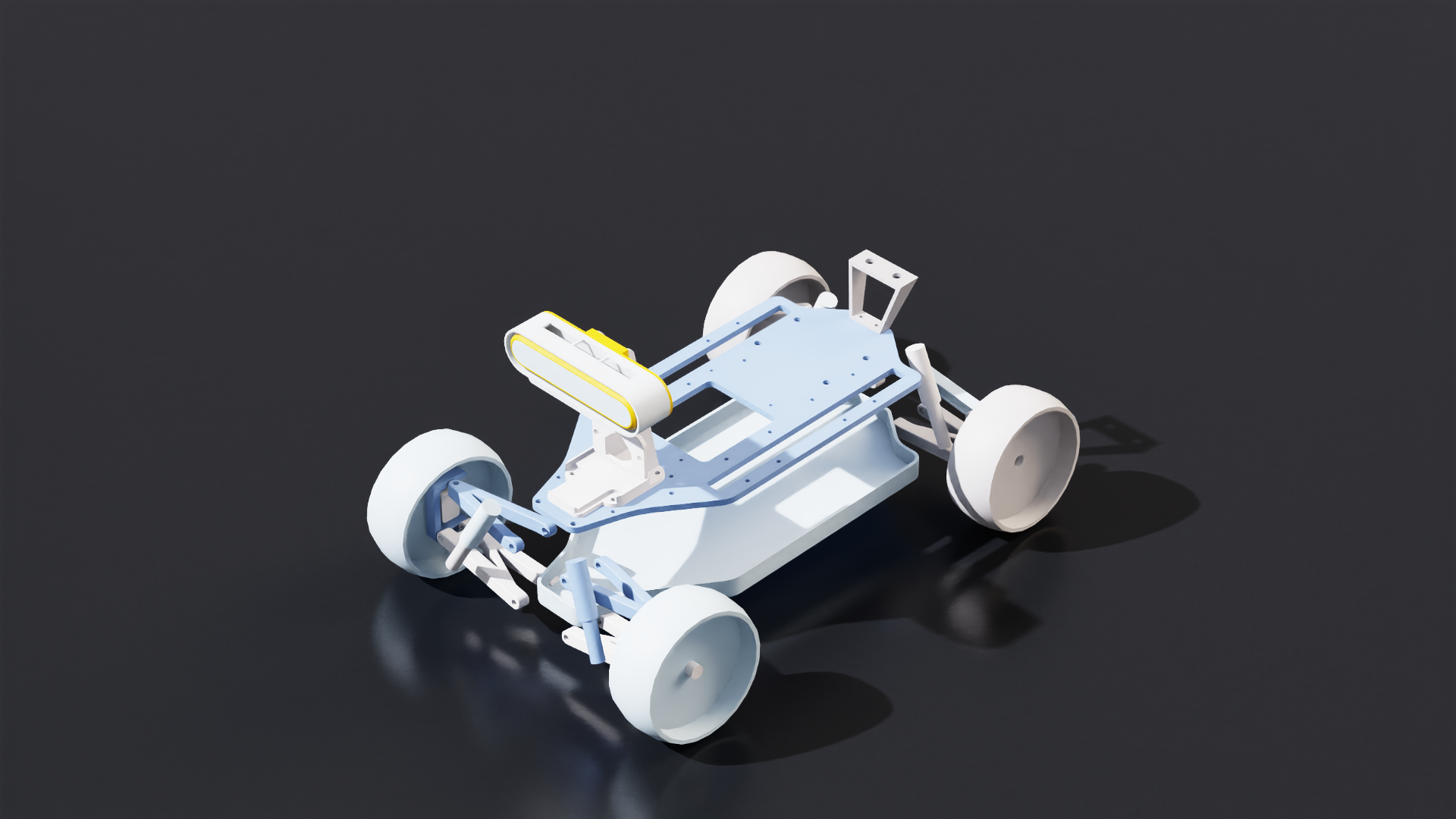
The Ackermann controller is commonly used for robots with steerable wheels, an example of steerable robot is the NVIDIA leatherback robot. The Ackermann controller in Isaac Sim assumes the desired steering angle and linear velocity are provided, and based on the robot geometry
The Math#
Compute the steering angle offset between the left and right steering wheels:
where \(R_{icr}\) is the radius to the instantaneous center of rotation, \(\theta_{steer}\) is the desired steering angle, \(l_{wb}\) is the distance between rear and front axles (wheel base), \(l_{tw}\) is the track width
Compute the individual wheel velocities (Forward steering case):
First step is to find the distance between the wheels and the instantaneous center of rotation.
Note
for \(\pm\), use \(-\) for the wheel closer to the \(R_{icr}\) and \(+\) for the wheel further to the \(R_{icr}\)
Then desired wheel velocity can be computed
Where \(V_{desired}\) is the desired linear velocity, \(r_{front}\) is the desired front wheel radius, and \(r_{rear}\) is the desired rear wheel radius.
OmniGraph Node#
Input Commands |
description |
|---|---|
execIn |
Input execution |
acceleration |
Desired forward acceleration for the robot in m/s^2 |
speed |
Desired forward speed in m/s |
steeringAngle |
Desired steering angle in radians, by default it is positive for turning left for a front wheel drive |
currentLinearVelocity |
Current linear velocity of the robot in m/s |
wheelBase |
Distance between the front and rear axles of the robot in meters |
trackWidth |
Distance between the left and right rear wheels of the robot in meters |
turningWheelRadius |
Radius of the front wheels of the robot in meters |
maxWheelVelocity |
Maximum angular velocity of the robot wheel in rad/s |
invertSteering |
Set to true for rear-wheel-steered robots such as forklifts, where the steering joints actuate the rear axle and the front wheels stay fixed in heading |
useAcceleration |
Use acceleration as an input, Set to false to use speed as input instead |
maxWheelRotation |
Maximum angle of rotation for the front wheels in radians |
dt |
Delta time for the simulation step |
Output Commands |
description |
|---|---|
execOut |
Output execution |
leftWheelAngle |
Angle for the left turning wheel in radians |
rightWheelAngle |
Angle for the right turning wheel in radians |
wheelRotationVelocity |
Angular velocity for the turning wheels in rad/s |
Python#
The python snippet below creates an Ackermann controller for a NVIDIA Leatherback robot with a wheel base of 1.65m, track width of 1.25m, and wheel radius of 0.25m, sending it a desired forward velocity of 1.1 m/s and steering angle of 0.1 rad.
# Ackermann steering example using the experimental API (no core World).
# Uses Articulation from core.experimental.prims and AckermannController from
# isaacsim.robot.experimental.wheeled_robots.

import argparse

parser = argparse.ArgumentParser()
parser.add_argument("--test", action="store_true")
args, _ = parser.parse_known_args()

from isaacsim import SimulationApp

simulation_app = SimulationApp({"headless": False})

import isaacsim.core.experimental.utils.app as app_utils
import isaacsim.core.experimental.utils.stage as stage_utils
from isaacsim.core.experimental.objects import DomeLight
from isaacsim.core.experimental.prims import Articulation
from isaacsim.core.simulation_manager import SimulationManager
from isaacsim.robot.experimental.wheeled_robots.controllers import AckermannController
from isaacsim.storage.native import get_assets_root_path

DEVICE = "cpu"

assets_root_path = get_assets_root_path()
if assets_root_path is None:
    raise RuntimeError("Could not find Isaac Sim assets folder")
leatherback_asset_path = assets_root_path + "/Isaac/Robots/NVIDIA/Leatherback/leatherback.usd"
leatherback_prim_path = "/World/Leatherback"

stage_utils.set_stage_up_axis("Z")
stage_utils.set_stage_units(meters_per_unit=1.0)
stage_utils.add_reference_to_stage(
    usd_path=assets_root_path + "/Isaac/Environments/Grid/default_environment.usd",
    path="/World/ground",
)
dome_light = DomeLight("/World/DomeLight")
dome_light.set_intensities(500)
stage_utils.add_reference_to_stage(usd_path=leatherback_asset_path, path=leatherback_prim_path)

my_leatherback = Articulation(leatherback_prim_path)

# Steering joints (position control) and wheel joints (velocity control)
steering_joint_names = [
    "Knuckle__Upright__Front_Left",
    "Knuckle__Upright__Front_Right",
]
wheel_joint_names = [
    "Wheel__Knuckle__Front_Left",
    "Wheel__Knuckle__Front_Right",
    "Wheel__Upright__Rear_Left",
    "Wheel__Upright__Rear_Right",
]

steering_dof_indices = my_leatherback.get_dof_indices(steering_joint_names)
wheel_dof_indices = my_leatherback.get_dof_indices(wheel_joint_names)

wheel_base = 1.65
track_width = 1.25
wheel_radius = 0.25
desired_forward_vel = 1.1  # m/s
desired_steering_angle = 0.3  # rad
acceleration = 0.0
steering_velocity = 0.0
dt = 0.0

controller = AckermannController(
    wheel_base=wheel_base,
    track_width=track_width,
    front_wheel_radius=wheel_radius,
    back_wheel_radius=wheel_radius,
)
# Command: [steering_angle, steering_angle_velocity, speed, acceleration, dt]
joint_positions, joint_velocities = controller.forward(
    [desired_steering_angle, steering_velocity, desired_forward_vel, acceleration, dt]
)

# Setup simulation and disable GPU dynamics for this example.
SimulationManager.setup_simulation(dt=1.0 / 60.0, device=DEVICE)
physics_scene = SimulationManager.get_physics_scenes()[0]
physics_scene.set_enabled_gpu_dynamics(False)
app_utils.play()
app_utils.update_app(steps=10)

# Simulation loop: apply steering positions and wheel velocities.
step_count = 0
max_test_steps = 60
while simulation_app.is_running():
    simulation_app.update()
    step_count += 1
    if app_utils.is_playing() and joint_positions is not None and joint_velocities is not None:
        my_leatherback.set_dof_position_targets(
            joint_positions,
            dof_indices=steering_dof_indices,
        )
        my_leatherback.set_dof_velocity_targets(
            joint_velocities,
            dof_indices=wheel_dof_indices,
        )
    if args.test and step_count >= max_test_steps:
        break

app_utils.stop()
simulation_app.close()

Leatherback driven with front-wheel steering.#
Rear-wheel steering#
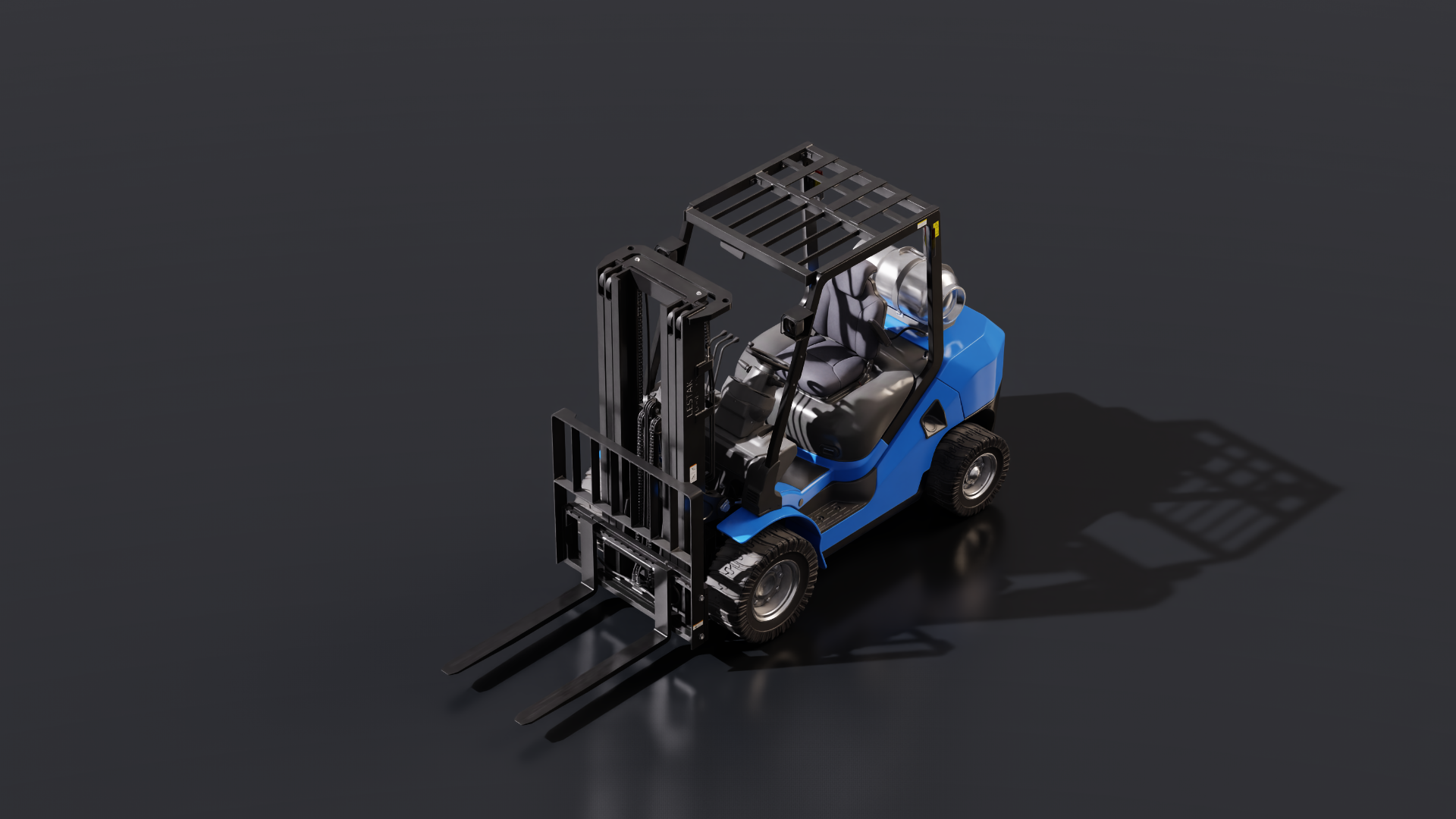
Use invert_steering=True when the robot steers with its rear wheels, not its front wheels. This mode is intended for rear-steered vehicles such as forklifts: the front wheels stay fixed in heading, and the rear axle carries the steering joints.
The controller still takes the same speed and steering-angle commands as in the front-steering case.
The example uses an Isaac Sim ForkliftC asset with rear rotator joints, a wheel base of 1.65 m, track width of 1.05 m, front wheel radius of 0.325 m, and rear wheel radius of 0.255 m.
# Ackermann steering example for rear-wheel-steered robots (for example, a forklift).
# Set invert_steering=True when the rear axle carries the steering joints.

import argparse

parser = argparse.ArgumentParser()
parser.add_argument("--test", action="store_true")
args, _ = parser.parse_known_args()

from isaacsim import SimulationApp

simulation_app = SimulationApp({"headless": False})

import isaacsim.core.experimental.utils.app as app_utils
import isaacsim.core.experimental.utils.stage as stage_utils
from isaacsim.core.experimental.objects import DomeLight
from isaacsim.core.experimental.prims import Articulation
from isaacsim.core.simulation_manager import SimulationManager
from isaacsim.robot.experimental.wheeled_robots.controllers import AckermannController
from isaacsim.storage.native import get_assets_root_path

DEVICE = "cpu"

assets_root_path = get_assets_root_path()
if assets_root_path is None:
    raise RuntimeError("Could not find Isaac Sim assets folder")
forklift_asset_path = assets_root_path + "/Isaac/Robots/IsaacSim/ForkliftC/forklift_c.usd"
forklift_prim_path = "/World/Forklift"

stage_utils.set_stage_up_axis("Z")
stage_utils.set_stage_units(meters_per_unit=1.0)
stage_utils.add_reference_to_stage(
    usd_path=assets_root_path + "/Isaac/Environments/Grid/default_environment.usd",
    path="/World/ground",
)
dome_light = DomeLight("/World/DomeLight")
dome_light.set_intensities(500)
stage_utils.add_reference_to_stage(usd_path=forklift_asset_path, path=forklift_prim_path)

my_forklift = Articulation(forklift_prim_path)

# Rear steering joints (position control) and all four wheels (velocity control).
steering_joint_names = [
    "left_rotator_joint",
    "right_rotator_joint",
]
wheel_joint_names = [
    "left_front_wheel_joint",
    "right_front_wheel_joint",
    "left_back_wheel_joint",
    "right_back_wheel_joint",
]

steering_dof_indices = my_forklift.get_dof_indices(steering_joint_names)
wheel_dof_indices = my_forklift.get_dof_indices(wheel_joint_names)

wheel_base = 1.65
track_width = 1.05
front_wheel_radius = 0.325
back_wheel_radius = 0.255
desired_forward_vel = 1.5  # m/s
desired_steering_angle = 0.3  # rad
acceleration = 0.0
steering_velocity = 0.0
dt = 0.0

controller = AckermannController(
    wheel_base=wheel_base,
    track_width=track_width,
    front_wheel_radius=front_wheel_radius,
    back_wheel_radius=back_wheel_radius,
    invert_steering=True,
)
# Command: [steering_angle, steering_angle_velocity, speed, acceleration, dt]
joint_positions, joint_velocities = controller.forward(
    [desired_steering_angle, steering_velocity, desired_forward_vel, acceleration, dt]
)

# Setup simulation and disable GPU dynamics for this example.
SimulationManager.setup_simulation(dt=1.0 / 60.0, device=DEVICE)
physics_scene = SimulationManager.get_physics_scenes()[0]
physics_scene.set_enabled_gpu_dynamics(False)
app_utils.play()
app_utils.update_app(steps=10)

# Simulation loop: apply steering positions and wheel velocities.
step_count = 0
max_test_steps = 60
while simulation_app.is_running():
    simulation_app.update()
    step_count += 1
    if app_utils.is_playing() and joint_positions is not None and joint_velocities is not None:
        my_forklift.set_dof_position_targets(
            joint_positions,
            dof_indices=steering_dof_indices,
        )
        my_forklift.set_dof_velocity_targets(
            joint_velocities,
            dof_indices=wheel_dof_indices,
        )
    if args.test and step_count >= max_test_steps:
        break

app_utils.stop()
simulation_app.close()

ForkliftC turning with invert_steering=True.#