


Asset Structure#
The Isaac Sim Imported assets are organized in a specific structure to make it easier to manage, reuse, and simulate them. Each asset is broken down into multiple components, such as geometries, materials, instances, physics, and robot.
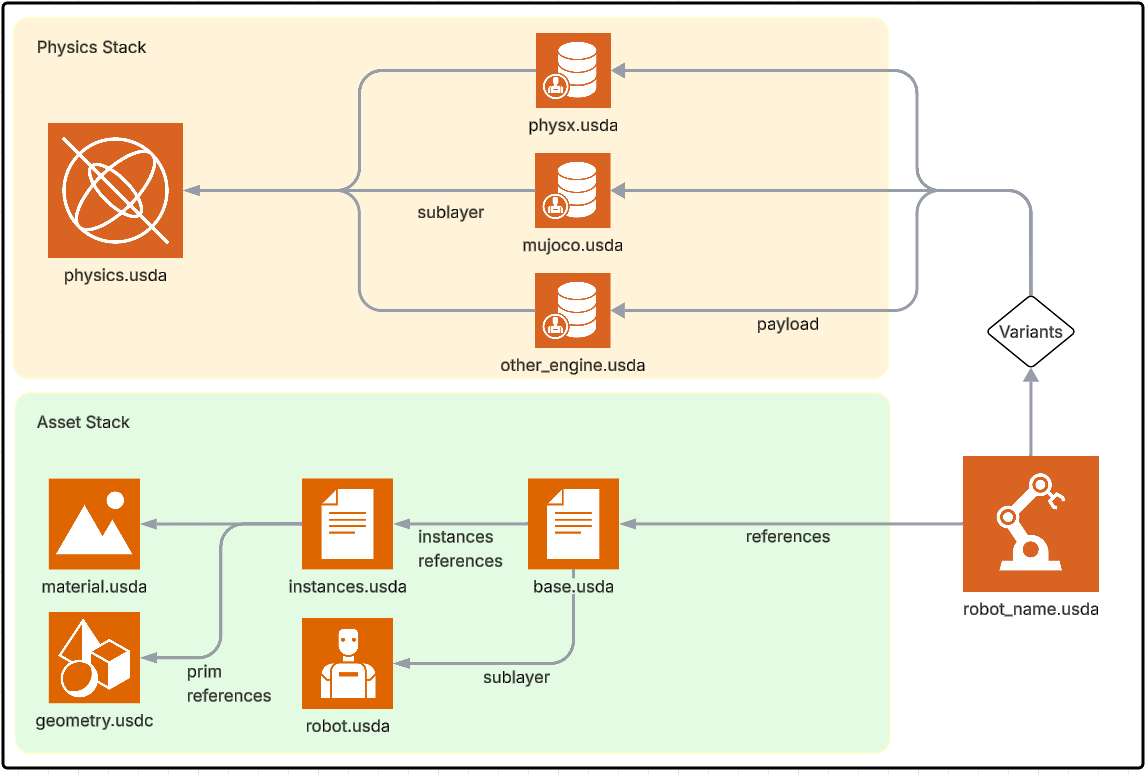
The benefits of this structure are:#
Separation of USD components into multiple files for reviewing
Isolate attributes for different physics engines to prevent clashing
Use of layers, payloads, and variants for different robot use cases.
Store different physics tuning parameters for different physics engines
Ascii based structure is easy to read and edit by hand, as well as track changes with version control systems.
Asset Source#
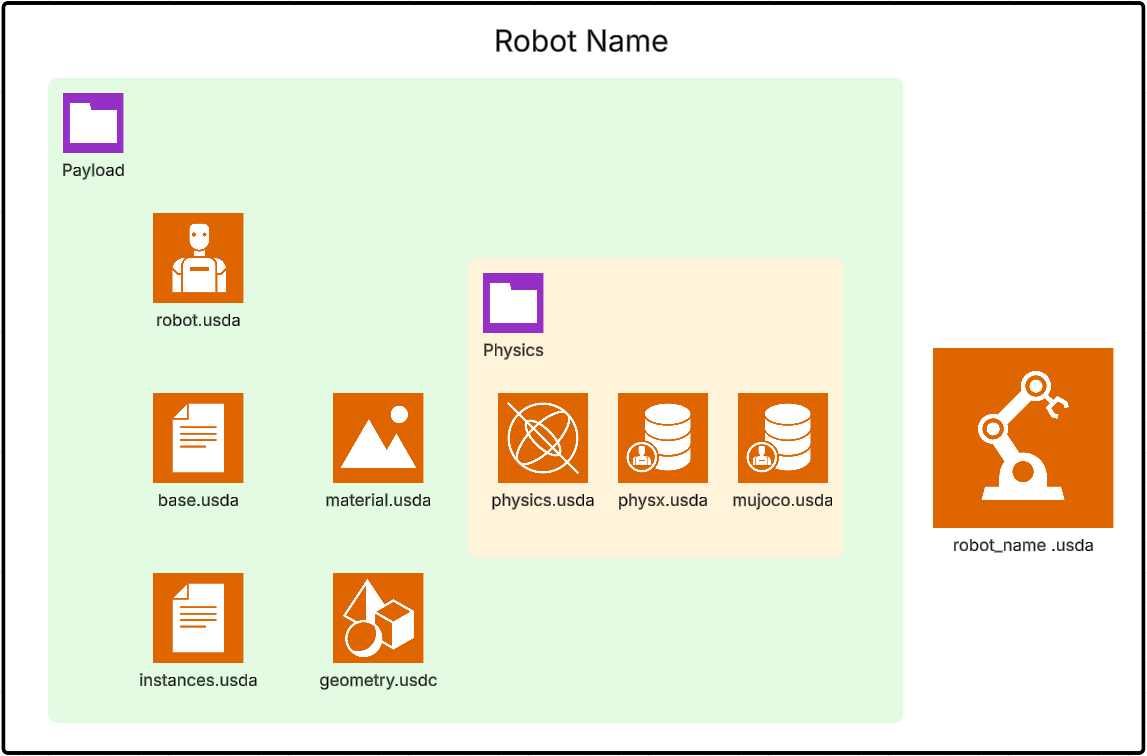
Assets in this stage represent their raw form as imported from their original file format. They are typically organized into:
Base Asset (
base.usda): Contains the full structural hierarchy of the asset, such as robot assemblies.Geometries (
geometries.usd): Includes individual meshes.Instances (
instances.usda): Composes geometries, materials, and colliders into visual and collision meshes.Materials (
materials.usda): A collection of materials used by the asset.Physics (
physics.usd): Includes the USD / Newton physics setup for the asset.MuJoCo (
mujoco.usda): Includes the MuJoCo physics setup for the asset.PhysX (
physx.usda): Includes the PhysX physics setup for the asset.Robot (
robot.usda): Includes the robot schema for the asset.
Expanding the asset structure#
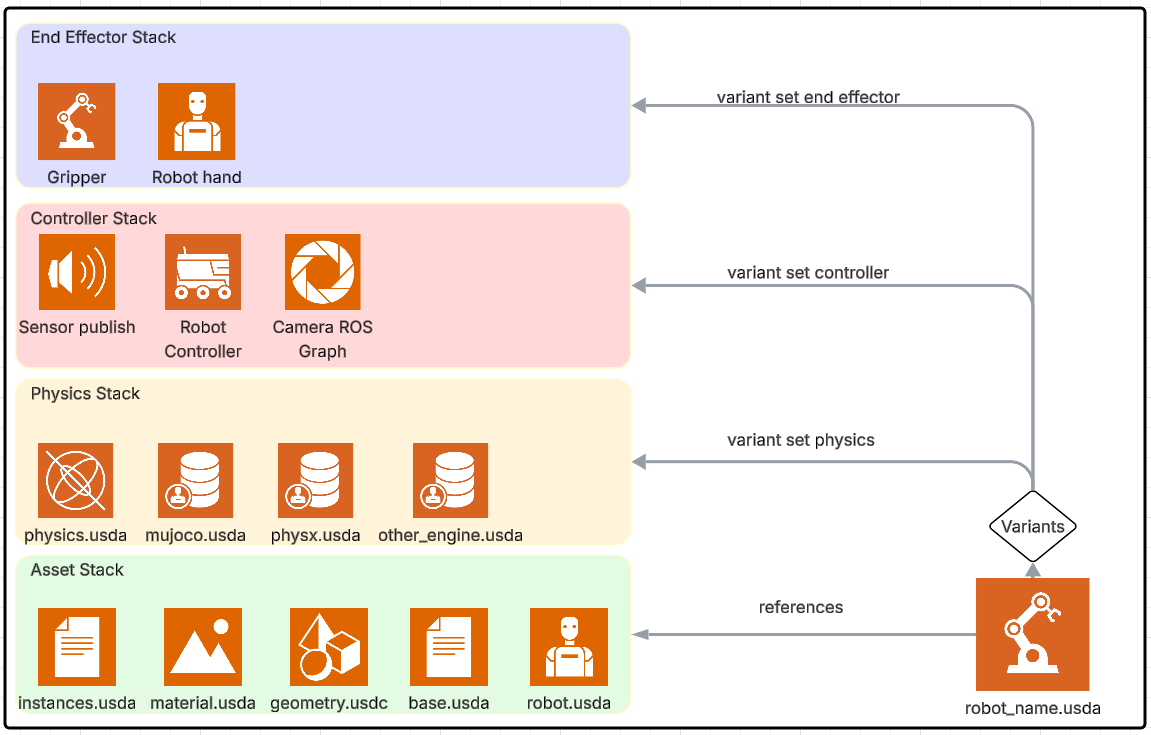
Through payloads and variants, the asset structure can be expanded to include more features. Examples of such features are:
End Effectors Stacks (
gripper.usda): Adds end effector such as grippers or suction cups for simulations.Control Stack (
control.usd): Adds specific control parameters for connecting controllers to the robot.ROS Integration Stack (
ros.usd): Configures ROS OmniGraph for the robot for publishing and subscribing to ROS topics.
Guidelines#
The source assets must remain unchanged to ensure that they can be re-imported seamlessly without losing downstream modifications.
Consistency is critical. The structural hierarchy, naming conventions, and part assemblies must remain intact.
Transformation#
This stage prepares the asset for simulation by reorganizing and optimizing it. This transformation is necessary when the source asset contains nested rigid bodies or a complex structure that doesn’t meet the requirements of simulation. The structure must be flattened with rigid bodies organized into a basic list, and meshes must be simplified to minimize their total count. The transformation process includes:
Reorganizing Structure:
Create the simulation structure (for example, separating visuals and colliders as needed).
Adjust the hierarchy to fit simulation requirements.
Optimizing Meshes:
Merge meshes that will function as a single rigid body.
Simplify the material count into a single visual material list.
Clean and format meshes as instantiable references to enhance performance.
Note
If the asset source is already in a format suitable for simulation, this step or parts of it can be skipped.
Features#
Simulation features are added in this stage and each feature is defined as a separate lightweight layer that builds on top of the transformed asset. These features include, but are not limited to, physics setups, sensor configurations, and control graphs.
Workflow for Adding and Modifying Features#
Create a new empty stage or open the existing feature stage.
Add the optimized asset (
asset_sim_optimized.usd) as a sub-layer.Modify the root layer to add/modify the feature.
Remove or disable the sub-layer (optimized asset) from the stage composition before saving.
Add the feature to the final asset as a payload. Optionally, a Variant set can be configured to enable quick switching between different feature sets by selecting them on a list.
Example Features#
Physics (
physics.usd): Adds rigid bodies, joints, and articulations.MuJoCo (
mujoco.usda): Adds MuJoCo physics specific setup.Control Graphs (
asset_control.usd): Adds control features for simulations.ROS Integration (
asset_ros.usd): Configures ROS OmniGraph functionalities.Gripper (
robotiq_2f_140.usda): Adds gripper features for simulations.
Composition of Final Asset#
The final composed asset is represented in the asset.usd file, which integrates all the necessary components for simulation. This is achieved through the following composition process:
- Sublayers:
The neutral physics asset (
physics.usda) is included as a sublayer forphysx.usdaandmujoco.usdato provide the core physics setup.
- Payloads:
Features such as end effectors (
gripper.usda) and control graphs (asset_control.usda) are dynamically added as payloads. This allows for flexible and efficient loading of components.
- References:
The physics setup (
base.usda) is added as a reference to the default prim, ensuring a consistent simulation-ready configuration.
- Variants:
Variants can be configured in the
physx.usdaormujoco.usdafile to enable different physics setups, without duplicating the asset.
This modular approach ensures that the final asset file is both lightweight and highly flexible, making it easy to adapt to different simulation scenarios.
To keep assets organized and maintainable, it is recommended that you follow the structure and guidelines outlined above. This will help streamline the asset creation process and improve overall simulation performance.
It is also suggested that you keep the assets organized in folders, with the source assets in their own folder, and all features in a features folder, while the final asset is saved in the root folder. By default Isaac Sim importers for robots follow this structure.
Robot Schema#
The Robot Schema provides a way to describe the robot structure agnostic of the simulation asset structure. The robot schema must be included as a sublayer on the robot asset.
Key Definitions and Notes#
Add-ons: - Features that have the simulation asset as a temporary sublayer used during feature creation. It is called the Add-on. The sublayer connection is broken before saving the feature asset.
Payloads: Dynamically loadable components that reduce memory overhead and improve modularity.
File-by-file explanation for the Inspire Hand asset#
The following walkthrough explains the role of each source file and where to author changes. This mirrors USD Asset Structure 3.0 guidance used in Isaac Sim 6.0 and helps keep assets modular across physics runtimes.
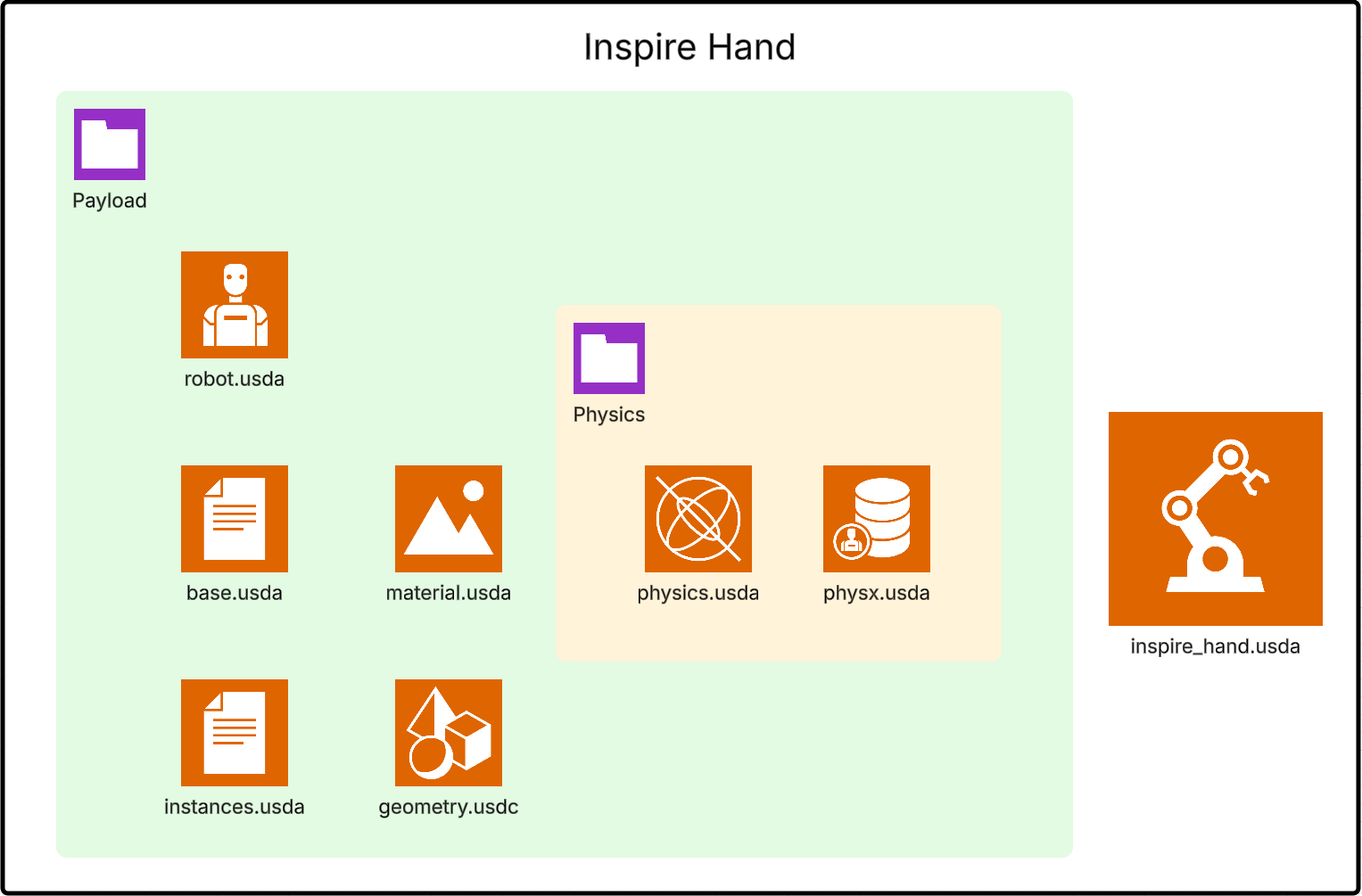
geometries.usd- Mesh data onlyStores mesh topology and vertex data in binary USD for performance.
Should not contain physics tuning, robot metadata, or runtime-specific attributes.
Edit this layer when geometry itself changes (for example, after CAD updates).
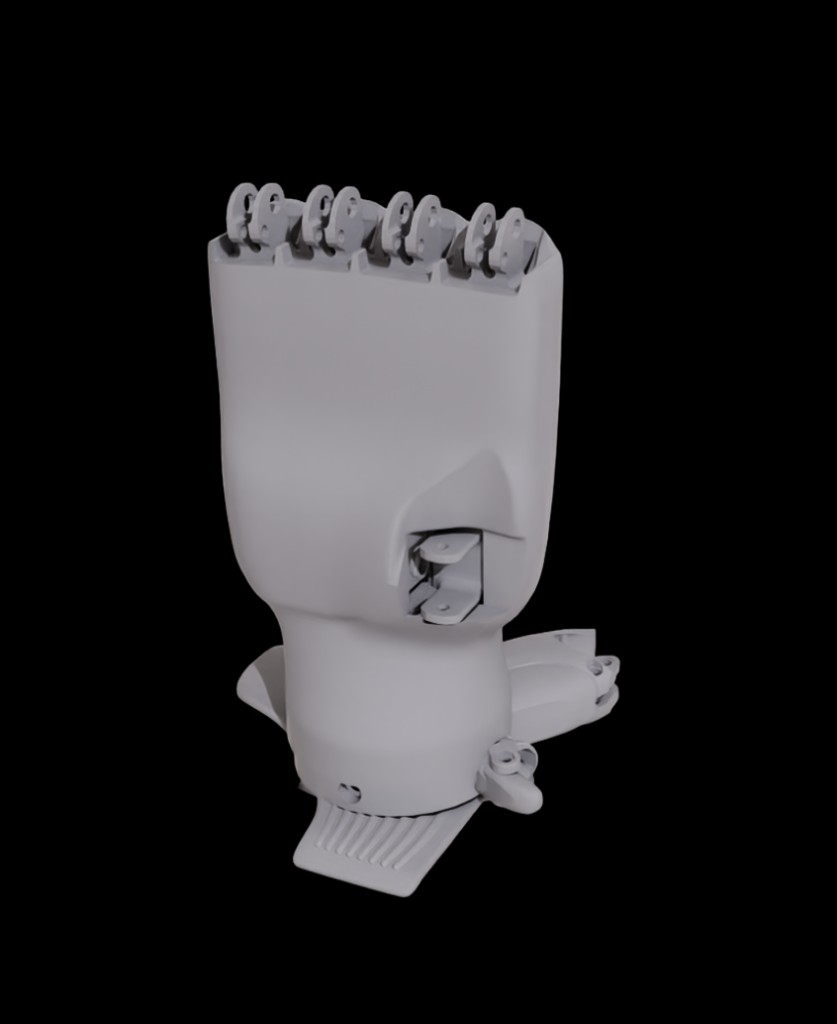
Example:
def Mesh "right_thumb_1"
{
    int[] faceVertexCounts = [4, 4, 4]
    int[] faceVertexIndices = [0, 1, 2, 3, 4, 5, 6, 7, 8, 9, 10, 11]
    point3f[] points = [(0, 0, 0), (0.01, 0, 0), (0.01, 0.02, 0), (0, 0.02, 0)]
}
materials.usda- Material definitionsContains material prims and shader bindings (for example MDL shader attributes).
Keeps look-development separate from geometry and simulation logic.
Edit this file when changing visual appearance without touching structure or physics.
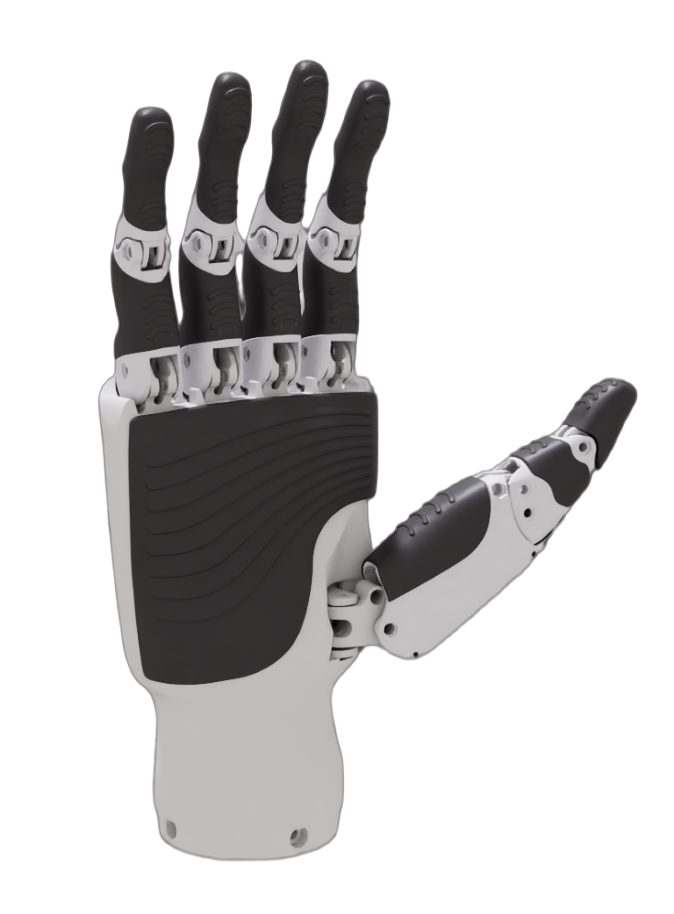
Example:
def Material "Plastic_ABS"
{
    prepend token outputs:mdl:surface.connect = </Materials/Plastic_ABS/Shader.outputs:out>

    def Shader "Shader"
    {
        token info:implementationSource = "sourceAsset"
        asset info:mdl:sourceAsset = @../Materials/Plastic_ABS.mdl@
        token info:mdl:sourceAsset:subIdentifier = "Plastic_ABS"
        color3f inputs:diffuse_tint = (1, 1, 1)
    }
}
instances.usda- Mesh, material, and collider assemblyReferences mesh prims from
geometries.usdand applies materials.Common place to define visual vs. collision mesh composition and collision approximation.
Edit this file for collider representation choices (for example convex hull vs. mesh).
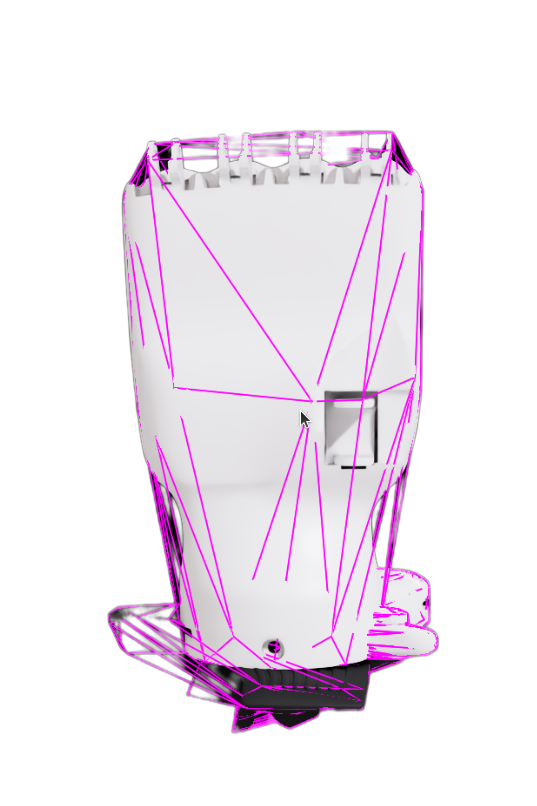
Example:
def Xform "right_thumb_1" (
    prepend references = @geometries.usd@</Geometries/right_thumb_1>
)
{
    over "right_thumb_1" (
        apiSchemas = ["PhysicsCollisionAPI", "PhysicsMeshCollisionAPI"]
    )
    {
        token physics:approximation = "convexHull"
        token purpose = "guide"
    }
}
robot.usda- Robot schema and metadataApplies Isaac robot schema and robot-level metadata (description, namespace, joint rels).
Keeps robot identity and metadata separate from visual and physics composition.
Edit this file for robot metadata and schema relationships, not for mesh or dynamics.
Example:
over "inspire_hand" (
    prepend apiSchemas = ["IsaacRobotAPI"]
)
{
    string isaac:description = "Inspire RH56DFX hand"
    string isaac:namespace = "inspire_hand"
    rel isaac:physics:robotJoints = [</inspire_hand/Physics/right_thumb_1_joint>]
}
base.usda- Simulation-ready structureOrganizes the transformed kinematic hierarchy and references reusable instances.
Defines transforms and structure used by downstream simulation feature layers.
Edit this layer when restructuring hierarchy for simulation compatibility.
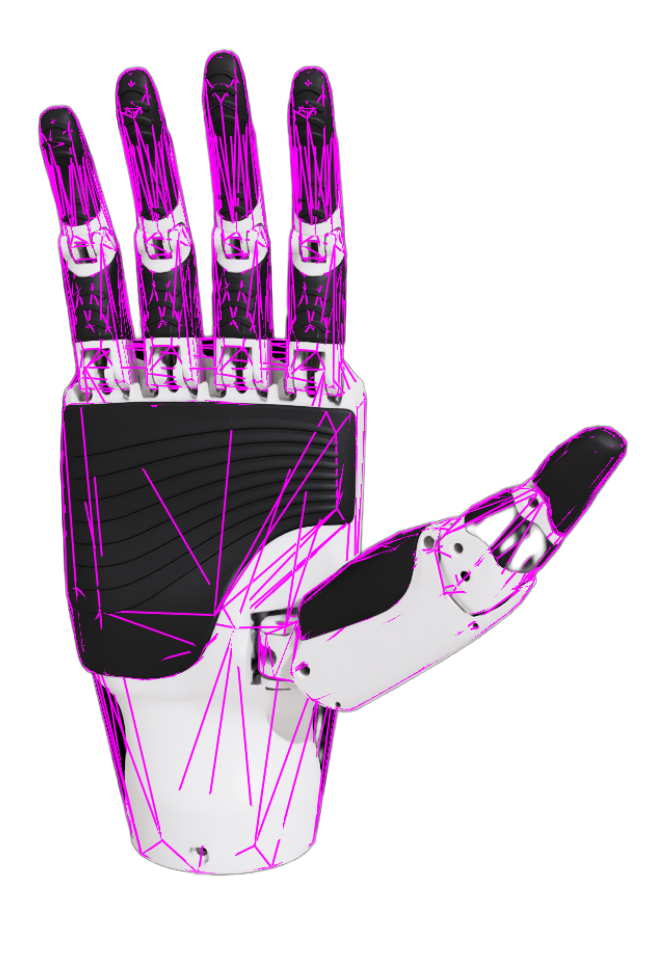
Example:
def Xform "right_thumb_1"
{
    quatf xformOp:orient = (1, 0, 0, 0)
    float3 xformOp:scale = (1, 1, 1)
    double3 xformOp:translate = (0.01696, 0.02045, 0.0667)
    uniform token[] xformOpOrder = ["xformOp:translate", "xformOp:orient", "xformOp:scale"]

    def Xform "instance" (
        instanceable = true
        prepend references = @instances.usda@</Instances/right_thumb_1>
    )
    {
    }
}
physics.usda- USD / Newton physics setupDefines common physics setup: rigid bodies, masses, joints, and articulation structure.
Serves as a neutral physics layer that specialized runtimes build on.
Edit this file for core physical behavior that should apply across runtimes.
Example:
def PhysicsRevoluteJoint "right_thumb_1_joint" (
    prepend apiSchemas = ["PhysicsDriveAPI:angular", "PhysicsJointStateAPI:angular"]
)
{
    uniform token physics:axis = "Z"
    prepend rel physics:body0 = </inspire_hand/r_base_link>
    prepend rel physics:body1 = </inspire_hand/right_thumb_1>
    float physics:lowerLimit = 0
    float physics:upperLimit = 75
}
mujoco.usda- MuJoCo physics setupHolds MuJoCo-specific attributes and tuning values.
Isolates MuJoCo behavior so it does not clash with PhysX or neutral physics.
Edit this file only for MuJoCo runtime tuning.
Example:
over "right_thumb_1_joint"
{
    custom string mujoco:actuatorType = "position"
    custom float mujoco:damping = 0.2
    custom float mujoco:frictionloss = 0.01
}
physx.usda- PhysX physics setupHolds PhysX-specific APIs and tuning (for example mimic setup or solver-related attributes).
Typically composes the neutral physics layer and adds PhysX-only details.
Edit this file for PhysX runtime behavior, not shared cross-engine behavior.
Example:
over "right_thumb_4_joint" (
    prepend apiSchemas = ["PhysxJointAPI", "PhysxMimicJointAPI:rotX"]
)
{
    float physxMimicJoint:rotX:gearing = -0.7508
    float physxMimicJoint:rotX:naturalFrequency = 25
    rel physxMimicJoint:rotX:referenceJoint = </inspire_hand/Physics/right_thumb_3_joint>
}
interface.usda- Final composed interface assetExposes the final robot prim that consumers load in simulation scenes.
Composes base structure by reference and adds optional features through payloads/variants.
Edit this file to control composition entry points and variant-driven feature selection.
Example:
def Xform "inspire_hand" (
    prepend references = @payloads/base.usda@
    append variantSets = "Physics"
)
{
    variantSet "Physics" = {
        "none" {
        }
        "physics" (
            prepend payload = @payloads/Physics/physics.usda@
        ) {
        }
        "physx" (
            prepend payload = @payloads/Physics/physx.usda@
        ) {
        }
    }
}
Practical rule of thumb:
Need to change shape or colliders? Start in
geometries.usdorinstances.usda.Need to change robot description/schema links? Use
robot.usda.Need to change dynamics for all engines? Use
physics.usd.Need engine-specific tuning? Use
mujoco.usdaorphysx.usda.Need optional features or runtime switching? Configure
asset.usdpayloads and variants.