


PhysX SDK generic sensor#
Deprecated since version 6.0: The PhysX SDK sensor extensions (isaacsim.sensors.physx) are deprecated. Use
isaacsim.sensors.experimental.physics.RaycastSensor as the replacement.
See PhysX Generic Sensor for step-by-step migration instructions, or the isaacsim.sensors.experimental.physics API Documentation for the replacement APIs.
The PhysX SDK generic sensor in Isaac Sim uses PhysX SDK raycasts to measure depth between two prims. It demonstrates how to build a PhysX SDK-based sensor in Isaac Sim to measure ground truth depth.
See the Isaac Sim Conventions documentation for a complete list of Isaac Sim conventions.
GUI#
PhysX SDK generic sensor example#
To run the PhysX SDK generic sensor example:
Activate Robotics Examples tab from Windows > Examples > Robotics Examples.
Click Robotics Examples > Sensors > Custom Pattern Range Sensor.
Press the Load Sensor button.
Press the Load Scene button.
Press the Set Sensor Pattern button to load the example sensor pattern.
Press the Open Source Code button to view the source code. The source code illustrates how to create, add, and control the sensor using the Python API.
Press the Play button to begin simulating.

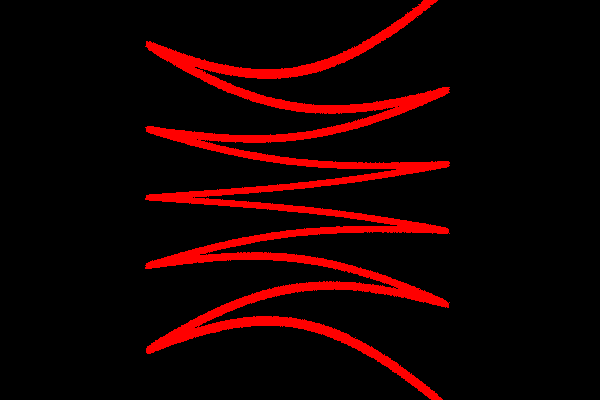
To visualize the pattern, save the image imprinted on the wall from the rays that hit it. Select or type the desired output directory and press Save Pattern Image. Open the saved image file and verify that you have a zigzag pattern.
Script Editor#
The following sections describe how to customize the PhysX SDK generic sensor through the Script Editor, opened from Window > Script Editor.
Customizing scanning pattern
To customize scanning patterns, fill or modify these parameters:
streaming: Set to
Trueif streaming data continuously,Falseif sending a batch of data once in the beginning and repeating it.sampling_rate: Number of scans per second.
batch_size: The number of scans each batch of data contains. The size must be large enough to run a few rendering frames without running out. For example, if you scan at 2400 scans per second and render at 120 fps, each frame renders 20 scans. If you send a batch size of 12000, you can render 600 frames, or five seconds at 120 fps, before you run out of data. If
batch_sizeis less thansampling_rate/fps, the sensor scans at a rate that equalsbatch_sizeper frame, which likely means you scan slower than desired.sensor_pattern: An Nx2 NumPy array. N is
batch_size, and the columns are [azimuth, zenith] angles of each scanning ray. Azimuth is the ray’s horizontal angle measured from the x-axis, and zenith angle is the vertical angle measured from the z-axis.origin_offsets: Optional Nx3 NumPy array. N is the batch size, and each row is the individual ray’s offset from origin in [x, y, z] coordinates.
Example scanning patterns
Review the example code to see how to produce the zigzag scanning pattern. The pattern in the example is generated programmatically inside the same script that runs the example. Click on the Open Source Code icon in the upper right-hand corner of the example window and open the Python source code for this example.
There are two test patterns in the script, one for testing continuous streaming data mode, the other one for testing a repeating pattern mode.
Streaming generated pattern
The pattern is sweeping horizontally 10 times for each round of up and down, resulting in the zigzag.
def _test_streaming_data(self):
    batch_size = int(1e6)
    half_batch = int(batch_size / 2)
    frequency = 10
    N_pts = int(batch_size / frequency / 2)
    azimuth = np.tile(
        np.append(np.linspace(-np.pi / 4, np.pi / 4, N_pts), np.linspace(np.pi / 4, -np.pi / 4, N_pts)), frequency
    )
    zenith = np.append(np.linspace(-np.pi / 4, np.pi / 4, half_batch), np.linspace(np.pi / 4, -np.pi / 4, half_batch))
    self.sensor_pattern = np.stack((azimuth, zenith))
Origin offset is optional. For the example, a small random offset was added, as seen below. For no offsets, you can either use an array of zeros or skip setting the origin_offsets parameter.
import numpy as np

# individual rays can have an offset at the origin
# adding random offsets to the origin for the example pattern
self.origin_offsets = 5 * np.random.random((batch_size, 3))
# self.origin_offsets = np.zeros((batch_size,3))                  # no offsets
Streaming pattern through file
If you do not have a programmatic way to generate the scanning pattern from scratch, or if you do not want to disclose the generation method of the scanning pattern, you can also import data from the file. The example below shows importing data from a .csv file and converting it to match the format of the sensor_pattern parameter.
import numpy as np

## import data from file
sensor_pattern = np.loadtxt("filename.csv", delimiter=",")
batch_size = np.shape(sensor_pattern)[0]
sensor_pattern = np.deg2rad(sensor_pattern).T.copy()  ##  MUST USE .copy()
Repeating pattern
To better visualize the repetitiveness of the pattern, you use a zigzag motion, but this time instead a smooth movement going up and down, it is split into two modes, one set scanning high and the other set scanning low. If correctly executed, verify that it repeats itself without any additional data being pulled in.
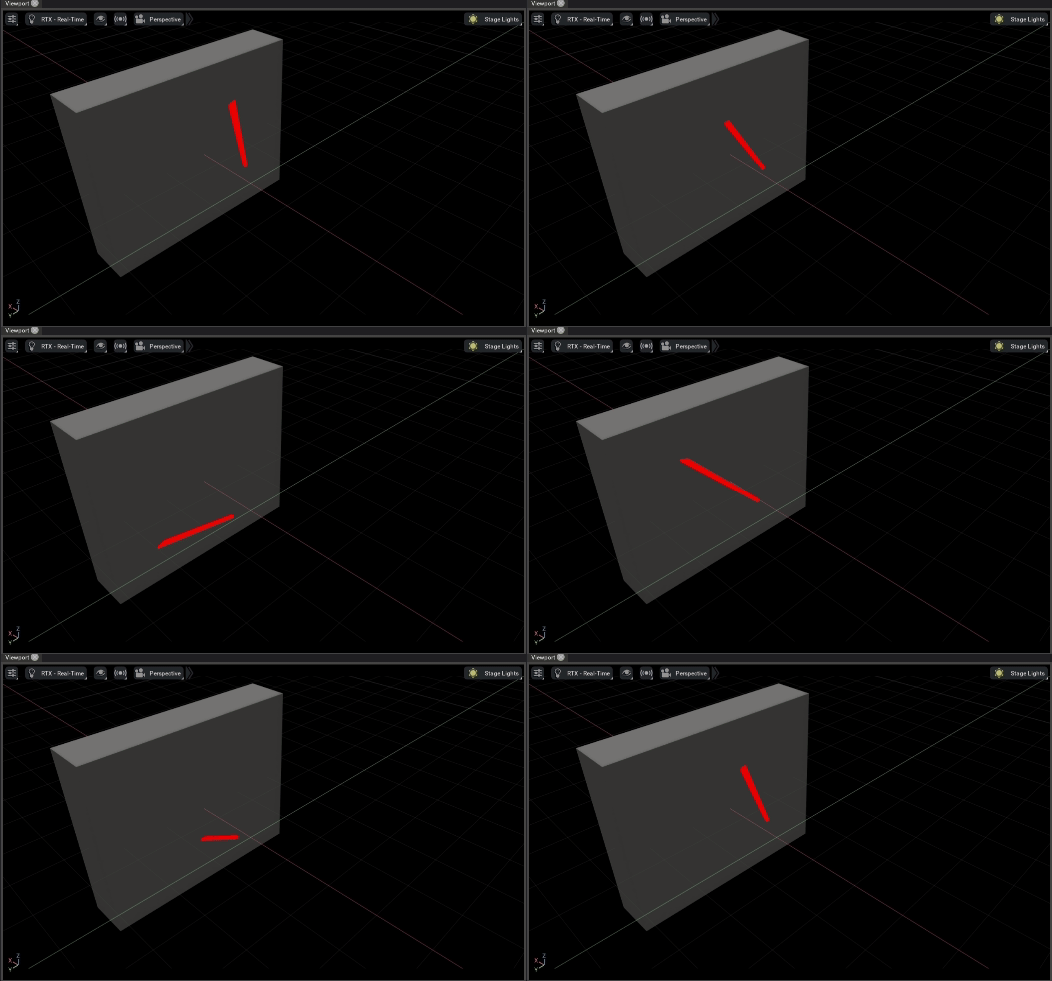
To change the example to run in non-streaming mode, set self._streaming = False and save the change. Verify that it then automatically uses the following code to generate the pattern. Wait for the example to restart and reload before trying to run it.
def _test_repeating_data(self):

    batch_size = int(1e6)
    half_batch = int(batch_size / 2)
    frequency = 10
    N_pts = int(batch_size / frequency / 2)
    azimuth = np.tile(
        np.append(np.linspace(-np.pi / 4, np.pi / 4, N_pts), np.linspace(np.pi / 4, -np.pi / 4, N_pts)), frequency
    )
    zenith = np.append(-0.5 * np.ones(half_batch), 0.5 * np.ones(half_batch))
    sensor_pattern = np.stack((azimuth, zenith))

    origin_offsets = 0.05 * np.random.random((batch_size, 3))
Setting scanning pattern
When the sensor processes each batch of [azimuth, zenith] pairs and is about to run out of data, it sets send_next_batch() to True. You can then send the next batch through set_next_batch_rays(prim_path, sensor_pattern), plus set_next_batch_offsets(prim_path, sensor_pattern) if there are origin offsets, as shown below.
def _on_editor_step(self, step):
    if not self._timeline.is_playing():
        return

    if self._timeline.is_playing():
        if self._generic:
            if self._pattern_set:
                if self._sensor.send_next_batch(
                    self._genericPath
                ):  # send_next_batch will turn True if the sensor is running out data and needs more
                    self._sensor.set_next_batch_rays(
                        self._genericPath, self.sensor_pattern
                    )  # set the next batch data using set_next_batch_rays()
                    self._sensor.set_next_batch_offsets(
                        self._genericPath, self.origin_offsets
                    )  # (Optional) add individual ray offsets if there are any