


RTX Radar Sensor#
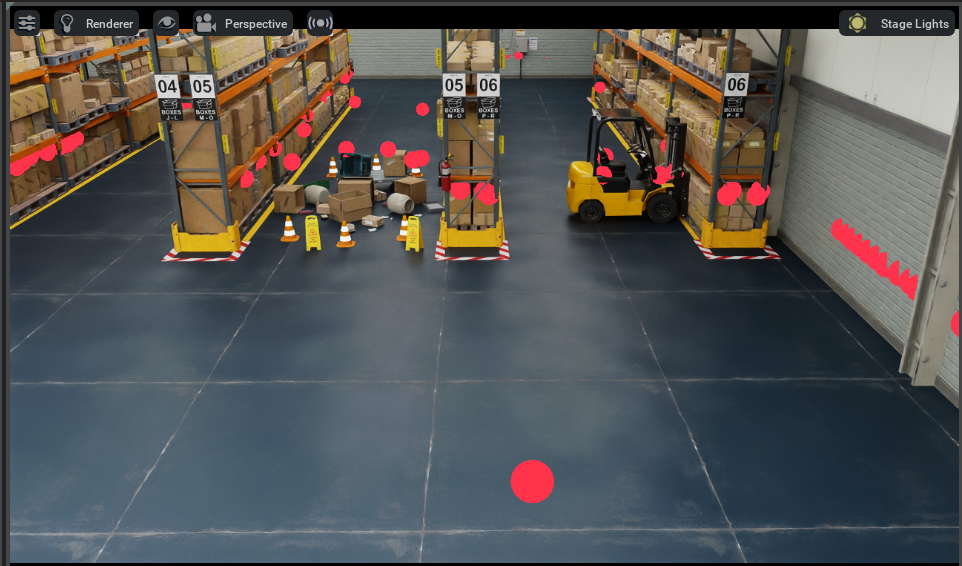
RTX Radar sensors are simulated at render time on the GPU with RTX hardware.
Their results are then copied to the GenericModelOutput AOV for use.
Warning
Motion BVH Must Be Enabled for RTX Radar
RTX Radar requires Motion BVH to be enabled for the Doppler effect—and therefore RTX Radar entirely—to be modeled correctly. Without Motion BVH enabled, RTX Radar will not produce accurate results.
Motion BVH is disabled by default in Isaac Sim for performance reasons. You must explicitly enable it before using RTX Radar.
To enable Motion BVH, add the following command line arguments when launching Isaac Sim:
--/renderer/raytracingMotion/enabled=true \
--/renderer/raytracingMotion/enableHydraEngineMasking=true \
--/renderer/raytracingMotion/enabledForHydraEngines='0,1,2,3,4'
Or in standalone Python, pass enable_motion_bvh=True to the SimulationApp constructor.
Refer to How to Enable Motion BVH for complete instructions.
Overview#
RTX Radars are rendered using OmniRadar prims, with the OmniSensorGenericRadarWpmDmatAPI schema applied,
as configured by attributes on the prim. After attaching a render product to the OmniRadar prim, and setting
the GenericModelOutput AOV on the render product, the RTXSensor renderer will write Radar render results to the AOV.
How to Create an RTX Radar#
The isaacsim.sensors.experimental.rtx extension provides the Radar class for creating RTX Radars. In addition, the omni.replicator.core
extension provides even lower-level APIs for creating OmniRadar prims (including batch creation) and attaching render
products to them.
Create an RTX Radar Using the Radar Class#
The Radar class creates or wraps an OmniRadar prim with the appropriate schemas applied.
Run this snippet in the Script Editor (Window > Script Editor).
import carb
import isaacsim.core.experimental.utils.stage as stage_utils
import numpy as np
from isaacsim.sensors.experimental.rtx import Radar

# RTX Radar requires Motion BVH to be enabled for Doppler velocity estimation.
settings = carb.settings.get_settings()
settings.set("/renderer/raytracingMotion/enabled", True)
settings.set("/renderer/raytracingMotion/enableHydraEngineMasking", True)
settings.set("/renderer/raytracingMotion/enabledForHydraEngines", "0,1,2,3,4")

# Ensure a /World Xform exists on the stage as the parent for the radar.
stage_utils.define_prim("/World", "Xform")

# Create an RTX Radar with a custom tick rate.
radar = Radar(
    path="/World/radar",
    tick_rate=10,
    translations=np.array([0.0, 0.0, 0.0]),
    orientations=np.array([1.0, 0.0, 0.0, 0.0]),
)
The snippet above creates an OmniRadar prim at path /World/radar with omni:sensor:tickRate set to 10 Hz.
Review the OmniSensorGenericRadarWpmDmatAPI
schema in the omni.usd.schema.omni_sensors extension to learn which attributes can be set on the OmniRadar prim.
Note
Radar.create() accepts config (from
isaacsim.sensors.experimental.rtx.SUPPORTED_RADAR_CONFIGS) or usd_path (mutually
exclusive), plus attributes for prim-attribute overrides and the plural transform arrays
(positions=[[...]] / translations=[[...]] / orientations=[[...]] / scales=[[...]];
N=1). Additional USD schemas via schemas=[...] are accepted by the Radar(...)
constructor — pass them through Radar(...) directly if you need them, since
Radar.create() does not currently forward schemas.
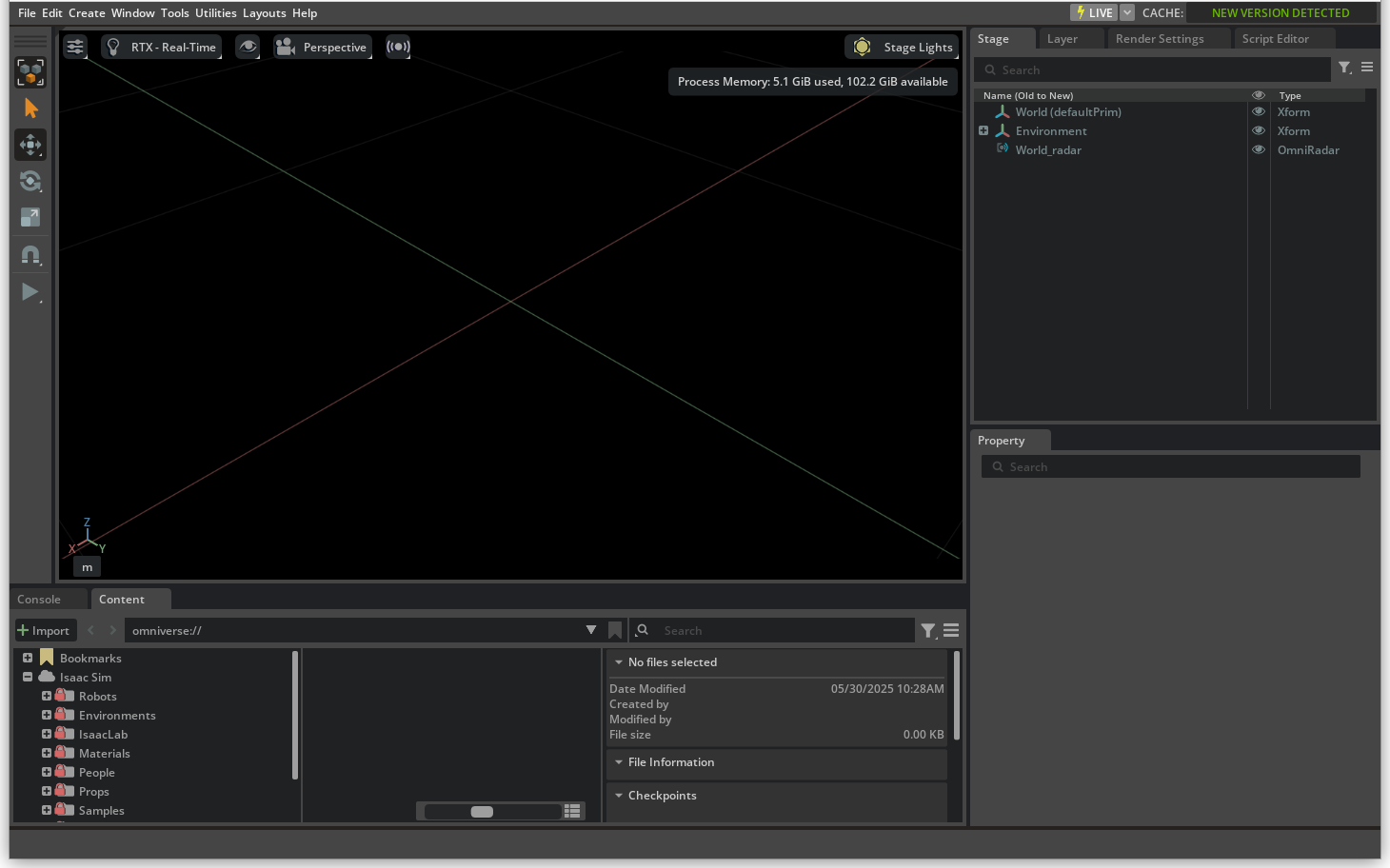
Annotators can then be attached to the OmniRadar prim to collect and visualize the Radar results.
Details about available annotators can be explored here.
Tick Rate#
Warning
In Isaac Sim 6.0 GA, RTX Radar autotriggers regardless of omni:sensor:tickRate attribute. This will be corrected in a future release.
The tick_rate parameter (Hz) controls how frequently the sensor renders. A value of 0
(the default) enables autotrigger mode, where the sensor renders every simulation frame. This maps to the omni:sensor:tickRate prim attribute.
Run this snippet in the Script Editor (Window > Script Editor).
import carb
from isaacsim.sensors.experimental.rtx import Radar

# RTX Radar requires Motion BVH to be enabled.
settings = carb.settings.get_settings()
settings.set("/renderer/raytracingMotion/enabled", True)
settings.set("/renderer/raytracingMotion/enableHydraEngineMasking", True)
settings.set("/renderer/raytracingMotion/enabledForHydraEngines", "0,1,2,3,4")

# Render at 10 Hz regardless of simulation frame rate.
radar = Radar(path="/Radar", tick_rate=10.0)
Auxiliary Output Level#
RTX Radar exposes auxiliary data through the aux_output_level constructor parameter.
Valid values are "NONE" (default) and "BASIC". Setting "BASIC" enables radial
velocity (rv_ms) in the GMO output.
Run this snippet in the Script Editor (Window > Script Editor).
import carb
from isaacsim.sensors.experimental.rtx import Radar

# RTX Radar requires Motion BVH to be enabled.
settings = carb.settings.get_settings()
settings.set("/renderer/raytracingMotion/enabled", True)
settings.set("/renderer/raytracingMotion/enableHydraEngineMasking", True)
settings.set("/renderer/raytracingMotion/enabledForHydraEngines", "0,1,2,3,4")

radar = Radar(path="/Radar", aux_output_level="BASIC")
See Auxiliary Output Level and the GenericModelOutput RenderVar for the full attribute-flow explanation and the
migration from the removed omni:sensor:WpmDmat:auxOutputType attribute, and
Known issue: last-attach-wins propagation of GMO channels for a known issue when multiple RTX sensors
with different auxiliary levels share a stage. See RTX Sensor Annotators for
the per-level field listing.
How to Collect Data from an RTX Radar#
The recommended method for collecting data from an RTX Radar is to use the RadarSensor runtime class,
which wraps a Radar authoring object and manages Replicator Annotators, similar to LidarSensor.
Run this snippet in the Script Editor (Window > Script Editor).
import carb
from isaacsim.sensors.experimental.rtx import Radar, RadarSensor, parse_generic_model_output_data

# RTX Radar requires Motion BVH to be enabled.
settings = carb.settings.get_settings()
settings.set("/renderer/raytracingMotion/enabled", True)
settings.set("/renderer/raytracingMotion/enableHydraEngineMasking", True)
settings.set("/renderer/raytracingMotion/enabledForHydraEngines", "0,1,2,3,4")

radar = Radar(path="/Radar")

sensor = RadarSensor(radar, annotators=["generic-model-output"])
data, info = sensor.get_data("generic-model-output")
gmo = parse_generic_model_output_data(data)
Refer to RTX Sensor Annotators for the full list of available lower-level annotators.
Visualizing RTX Radar Output#
Debug Draw#
The Debug Draw Extension can be used to visualize RTX Radar point cloud output in the viewport.
The standalone example create_radar_basic.py demonstrates using Debug Draw to visualize RTX Radar output:
./python.sh standalone_examples/api/isaacsim.sensors.experimental.rtx/create_radar_basic.py
For more information on Debug Draw APIs, refer to Debug Drawing Extension API and Util Snippets.
Doppler Effects#
Important
Motion BVH must be enabled for the Doppler effect to be modeled correctly in RTX Radar simulations. Refer to How to Enable Motion BVH for instructions on enabling Motion BVH.
Sensor Materials#
The material system for RTX Radar allows content creators to assign sensor material types to partial material prim names on a USD stage. Radar return behavior depends on material properties (for example, emissivity, reflectivity), as described below.
Standalone Examples#
For examples of creating and collecting data from RTX Radar, refer to the following:
Basic Creation and Visualization
# Basic radar creation with debug draw visualization
./python.sh standalone_examples/api/isaacsim.sensors.experimental.rtx/create_radar_basic.py
Data Collection and Inspection
# Inspect radar GenericModelOutput (GMO) data
./python.sh standalone_examples/api/isaacsim.sensors.experimental.rtx/inspect_radar_gmo.py
ROS 2 Integration
For publishing RTX Radar data to ROS 2 as PointCloud2 messages, see the RTX Radar Sensors tutorial.
Note
Refer to the Isaac Sim Conventions documentation for a complete list of Isaac Sim conventions.