
Non-Visual Sensors#
Isaac Sim models many types of non-visual sensors models, with digital twins found in the Content Browser under Isaac Sim/Sensors, organized into subfolders by manufacturer.
Some non-visual sensor types do not have digital twins. For more information about these sensors, including how to create them from the GUI, follow the links below:
RTX Lidars#
RTX Lidars marked as “certified” have Lidar configurations verified by the sensor manufacturer and tested before release.
Some Lidar models feature multiple configurations or profiles, which are implemented as USD Variants. In those cases, the available variants and their characteristics will also be provided as tables in the appropriate section below.
NVIDIA#
There are several example Lidar configuration files that ship with Isaac Sim. Note none of these Lidars have a mesh, so only a prim will appear in the Stage window when they are created. To create them via the UI, select the appropriate option below from the menu: Create>Sensors>RTX Lidar>NVIDIA.
Example Rotary 2D - a 10Hz rotary Lidar configuration with emitters in a single plane.
Example Rotary - a 10Hz rotary Lidar configuration with emitters in a single plane.
Example Solid State - a solid state Lidar configuration.
Simple Example Solid State - a simple 12-emitter solid state Lidar configuration, used to debug solid state Lidar issues.
HESAI#
XT32 SD10#
HESAI XT32 SD10 is a high precision, 32 Channels 360 degrees spinning mid range Lidar.
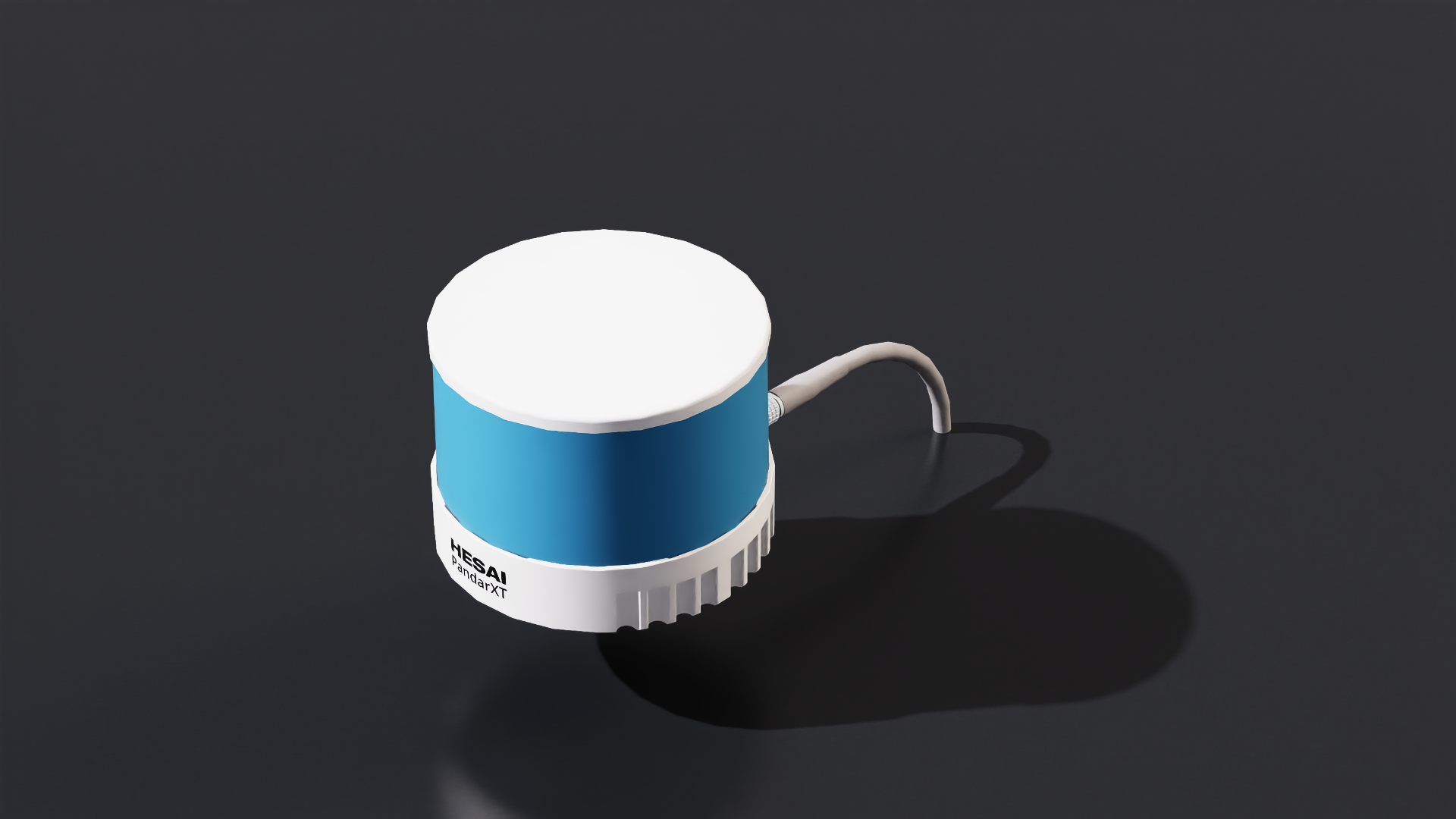
To create the sensor from the menu: Create>Sensors>RTX Lidar>HESAI>XT32 SD10#
To create the sensor from the Content Browser: Isaac Sim>Sensors>HESAI>XT32_SD10>HESAI_XT32_SD10.usd
Features and Specification
name |
XT-32 10hz |
|---|---|
type |
lidar |
scanRateBaseHz |
10.0 |
reportRateBaseHz |
20000 |
numberOfEmitters |
32 |
nearRangeM |
0.05 |
farRangeM |
120.0 |
rangeResolutionM |
0.004 |
rangeAccuracyM |
0.02 |
minDistBetweenEchos |
0.05 |
minReflectance |
0.1 |
minReflectanceRange |
80.0 |
wavelengthNm |
905.0 |
pulseTimeNs |
10 |
azimuthErrorMean |
0.0 |
azimuthErrorStd |
0.015 |
elevationErrorMean |
0.0 |
elevationErrorStd |
0.0 |
maxReturns |
2 |
Other Features
Dimensions: 100 mm (Top Diameter) by 103 mm (Bottom Diameter) by 76.0 mm (Height)
Note
For the datasheet and full list of specifications, visit the XT32 SD10 product page.
Ouster#
OS0#
Ouster OS0 is a high precision Lidar for autonomous vehicles, heavy machinery, robot, and mapping solutions. Isaac Sim has several pre-configured frequencies and resolutions that can be added to the stage easily.

To create the sensor from the menu: Create>Sensors>RTX Lidar>Ouster>OS0, then select the desired sensor configuration.#
To create the sensor from the Content Browser: Isaac Sim>Sensors>Ouster>OS0>OS0.usd
Features and Specification
name |
OS0 REV6 128 10hz @ 512 resolution |
|---|---|
type |
lidar |
scanRateBaseHz |
10.0 |
reportRateBaseHz |
5120 |
numberOfEmitters |
128 |
nearRangeM |
0.3 |
farRangeM |
50.0 |
rangeResolutionM |
0.001 |
rangeAccuracyM |
0.03 |
minReflectance |
0.1 |
minReflectanceRange |
20.0 |
wavelengthNm |
865.0 |
pulseTimeNs |
6 |
azimuthErrorMean |
0.0 |
azimuthErrorStd |
0.01 |
elevationErrorMean |
0.0 |
elevationErrorStd |
0.01 |
maxReturns |
2 |
name |
OS0 REV6 128 10hz @ 1024 resolution |
|---|---|
type |
lidar |
scanRateBaseHz |
10.0 |
reportRateBaseHz |
10240 |
numberOfEmitters |
128 |
nearRangeM |
0.3 |
farRangeM |
50.0 |
rangeResolutionM |
0.001 |
rangeAccuracyM |
0.03 |
minReflectance |
0.1 |
minReflectanceRange |
20.0 |
wavelengthNm |
865.0 |
pulseTimeNs |
6 |
azimuthErrorMean |
0.0 |
azimuthErrorStd |
0.01 |
elevationErrorMean |
0.0 |
elevationErrorStd |
0.01 |
maxReturns |
2 |
name |
OS0 REV6 128 10hz @ 2048 resolution |
|---|---|
type |
lidar |
scanRateBaseHz |
10.0 |
reportRateBaseHz |
20480 |
numberOfEmitters |
128 |
nearRangeM |
0.3 |
farRangeM |
50.0 |
rangeResolutionM |
0.001 |
rangeAccuracyM |
0.03 |
minReflectance |
0.1 |
minReflectanceRange |
20.0 |
wavelengthNm |
865.0 |
pulseTimeNs |
6 |
azimuthErrorMean |
0.0 |
azimuthErrorStd |
0.01 |
elevationErrorMean |
0.0 |
elevationErrorStd |
0.01 |
maxReturns |
2 |
name |
OS0 REV6 128 20hz @ 512 resolution |
|---|---|
type |
lidar |
scanRateBaseHz |
20.0 |
reportRateBaseHz |
10240 |
numberOfEmitters |
128 |
nearRangeM |
0.3 |
farRangeM |
50.0 |
rangeResolutionM |
0.001 |
rangeAccuracyM |
0.03 |
minReflectance |
0.1 |
minReflectanceRange |
20.0 |
wavelengthNm |
865.0 |
pulseTimeNs |
6 |
azimuthErrorMean |
0.0 |
azimuthErrorStd |
0.01 |
elevationErrorMean |
0.0 |
elevationErrorStd |
0.01 |
maxReturns |
2 |
name |
OS0 REV6 128 20hz @ 1024 resolution |
|---|---|
type |
lidar |
scanRateBaseHz |
20.0 |
reportRateBaseHz |
20480 |
numberOfEmitters |
128 |
nearRangeM |
0.3 |
farRangeM |
50.0 |
rangeResolutionM |
0.001 |
rangeAccuracyM |
0.03 |
minReflectance |
0.1 |
minReflectanceRange |
20.0 |
wavelengthNm |
865.0 |
pulseTimeNs |
6 |
azimuthErrorMean |
0.0 |
azimuthErrorStd |
0.01 |
elevationErrorMean |
0.0 |
elevationErrorStd |
0.01 |
maxReturns |
2 |
name |
OS0 REV7 128 10hz @ 512 resolution |
|---|---|
type |
lidar |
scanRateBaseHz |
10.0 |
reportRateBaseHz |
5120 |
numberOfEmitters |
128 |
nearRangeM |
0.5 |
farRangeM |
75.0 |
rangeResolutionM |
0.001 |
rangeAccuracyM |
0.025 |
minReflectance |
0.1 |
minReflectanceRange |
35.0 |
wavelengthNm |
865.0 |
pulseTimeNs |
6 |
azimuthErrorMean |
0.0 |
azimuthErrorStd |
0.01 |
elevationErrorMean |
0.0 |
elevationErrorStd |
0.01 |
maxReturns |
2 |
name |
OS0 REV7 128 10hz @ 1024 resolution |
|---|---|
type |
lidar |
scanRateBaseHz |
10.0 |
reportRateBaseHz |
10240 |
numberOfEmitters |
128 |
nearRangeM |
0.5 |
farRangeM |
75.0 |
rangeResolutionM |
0.001 |
rangeAccuracyM |
0.025 |
minReflectance |
0.1 |
minReflectanceRange |
35.0 |
wavelengthNm |
865.0 |
pulseTimeNs |
6 |
azimuthErrorMean |
0.0 |
azimuthErrorStd |
0.01 |
elevationErrorMean |
0.0 |
elevationErrorStd |
0.01 |
maxReturns |
2 |
name |
OS0 REV7 128 10hz @ 2048 resolution |
|---|---|
type |
lidar |
scanRateBaseHz |
10.0 |
reportRateBaseHz |
20480 |
numberOfEmitters |
128 |
nearRangeM |
0.5 |
farRangeM |
75.0 |
rangeResolutionM |
0.001 |
rangeAccuracyM |
0.025 |
minReflectance |
0.1 |
minReflectanceRange |
35.0 |
wavelengthNm |
865.0 |
pulseTimeNs |
6 |
azimuthErrorMean |
0.0 |
azimuthErrorStd |
0.01 |
elevationErrorMean |
0.0 |
elevationErrorStd |
0.01 |
maxReturns |
2 |
name |
OS0 REV7 128 20hz @ 512 resolution |
|---|---|
type |
lidar |
scanRateBaseHz |
20.0 |
reportRateBaseHz |
10240 |
numberOfEmitters |
128 |
nearRangeM |
0.5 |
farRangeM |
75.0 |
rangeResolutionM |
0.001 |
rangeAccuracyM |
0.025 |
minReflectance |
0.1 |
minReflectanceRange |
35.0 |
wavelengthNm |
865.0 |
pulseTimeNs |
6 |
azimuthErrorMean |
0.0 |
azimuthErrorStd |
0.01 |
elevationErrorMean |
0.0 |
elevationErrorStd |
0.01 |
maxReturns |
2 |
name |
OS0 REV7 128 20hz @ 1024 resolution |
|---|---|
type |
lidar |
scanRateBaseHz |
20.0 |
reportRateBaseHz |
20480 |
numberOfEmitters |
128 |
nearRangeM |
0.5 |
farRangeM |
75.0 |
rangeResolutionM |
0.001 |
rangeAccuracyM |
0.025 |
minReflectance |
0.1 |
minReflectanceRange |
35.0 |
wavelengthNm |
865.0 |
pulseTimeNs |
6 |
azimuthErrorMean |
0.0 |
azimuthErrorStd |
0.01 |
elevationErrorMean |
0.0 |
elevationErrorStd |
0.01 |
maxReturns |
2 |
Other Features
Rotation Rate: 10 or 20 hz (configurable)
Dimensions: 87 mm (Diameter) by 58.35 mm (Height). With thermal cap, height is 74.2 mm.
IMU supported: InvenSense IAM-20680HT
Note
For the datasheet and full list of specifications, visit the OS0 product page.
OS1#
Ouster OS1 is a high precision Lidar for autonomous vehicles, heavy machinery, robot, and mapping solutions. Isaac Sim has several pre-configured frequencies and resolutions that can be easily added to the stage.

To create the sensor from the menu: Create>Sensors>RTX Lidar>Ouster>OS1.#
To create the sensor from the Content Browser: Isaac Sim>Sensors>Ouster>OS1>OS1.usd
Features and Specification
name |
OS1 REV6 32 10hz @ 512 resolution |
|---|---|
type |
lidar |
scanRateBaseHz |
10.0 |
reportRateBaseHz |
5120 |
numberOfEmitters |
32 |
nearRangeM |
0.3 |
farRangeM |
120.0 |
rangeResolutionM |
0.001 |
rangeAccuracyM |
0.03 |
minReflectance |
0.1 |
minReflectanceRange |
55.0 |
wavelengthNm |
865.0 |
pulseTimeNs |
6 |
azimuthErrorMean |
0.0 |
azimuthErrorStd |
0.01 |
elevationErrorMean |
0.0 |
elevationErrorStd |
0.01 |
maxReturns |
2 |
name |
OS1 REV6 32 10hz @ 1024 resolution |
|---|---|
type |
lidar |
scanRateBaseHz |
10.0 |
reportRateBaseHz |
10240 |
numberOfEmitters |
32 |
nearRangeM |
0.3 |
farRangeM |
120.0 |
rangeResolutionM |
0.001 |
rangeAccuracyM |
0.03 |
minReflectance |
0.1 |
minReflectanceRange |
55.0 |
wavelengthNm |
865.0 |
pulseTimeNs |
6 |
azimuthErrorMean |
0.0 |
azimuthErrorStd |
0.01 |
elevationErrorMean |
0.0 |
elevationErrorStd |
0.01 |
maxReturns |
2 |
name |
OS1 REV6 32 10hz @ 2048 resolution |
|---|---|
type |
lidar |
scanRateBaseHz |
10.0 |
reportRateBaseHz |
20480 |
numberOfEmitters |
32 |
nearRangeM |
0.3 |
farRangeM |
120.0 |
rangeResolutionM |
0.001 |
rangeAccuracyM |
0.03 |
minReflectance |
0.1 |
minReflectanceRange |
55.0 |
wavelengthNm |
865.0 |
pulseTimeNs |
6 |
azimuthErrorMean |
0.0 |
azimuthErrorStd |
0.01 |
elevationErrorMean |
0.0 |
elevationErrorStd |
0.01 |
maxReturns |
2 |
name |
OS1 REV6 32 20hz @ 512 resolution |
|---|---|
type |
lidar |
scanRateBaseHz |
20.0 |
reportRateBaseHz |
10240 |
numberOfEmitters |
32 |
nearRangeM |
0.3 |
farRangeM |
120.0 |
rangeResolutionM |
0.001 |
rangeAccuracyM |
0.03 |
minReflectance |
0.1 |
minReflectanceRange |
55.0 |
wavelengthNm |
865.0 |
pulseTimeNs |
6 |
azimuthErrorMean |
0.0 |
azimuthErrorStd |
0.01 |
elevationErrorMean |
0.0 |
elevationErrorStd |
0.01 |
maxReturns |
2 |
name |
OS1 REV6 32 20hz @ 1024 resolution |
|---|---|
type |
lidar |
scanRateBaseHz |
20.0 |
reportRateBaseHz |
20480 |
numberOfEmitters |
32 |
nearRangeM |
0.3 |
farRangeM |
120.0 |
rangeResolutionM |
0.001 |
rangeAccuracyM |
0.03 |
minReflectance |
0.1 |
minReflectanceRange |
55.0 |
wavelengthNm |
865.0 |
pulseTimeNs |
6 |
azimuthErrorMean |
0.0 |
azimuthErrorStd |
0.01 |
elevationErrorMean |
0.0 |
elevationErrorStd |
0.01 |
maxReturns |
2 |
name |
OS1 REV6 128 10hz @ 512 resolution |
|---|---|
type |
lidar |
scanRateBaseHz |
10.0 |
reportRateBaseHz |
5120 |
numberOfEmitters |
128 |
nearRangeM |
0.3 |
farRangeM |
120.0 |
rangeResolutionM |
0.001 |
rangeAccuracyM |
0.03 |
minReflectance |
0.1 |
minReflectanceRange |
55.0 |
wavelengthNm |
865.0 |
pulseTimeNs |
6 |
azimuthErrorMean |
0.0 |
azimuthErrorStd |
0.01 |
elevationErrorMean |
0.0 |
elevationErrorStd |
0.01 |
maxReturns |
2 |
name |
OS1 REV6 128 10hz @ 1024 resolution |
|---|---|
type |
lidar |
scanRateBaseHz |
10.0 |
reportRateBaseHz |
10240 |
numberOfEmitters |
128 |
nearRangeM |
0.3 |
farRangeM |
120.0 |
rangeResolutionM |
0.001 |
rangeAccuracyM |
0.03 |
minReflectance |
0.1 |
minReflectanceRange |
55.0 |
wavelengthNm |
865.0 |
pulseTimeNs |
6 |
azimuthErrorMean |
0.0 |
azimuthErrorStd |
0.01 |
elevationErrorMean |
0.0 |
elevationErrorStd |
0.01 |
maxReturns |
2 |
name |
OS1 REV6 128 10hz @ 2048 resolution |
|---|---|
type |
lidar |
scanRateBaseHz |
10.0 |
reportRateBaseHz |
20480 |
numberOfEmitters |
128 |
nearRangeM |
0.3 |
farRangeM |
120.0 |
rangeResolutionM |
0.001 |
rangeAccuracyM |
0.03 |
minReflectance |
0.1 |
minReflectanceRange |
55.0 |
wavelengthNm |
865.0 |
pulseTimeNs |
6 |
azimuthErrorMean |
0.0 |
azimuthErrorStd |
0.01 |
elevationErrorMean |
0.0 |
elevationErrorStd |
0.01 |
maxReturns |
2 |
name |
OS1 REV6 128 20hz @ 512 resolution |
|---|---|
type |
lidar |
scanRateBaseHz |
20.0 |
reportRateBaseHz |
10240 |
numberOfEmitters |
128 |
nearRangeM |
0.3 |
farRangeM |
120.0 |
rangeResolutionM |
0.001 |
rangeAccuracyM |
0.03 |
minReflectance |
0.1 |
minReflectanceRange |
55.0 |
wavelengthNm |
865.0 |
pulseTimeNs |
6 |
azimuthErrorMean |
0.0 |
azimuthErrorStd |
0.01 |
elevationErrorMean |
0.0 |
elevationErrorStd |
0.01 |
maxReturns |
2 |
name |
OS1 REV6 128 20hz @ 1024 resolution |
|---|---|
type |
lidar |
scanRateBaseHz |
20.0 |
reportRateBaseHz |
20480 |
numberOfEmitters |
128 |
nearRangeM |
0.3 |
farRangeM |
120.0 |
rangeResolutionM |
0.001 |
rangeAccuracyM |
0.03 |
minReflectance |
0.1 |
minReflectanceRange |
55.0 |
wavelengthNm |
865.0 |
pulseTimeNs |
6 |
azimuthErrorMean |
0.0 |
azimuthErrorStd |
0.01 |
elevationErrorMean |
0.0 |
elevationErrorStd |
0.01 |
maxReturns |
2 |
name |
OS1 REV7 128 10hz @ 512 resolution |
|---|---|
type |
lidar |
scanRateBaseHz |
10.0 |
reportRateBaseHz |
5120 |
numberOfEmitters |
128 |
nearRangeM |
0.5 |
farRangeM |
170.0 |
rangeResolutionM |
0.001 |
rangeAccuracyM |
0.025 |
minReflectance |
0.1 |
minReflectanceRange |
90.0 |
wavelengthNm |
865.0 |
pulseTimeNs |
6 |
azimuthErrorMean |
0.0 |
azimuthErrorStd |
0.01 |
elevationErrorMean |
0.0 |
elevationErrorStd |
0.01 |
maxReturns |
2 |
name |
OS1 REV7 128 10hz @ 1024 resolution |
|---|---|
type |
lidar |
scanRateBaseHz |
10.0 |
reportRateBaseHz |
10240 |
numberOfEmitters |
128 |
nearRangeM |
0.5 |
farRangeM |
170.0 |
rangeResolutionM |
0.001 |
rangeAccuracyM |
0.025 |
minReflectance |
0.1 |
minReflectanceRange |
90.0 |
wavelengthNm |
865.0 |
pulseTimeNs |
6 |
azimuthErrorMean |
0.0 |
azimuthErrorStd |
0.01 |
elevationErrorMean |
0.0 |
elevationErrorStd |
0.01 |
maxReturns |
2 |
name |
OS1 REV7 128 10hz @ 2048 resolution |
|---|---|
type |
lidar |
scanRateBaseHz |
10.0 |
reportRateBaseHz |
20480 |
numberOfEmitters |
128 |
nearRangeM |
0.5 |
farRangeM |
170.0 |
rangeResolutionM |
0.001 |
rangeAccuracyM |
0.025 |
minReflectance |
0.1 |
minReflectanceRange |
90.0 |
wavelengthNm |
865.0 |
pulseTimeNs |
6 |
azimuthErrorMean |
0.0 |
azimuthErrorStd |
0.01 |
elevationErrorMean |
0.0 |
elevationErrorStd |
0.01 |
maxReturns |
2 |
name |
OS1 REV7 128 20hz @ 512 resolution |
|---|---|
type |
lidar |
scanRateBaseHz |
20.0 |
reportRateBaseHz |
10240 |
numberOfEmitters |
128 |
nearRangeM |
0.5 |
farRangeM |
170.0 |
rangeResolutionM |
0.001 |
rangeAccuracyM |
0.025 |
minReflectance |
0.1 |
minReflectanceRange |
90.0 |
wavelengthNm |
865.0 |
pulseTimeNs |
6 |
azimuthErrorMean |
0.0 |
azimuthErrorStd |
0.01 |
elevationErrorMean |
0.0 |
elevationErrorStd |
0.01 |
maxReturns |
2 |
name |
OS1 REV7 128 20hz @ 1024 resolution |
|---|---|
type |
lidar |
scanRateBaseHz |
20.0 |
reportRateBaseHz |
20480 |
numberOfEmitters |
128 |
nearRangeM |
0.5 |
farRangeM |
170.0 |
rangeResolutionM |
0.001 |
rangeAccuracyM |
0.025 |
minReflectance |
0.1 |
minReflectanceRange |
90.0 |
wavelengthNm |
865.0 |
pulseTimeNs |
6 |
azimuthErrorMean |
0.0 |
azimuthErrorStd |
0.01 |
elevationErrorMean |
0.0 |
elevationErrorStd |
0.01 |
maxReturns |
2 |
Other Features
Dimensions: 87 mm (Diameter) by 58.35 mm (Height). With thermal cap, height is 74.2 mm.
IMU supported: InvenSense IAM-20680HT
Note
For the datasheet and full list of specifications, visit the OS1 product page.
OS2#
Ouster OS2 is a high precision Lidar for autonomous vehicles, heavy machinery, robot, and mapping solutions. Isaac Sim has several pre-configured frequencies and resolutions that can be easily added to the stage.

To create the sensor from the menu: Create>Sensors>RTX Lidar>Ouster>OS2.#
To create the sensor from the Content Browser: Isaac Sim>Sensors>Ouster>OS2>OS2.usd
Features and Specification
name |
OS2 REV6 128 10hz @ 512 resolution |
|---|---|
type |
lidar |
scanRateBaseHz |
10.0 |
reportRateBaseHz |
5120 |
numberOfEmitters |
128 |
nearRangeM |
1.0 |
farRangeM |
240.0 |
rangeResolutionM |
0.001 |
rangeAccuracyM |
0.03 |
minReflectance |
0.1 |
minReflectanceRange |
100.0 |
wavelengthNm |
865.0 |
pulseTimeNs |
6 |
azimuthErrorMean |
0.0 |
azimuthErrorStd |
0.01 |
elevationErrorMean |
0.0 |
elevationErrorStd |
0.01 |
maxReturns |
2 |
name |
OS2 REV6 128 10hz @ 1024 resolution |
|---|---|
type |
lidar |
scanRateBaseHz |
10.0 |
reportRateBaseHz |
10240 |
numberOfEmitters |
128 |
nearRangeM |
1.0 |
farRangeM |
240.0 |
rangeResolutionM |
0.001 |
rangeAccuracyM |
0.03 |
minReflectance |
0.1 |
minReflectanceRange |
100.0 |
wavelengthNm |
865.0 |
pulseTimeNs |
6 |
azimuthErrorMean |
0.0 |
azimuthErrorStd |
0.01 |
elevationErrorMean |
0.0 |
elevationErrorStd |
0.01 |
maxReturns |
2 |
name |
OS2 REV6 128 10hz @ 2048 resolution |
|---|---|
type |
lidar |
scanRateBaseHz |
10.0 |
reportRateBaseHz |
20480 |
numberOfEmitters |
128 |
nearRangeM |
1.0 |
farRangeM |
240.0 |
rangeResolutionM |
0.001 |
rangeAccuracyM |
0.03 |
minReflectance |
0.1 |
minReflectanceRange |
100.0 |
wavelengthNm |
865.0 |
pulseTimeNs |
6 |
azimuthErrorMean |
0.0 |
azimuthErrorStd |
0.01 |
elevationErrorMean |
0.0 |
elevationErrorStd |
0.01 |
maxReturns |
2 |
name |
OS2 REV6 128 20hz @ 512 resolution |
|---|---|
type |
lidar |
scanRateBaseHz |
20.0 |
reportRateBaseHz |
10240 |
numberOfEmitters |
128 |
nearRangeM |
1.0 |
farRangeM |
240.0 |
rangeResolutionM |
0.001 |
rangeAccuracyM |
0.03 |
minReflectance |
0.1 |
minReflectanceRange |
100.0 |
wavelengthNm |
865.0 |
pulseTimeNs |
6 |
azimuthErrorMean |
0.0 |
azimuthErrorStd |
0.01 |
elevationErrorMean |
0.0 |
elevationErrorStd |
0.01 |
maxReturns |
2 |
name |
OS2 REV6 128 20hz @ 1024 resolution |
|---|---|
type |
lidar |
scanRateBaseHz |
20.0 |
reportRateBaseHz |
20480 |
numberOfEmitters |
128 |
nearRangeM |
1.0 |
farRangeM |
240.0 |
rangeResolutionM |
0.001 |
rangeAccuracyM |
0.03 |
minReflectance |
0.1 |
minReflectanceRange |
100.0 |
wavelengthNm |
865.0 |
pulseTimeNs |
6 |
azimuthErrorMean |
0.0 |
azimuthErrorStd |
0.01 |
elevationErrorMean |
0.0 |
elevationErrorStd |
0.01 |
maxReturns |
2 |
name |
OS2 REV7 128 10hz @ 512 resolution |
|---|---|
type |
lidar |
scanRateBaseHz |
10.0 |
reportRateBaseHz |
5120 |
numberOfEmitters |
128 |
nearRangeM |
0.8 |
farRangeM |
350.0 |
rangeResolutionM |
0.001 |
rangeAccuracyM |
0.02 |
minReflectance |
0.1 |
minReflectanceRange |
200.0 |
wavelengthNm |
865.0 |
pulseTimeNs |
6 |
azimuthErrorMean |
0.0 |
azimuthErrorStd |
0.01 |
elevationErrorMean |
0.0 |
elevationErrorStd |
0.01 |
maxReturns |
2 |
name |
OS2 REV7 128 10hz @ 1024 resolution |
|---|---|
type |
lidar |
scanRateBaseHz |
10.0 |
reportRateBaseHz |
10240 |
numberOfEmitters |
128 |
nearRangeM |
0.8 |
farRangeM |
350.0 |
rangeResolutionM |
0.001 |
rangeAccuracyM |
0.02 |
minReflectance |
0.1 |
minReflectanceRange |
200.0 |
wavelengthNm |
865.0 |
pulseTimeNs |
6 |
azimuthErrorMean |
0.0 |
azimuthErrorStd |
0.01 |
elevationErrorMean |
0.0 |
elevationErrorStd |
0.01 |
maxReturns |
2 |
name |
OS2 REV7 128 10hz @ 2048 resolution |
|---|---|
type |
lidar |
scanRateBaseHz |
10.0 |
reportRateBaseHz |
20480 |
numberOfEmitters |
128 |
nearRangeM |
0.8 |
farRangeM |
350.0 |
rangeResolutionM |
0.001 |
rangeAccuracyM |
0.02 |
minReflectance |
0.1 |
minReflectanceRange |
200.0 |
wavelengthNm |
865.0 |
pulseTimeNs |
6 |
azimuthErrorMean |
0.0 |
azimuthErrorStd |
0.01 |
elevationErrorMean |
0.0 |
elevationErrorStd |
0.01 |
maxReturns |
2 |
name |
OS2 REV7 128 20hz @ 512 resolution |
|---|---|
type |
lidar |
scanRateBaseHz |
20.0 |
reportRateBaseHz |
10240 |
numberOfEmitters |
128 |
nearRangeM |
0.8 |
farRangeM |
350.0 |
rangeResolutionM |
0.001 |
rangeAccuracyM |
0.02 |
minReflectance |
0.1 |
minReflectanceRange |
200.0 |
wavelengthNm |
865.0 |
pulseTimeNs |
6 |
azimuthErrorMean |
0.0 |
azimuthErrorStd |
0.01 |
elevationErrorMean |
0.0 |
elevationErrorStd |
0.01 |
maxReturns |
2 |
name |
OS2 REV7 128 20hz @ 1024 resolution |
|---|---|
type |
lidar |
scanRateBaseHz |
20.0 |
reportRateBaseHz |
20480 |
numberOfEmitters |
128 |
nearRangeM |
0.8 |
farRangeM |
350.0 |
rangeResolutionM |
0.001 |
rangeAccuracyM |
0.02 |
minReflectance |
0.1 |
minReflectanceRange |
200.0 |
wavelengthNm |
865.0 |
pulseTimeNs |
6 |
azimuthErrorMean |
0.0 |
azimuthErrorStd |
0.01 |
elevationErrorMean |
0.0 |
elevationErrorStd |
0.01 |
maxReturns |
2 |
Other Features
Dimensions: 87 mm (Diameter) by 58.35 mm (Height). With thermal cap, height is 74.2 mm.
IMU supported: InvenSense IAM-20680HT
Note
For the datasheet and full list of specifications, visit the OS2 product page.
VLS 128#
Ouster VLS 128 is a long range, ultra high resolution 3D Lidar for autonomous vehicles.

To create the sensor from the menu: Create>Sensors>RTX Lidar>Ouster>VLS 128#
To create the sensor from the Content Browser: Isaac Sim>Sensors>Ouster>VLS_128>Ouster_VLS_128.usd
Features and Specification
name |
Velodyne VLS-128 |
|---|---|
type |
lidar |
scanRateBaseHz |
10.0 |
reportRateBaseHz |
18761 |
numberOfEmitters |
128 |
nearRangeM |
1.0 |
farRangeM |
200.0 |
rangeResolutionM |
0.004 |
rangeAccuracyM |
0.02 |
minReflectance |
0.1 |
minReflectanceRange |
120.0 |
wavelengthNm |
903.0 |
pulseTimeNs |
6 |
maxReturns |
2 |
Other Features
Dimensions: 165.5 mm (Diameter) by 141.3 mm (Height)
Operating Temperature: -20C to 60C
SICK#
Note
SICK lidar asset reorganization (Isaac Sim 6.0)
Several SICK lidar assets have been consolidated into family-level USDs that group related
sub-models as variants of a single parent asset. The standalone single-sensor USDs below have
been removed from SUPPORTED_LIDAR_CONFIGS; their scan profiles remain available through the
corresponding family asset’s variant set.
Removed standalone asset |
Replaced by family asset |
Variants providing the equivalent profiles |
|---|---|---|
|
|
|
|
|
|
|
|
|
|
|
|
|
|
|
The standalone USD files remain browsable in the Content Browser under their original paths,
but Lidar.create(config="SICK_LRS4581R") (and the equivalent for the other four) no longer
resolves. Use the family config name with the corresponding sub-model variant instead, for
example Lidar.create(config="SICK_picoScan100", variant="picoScan150Pro_Profile01_15Hz_0p5deg").
LMS4000 (Certified)#
The SICK LMS4000 is a 2D LiDAR sensor particularly well-suited for use in intralogistics, material handling and in all areas in which goods must be quickly and systematically analyzed and moved.

To create the sensor from the menu: Create>Sensors>RTX Lidar>SICK>LMS4000, then select the desired sensor configuration.#
To create the sensor from the Content Browser: Isaac Sim>Sensors>SICK>LMS4000>SICK_LMS4000.usd
Features and Specification
Features and Specification#
The model provides different product variants. To switch between different profiles, use the Variant Set “Profile” defined on the default prim. The profiles differ in the following parameters:
LMS4111R#
Profile |
Maximum working range |
Angular resolution |
Laser diode |
Scan frequency |
|---|---|---|---|---|
Profile01 |
3.0 m |
0.0833° |
10.0 mW |
600 Hz |
LMS4121R#
Profile |
Maximum working range |
Angular resolution |
Laser diode |
Scan frequency |
|---|---|---|---|---|
Profile01 |
3.0 m |
0.0833° |
13.5mW |
600 Hz |
LMS4124R#
Profile |
Maximum working range |
Angular resolution |
Laser diode |
Scan frequency |
|---|---|---|---|---|
Profile01 |
5.5 m |
0.0833° |
13.5mW |
600 Hz |
ℹ️ Note For the datasheet and full list of specifications, visit the LMS4000 product page.
For guidance on how to use this sensor optimally in Isaac Sim, use the contact function on the SICK digital twin landing page.
LMS5xx (Certified)#
The SICK LMS5xx is a 2D LiDAR sensor for solving demanding industrial applications such as collision avoidance or measurement and monitoring in indoor and outdoor areas.

To create the sensor from the menu: Create>Sensors>RTX Lidar>SICK>LMS5xx, then select the desired sensor configuration.#
To create the sensor from the Content Browser: Isaac Sim>Sensors>SICK>LMS5xx>SICK_LMS5xx.usd
Features and Specification
Features and Specification#
The model provides different product variants. To switch between different profiles, use the Variant Set “Profile” defined on the default prim. The profiles differ in the following parameters:
LMS5xxExtendedRange#
Profile |
Scan frequency |
Angular resolution |
|---|---|---|
Profile00 |
25 Hz |
0.1667° |
Profile01 |
25 Hz |
0.25° |
Profile02 |
35 Hz |
0.25° |
Profile03 |
35 Hz |
0.5° |
Profile04 |
50 Hz |
0.3333° |
Profile05 |
50 Hz |
0.5° |
Profile06 |
75 Hz |
0.5° |
Profile07 |
75 Hz |
1.0° |
Profile08 |
100 Hz |
0.667° |
Profile09 |
100 Hz |
1.0° |
Profile10 |
50 Hz |
0.1667° |
Profile11 |
75 Hz |
0.25° |
Profile12 |
100 Hz |
0.1667° |
Profile13 |
100 Hz |
0.3333° |
Profile14 |
100 Hz |
0.5° |
Profile15 |
25 Hz |
0.083° |
Profile16 |
25 Hz |
0.042° |
LMS5xxLiteHR#
Profile |
Scan frequency |
Angular resolution |
|---|---|---|
Profile01 |
25 Hz |
0.25° |
Profile03 |
35 Hz |
0.5° |
Profile05 |
50 Hz |
0.5° |
Profile06 |
75 Hz |
0.5° |
Profile07 |
75 Hz |
1.0° |
LMS5xxLiteSR#
Profile |
Scan frequency |
Angular resolution |
|---|---|---|
Profile01 |
25 Hz |
0.25° |
Profile03 |
35 Hz |
0.5° |
Profile05 |
50 Hz |
0.5° |
Profile06 |
75 Hz |
0.5° |
Profile07 |
75 Hz |
1.0° |
LMS5xxProHR#
Profile |
Scan frequency |
Angular resolution |
|---|---|---|
Profile00 |
25 Hz |
0.1667° |
Profile01 |
25 Hz |
0.25° |
Profile02 |
35 Hz |
0.25° |
Profile03 |
35 Hz |
0.5° |
Profile04 |
50 Hz |
0.3333° |
Profile05 |
50 Hz |
0.5° |
Profile06 |
75 Hz |
0.5° |
Profile07 |
75 Hz |
1.0° |
Profile08 |
100 Hz |
0.667° |
Profile09 |
100 Hz |
1.0° |
Profile10 |
50 Hz |
0.1667° |
Profile11 |
75 Hz |
0.25° |
Profile12 |
100 Hz |
0.1667° |
Profile13 |
100 Hz |
0.3333° |
Profile14 |
100 Hz |
0.5° |
Profile15 |
25 Hz |
0.083° |
Profile16 |
25 Hz |
0.042° |
LMS5xxProSR#
Profile |
Scan frequency |
Angular resolution |
|---|---|---|
Profile00 |
25 Hz |
0.1667° |
Profile01 |
25 Hz |
0.25° |
Profile02 |
35 Hz |
0.25° |
Profile03 |
35 Hz |
0.5° |
Profile04 |
50 Hz |
0.3333° |
Profile05 |
50 Hz |
0.5° |
Profile06 |
75 Hz |
0.5° |
Profile07 |
75 Hz |
1.0° |
Profile08 |
100 Hz |
0.667° |
Profile09 |
100 Hz |
1.0° |
Profile10 |
50 Hz |
0.1667° |
Profile11 |
75 Hz |
0.25° |
Profile12 |
100 Hz |
0.1667° |
Profile13 |
100 Hz |
0.3333° |
Profile14 |
100 Hz |
0.5° |
Profile15 |
25 Hz |
0.083° |
Profile16 |
25 Hz |
0.042° |
ℹ️ Note For the datasheet and full list of specifications, visit the LMS5xx product page.
For guidance on how to use this sensor optimally in Isaac Sim, use the contact function on the SICK digital twin landing page.
LRS4000 (Certified)#
The SICK LRS4000 is a 2D LiDAR sensor for large scanning ranges in outdoor applications or for localization tasks.

To create the sensor from the menu: Create>Sensors>RTX Lidar>SICK>LRS4000, then select the desired sensor configuration.#
To create the sensor from the Content Browser: Isaac Sim>Sensors>SICK>LRS4000>SICK_LRS4000.usd
Features and Specification
Features and Specification#
The model provides different product variants. To switch between different profiles, use the Variant Set “Profile” defined on the default prim. The profiles differ in the following parameters:
Profile |
Scan frequency |
Angular resolution |
|---|---|---|
Profile01 |
12.5 Hz |
0.04° |
Profile02 |
12.5 Hz |
0.06° |
Profile04 |
12.5 Hz |
0.1° |
Profile05 |
12.5 Hz |
0.12° |
Profile11 |
12.5 Hz |
0.02° |
Profile31 |
12.5 Hz |
0.24° |
Profile32 |
12.5 Hz |
0.12° |
Profile33 |
12.5 Hz |
0.08° |
Profile35 |
12.5 Hz |
0.04° |
Profile61 |
25 Hz |
0.08° |
Profile62 |
25 Hz |
0.12° |
Profile64 |
25 Hz |
0.2° |
Profile65 |
25 Hz |
0.24° |
Profile71 |
25 Hz |
0.04° |
Profile91 |
25 Hz |
0.48° |
Profile92 |
25 Hz |
0.24° |
Profile93 |
25 Hz |
0.16° |
Profile95 |
25 Hz |
0.08° |
ℹ️ Note For the datasheet and full list of specifications, visit the LRS4000 product page.
For guidance on how to use this sensor optimally in Isaac Sim, use the contact function on the SICK digital twin landing page.
LRS4581R (Certified)#
The SICK LRS4581R of the LRS4000 family is a 2D LiDAR sensor for large scanning ranges in outdoor applications or for localization tasks.
Features and Specification#
Profile |
Scan frequency |
Angular resolution |
|---|---|---|
Profile_1 |
12.5 Hz |
0.02° |
Profile_2 |
12.5 Hz |
0.04° |
Profile_3 |
12.5 Hz |
0.06° |
Profile_4 |
12.5 Hz |
0.1° |
Profile_5 |
12.5 Hz |
0.12° |
Profile_6 |
25 Hz |
0.04° |
Profile_7 |
25 Hz |
0.08° |
Profile_8 |
25 Hz |
0.12° |
Profile_9 |
25 Hz |
0.2° |
Profile_10 |
25 Hz |
0.24° |
Profile_Extended_1 |
12.5 Hz |
0.04° |
Profile_Extended_2 |
12.5 Hz |
0.08° |
Profile_Extended_3 |
12.5 Hz |
0.12° |
Profile_Extended_4 |
12.5 Hz |
0.24° |
Profile_Extended_5 |
25 Hz |
0.08° |
Profile_Extended_6 |
25 Hz |
0.16° |
Profile_Extended_7 |
25 Hz |
0.24° |
Profile_Extended_8 |
25 Hz |
0.48° |
ℹ️ Note For the datasheet and full list of specifications, visit the LRS4581R product page.
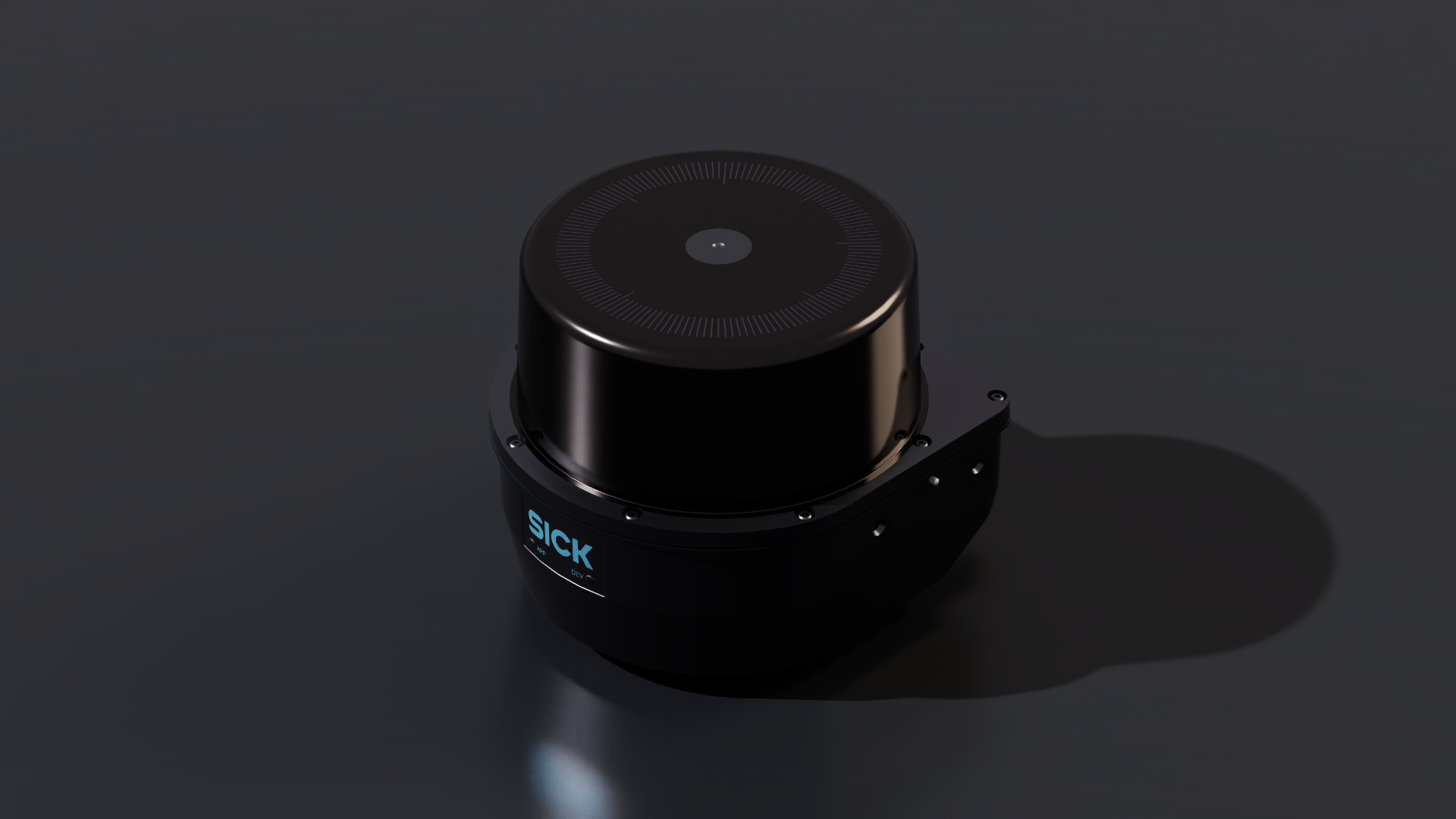
To create the sensor from the menu: Create>Sensors>RTX Lidar>SICK>LRS4581R#
To create the sensor from the Content Browser: Isaac Sim>Sensors>SICK>LRS4581R>SICK_LRS4581R.usd
microScan3 (Certified)#
The SICK microScan3 safety laser scanner stands for the protection of very different applications: from stationary to mobile, from simple to complex and delivers high-precision measurement data.

To create the sensor from the menu: Create>Sensors>RTX Lidar>SICK>microScan3, then select the desired sensor configuration.#
To create the sensor from the Content Browser: Isaac Sim>Sensors>SICK>microScan3>SICK_microScan3.usd
Features and Specification
Features and Specification#
The model provides different product variants. To switch between different profiles, use the Variant Set “Profile” defined on the default prim. The profiles differ in the following parameters:
Profile |
Protective field range |
Scan frequency |
|---|---|---|
Profile01 |
4.0 m |
33.3 Hz |
Profile02 |
4.0 m |
25.0 Hz |
Profile03 |
5.5 m |
33.3 Hz |
Profile04 |
5.5 m |
25.0 Hz |
Profile05 |
9.0 m |
25.0 Hz |
Profile06 |
9.0 m |
20.0 Hz |
ℹ️ Note For the datasheet and full list of specifications, visit the microScan3 product page.
For guidance on how to use this sensor optimally in Isaac Sim or for information about a higher-fidelity sensor model (including definition and evaluation of safety fields), use the contact function on the SICK digital twin landing page.
MRS1000 (Certified)#
The SICK MRS1000 is a 3D LiDAR sensor for collision protection and assistance for all traveling objects in production facilities or reliable monitoring in traffic management and building security.

To create the sensor from the menu: Create>Sensors>RTX Lidar>SICK>MRS1000, then select the desired sensor configuration.#
To create the sensor from the Content Browser: Isaac Sim>Sensors>SICK>MRS1000>SICK_MRS1000.usd
Features and Specification
Features and Specification#
The model provides different product variants. To switch between different profiles, use the Variant Set “Profile” defined on the default prim. The profiles differ in the following parameters:
Profile |
Scan frequency |
Angular resolution |
|---|---|---|
Profile01 |
12.5 Hz |
0.25° |
Profile02 |
6.25 Hz |
0.125° |
Profile03 |
3.125 Hz |
0.0625° |
ℹ️ Note For the datasheet and full list of specifications, visit the MRS1000 product page.
For guidance on how to use this sensor optimally in Isaac Sim, use the contact function on the SICK digital twin landing page.
MRS1104C (Certified)#
The SICK MRS1104C of the MRS1000 family is a 3D LiDAR sensor for collision protection and assistance for all traveling objects in production facilities or reliable monitoring in traffic management and building security.
Features and Specification#
Profile |
Scan frequency |
Angular resolution |
|---|---|---|
Profile_1 |
12.5 Hz |
0.25° |
Profile_2_Interlaced |
6.25 Hz |
0.125° |
Profile_3_Interlaced |
3.125 Hz |
0.0625° |
ℹ️ Note For the datasheet and full list of specifications, visit the MRS1104C product page.
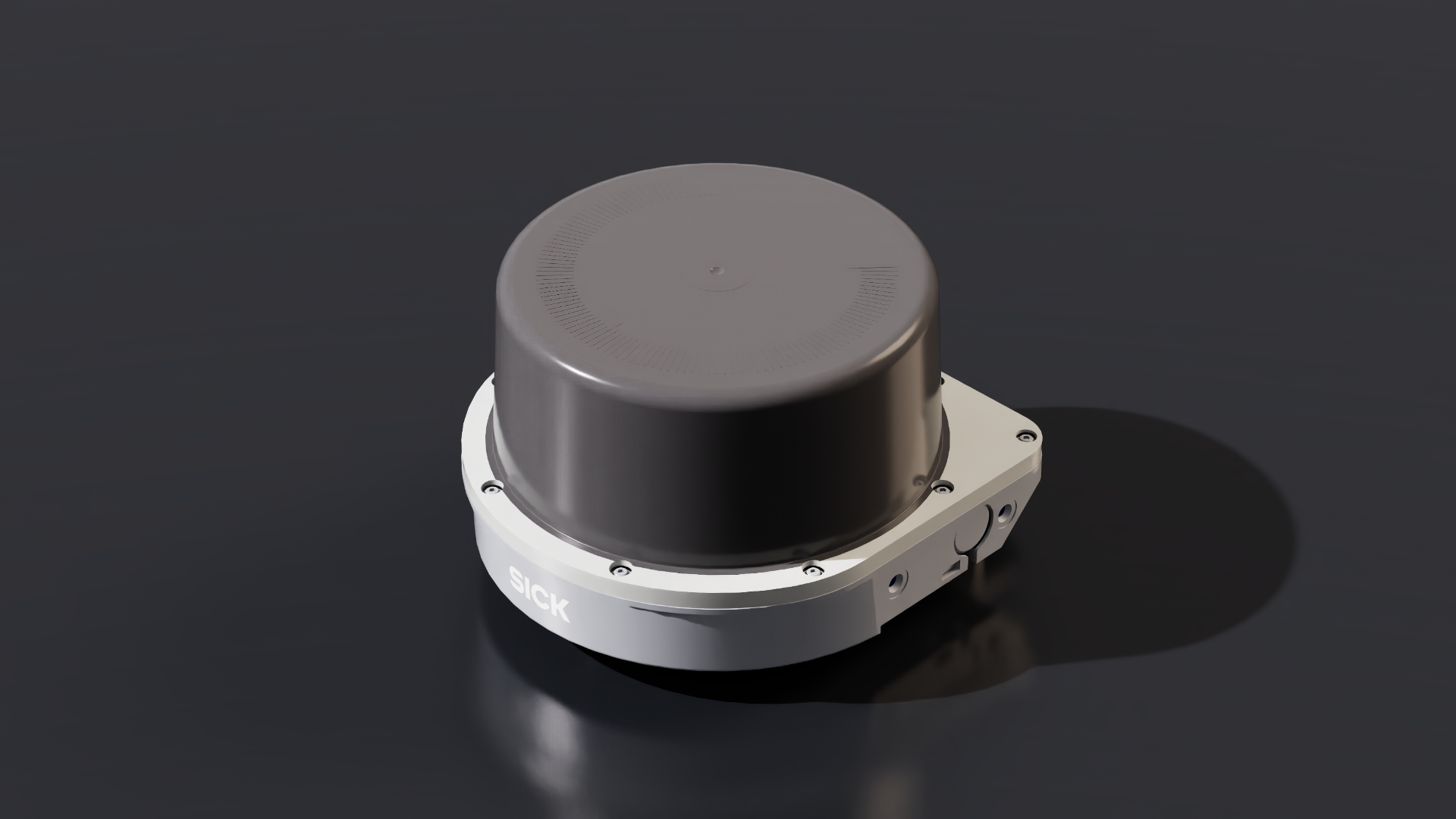
To create the sensor from the menu: Create>Sensors>RTX Lidar>SICK>MRS1104C#
To create the sensor from the Content Browser: Isaac Sim>Sensors>SICK>MRS1104C>SICK_MRS1104C.usd
multiScan100 (Certified)#
The SICK multiScan100 is a 3D LiDAR sensor for mobile and stationary applications and reliably detects drop-off edges and obstacles ahead.

To create the sensor from the menu: Create>Sensors>RTX Lidar>SICK>multiScan100, then select the desired sensor configuration.#
To create the sensor from the Content Browser: Isaac Sim>Sensors>SICK>multiScan100>SICK_multiScan100.usd
Features and Specification
Features and Specification#
The model provides different product variants. To switch between different profiles, use the Variant Set “Profile” defined on the default prim. The profiles differ in the following parameters:
multiScan136#
Profile |
Scan frequency |
Angular resolution |
|---|---|---|
Profile01 |
20 Hz |
0.125° |
multiScan165#
Profile |
Scan frequency |
Angular resolution |
|---|---|---|
Profile01 |
20 Hz |
0.5° |
multiScan165S#
Profile |
Scan frequency |
Angular resolution |
|---|---|---|
Profile01 |
20 Hz |
0.5° |
multiScan166#
Profile |
Scan frequency |
Angular resolution |
|---|---|---|
Profile01 |
20 Hz |
0.125° |
ℹ️ Note For the datasheet and full list of specifications, visit the multiScan100 product page.
For guidance on how to use this sensor optimally in Isaac Sim, use the contact function on the SICK digital twin landing page.
multiScan136 (Certified)#
The SICK multiScan136 of the multiScan100 family is a 3D LiDAR sensor for mobile and stationary applications and reliably detects drop-off edges and obstacles ahead.
ℹ️ Note For the datasheet and full list of specifications, visit the multiScan136 product page.
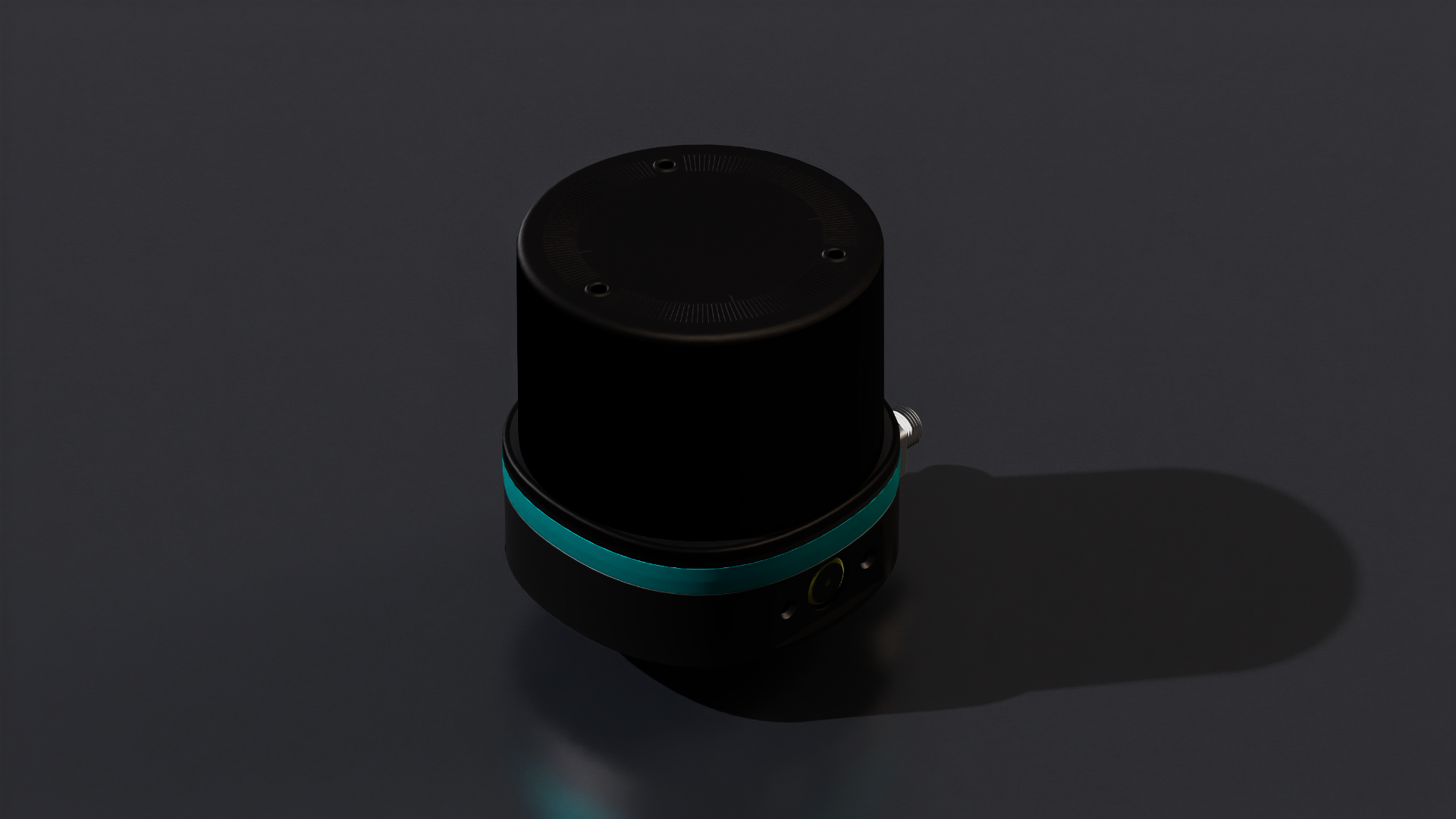
To create the sensor from the menu: Create>Sensors>RTX Lidar>SICK>multiScan136#
To create the sensor from the Content Browser: Isaac Sim>Sensors>SICK>multiScan136>SICK_multiScan136.usd
multiScan165 (Certified)#
The SICK multiScan165 of the multiScan100 family is a 3D LiDAR sensor for mobile and stationary applications and reliably detects drop-off edges and obstacles ahead.
ℹ️ Note For the datasheet and full list of specifications, visit the multiScan165 product page.
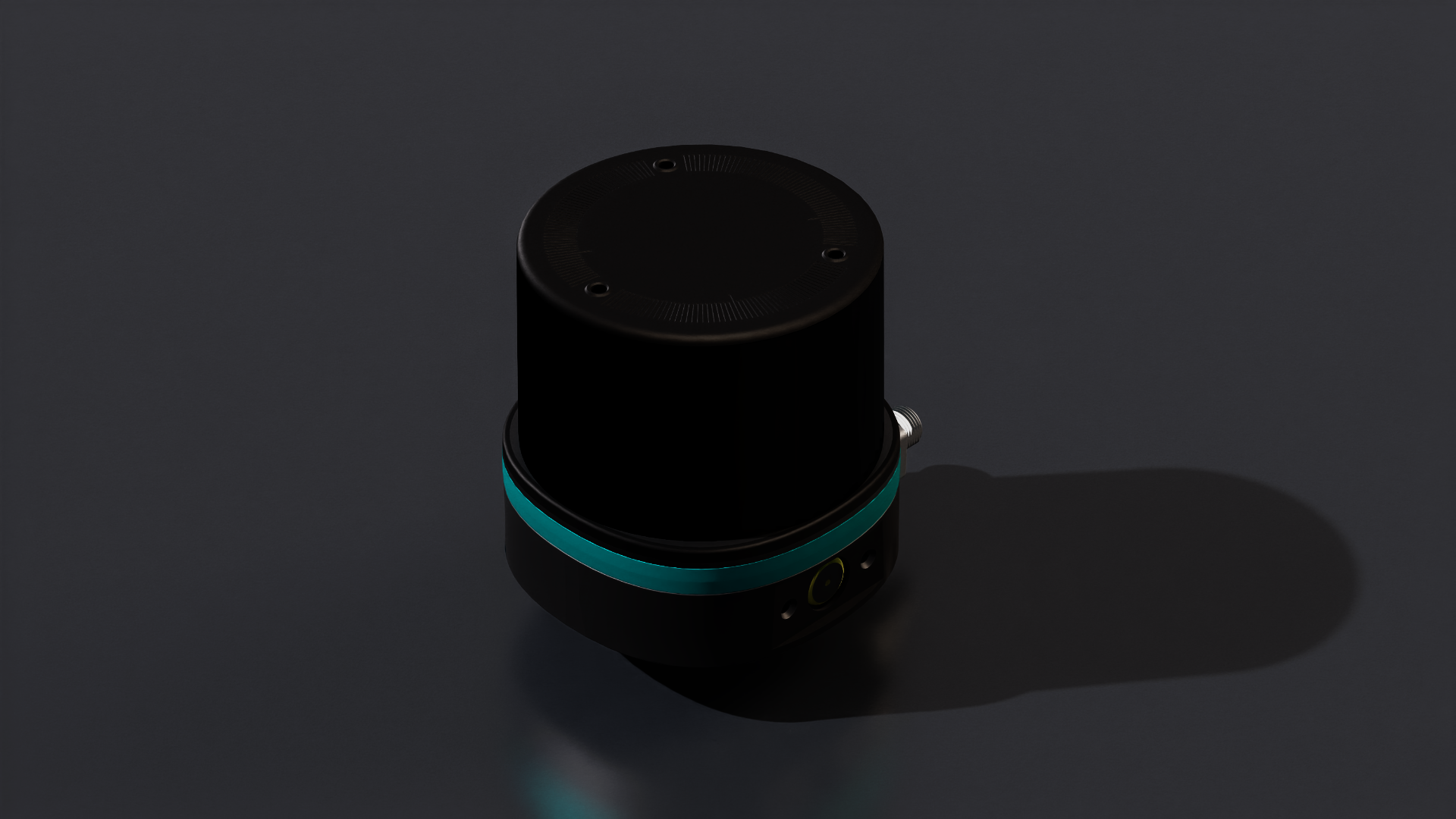
To create the sensor from the menu: Create>Sensors>RTX Lidar>SICK>multiScan165#
To create the sensor from the Content Browser: Isaac Sim>Sensors>SICK>multiScan165>SICK_multiScan165.usd
nanoScan3 (Certified)#
The SICK nanoScan3 is the smallest safety laser scanner, which is well suited for the protection and localization of mobile platforms.
Features and Specification#
This sensor has an angular resolution of 0.17° and a scan frequency of 33Hz.
ℹ️ Note For the datasheet and full list of specifications, visit the nanoScan3 product page.
For guidance on how to use this sensor optimally in Isaac Sim or for information about a higher-fidelity sensor model (including definition and evaluation of safety fields), use the contact function on the SICK digital twin landing page.

To create the sensor from the menu: Create>Sensors>RTX Lidar>SICK>nanoScan3#
To create the sensor from the Content Browser: Isaac Sim>Sensors>SICK>nanoScan3>SICK_nanoScan3.usd
picoScan100 (Certified)#
The SICK picoScan100 is a 2D LiDAR sensor for solving demanding industrial applications such as collision avoidance or measurement and monitoring in indoor and outdoor areas.

To create the sensor from the menu: Create>Sensors>RTX Lidar>SICK>picoScan100, then select the desired sensor configuration.#
To create the sensor from the Content Browser: Isaac Sim>Sensors>SICK>picoScan100>SICK_picoScan100.usd
Features and Specification
Features and Specification#
The model provides different product variants. To switch between different profiles, use the Variant Set “Profile” defined on the default prim. The profiles differ in the following parameters:
picoScan120#
Profile |
Scan frequency |
Angular resolution |
|---|---|---|
Profile03 |
20 Hz |
0.1° |
picoScan150Core#
Profile |
Scan frequency |
Angular resolution |
|---|---|---|
Profile02 |
15 Hz |
0.33° |
Profile05 |
25 Hz |
0.25° |
Profile11 |
15 Hz |
1.0° |
picoScan150Prime#
Profile |
Scan frequency |
Angular resolution |
|---|---|---|
Profile01 |
15 Hz |
0.5° |
Profile02 |
15 Hz |
0.33° |
Profile03 |
20 Hz |
0.1° |
Profile04 |
20 Hz |
0.25° |
Profile05 |
25 Hz |
0.25° |
Profile06 |
30 Hz |
0.1° |
Profile07 |
40 Hz |
0.25° |
Profile08 |
50 Hz |
0.25° |
Profile09 |
15 Hz |
0.05° |
Profile10 |
40 Hz |
0.125° |
Profile11 |
15 Hz |
1.0° |
picoScan150Pro#
Profile |
Scan frequency |
Angular resolution |
|---|---|---|
Profile01 |
15 Hz |
0.5° |
Profile02 |
15 Hz |
0.33° |
Profile03 |
20 Hz |
0.1° |
Profile04 |
20 Hz |
0.25° |
Profile05 |
25 Hz |
0.25° |
Profile06 |
30 Hz |
0.1° |
Profile07 |
40 Hz |
0.25° |
Profile08 |
50 Hz |
0.25° |
Profile09 |
15 Hz |
0.05° |
Profile10 |
40 Hz |
0.125° |
Profile11 |
15 Hz |
1.0° |
ℹ️ Note For the datasheet and full list of specifications, visit the picoScan100 product page.
For guidance on how to use this sensor optimally in Isaac Sim, use the contact function on the SICK digital twin landing page.
picoScan150 (Certified)#
The SICK picoScan150 of the picoScan100 family is a 2D LiDAR sensor for solving demanding industrial applications such as collision avoidance or measurement and monitoring in indoor and outdoor areas.
Features and Specification#
Profile |
Scan frequency |
Angular resolution |
|---|---|---|
Profile_1 |
15 Hz |
0.5° |
Profile_2 |
15 Hz |
0.33° |
Profile_3 |
20 Hz |
0.1° |
Profile_4 |
20 Hz |
0.25° |
Profile_5 |
25 Hz |
0.25° |
Profile_6 |
30 Hz |
0.1° |
Profile_7 |
40 Hz |
0.25° |
Profile_8 |
50 Hz |
0.25° |
Profile_9 |
15 Hz |
0.05° |
Profile_10 |
40 Hz |
0.125° |
Profile_11 |
15 Hz |
1.0° |
ℹ️ Note For the datasheet and full list of specifications, visit the picoScan150 product page.
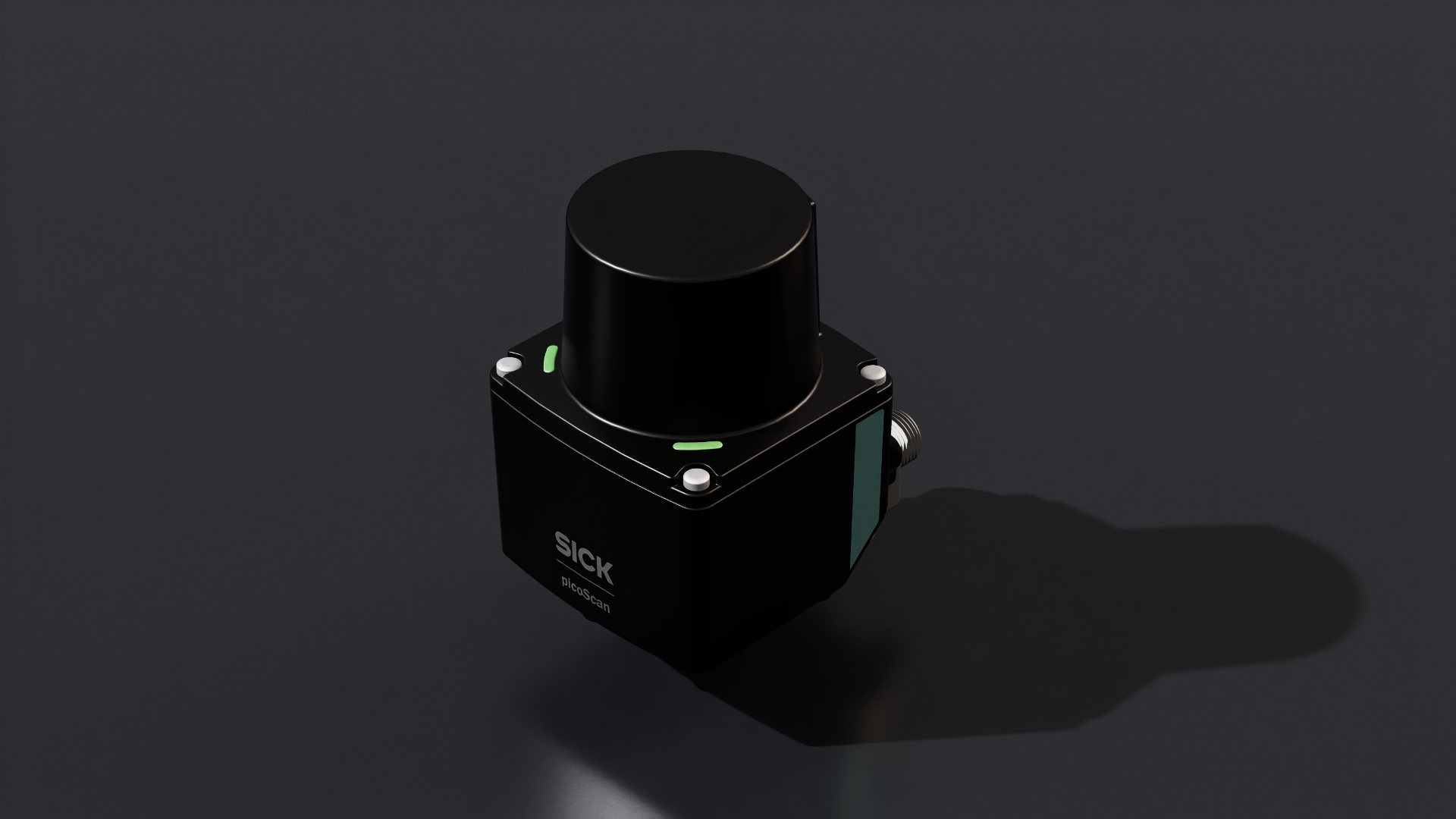
To create the sensor from the menu: Create>Sensors>RTX Lidar>SICK>picoScan150#
To create the sensor from the Content Browser: Isaac Sim>Sensors>SICK>picoScan150>SICK_picoScan150.usd
TiM781 (Certified)#
The SICK TiM781 of the TiM family is a 2D LiDAR sensor for collision protection for mobile applications, object measurement or monitoring of objects.
ℹ️ Note For the datasheet and full list of specifications, visit the TiM781 product page.
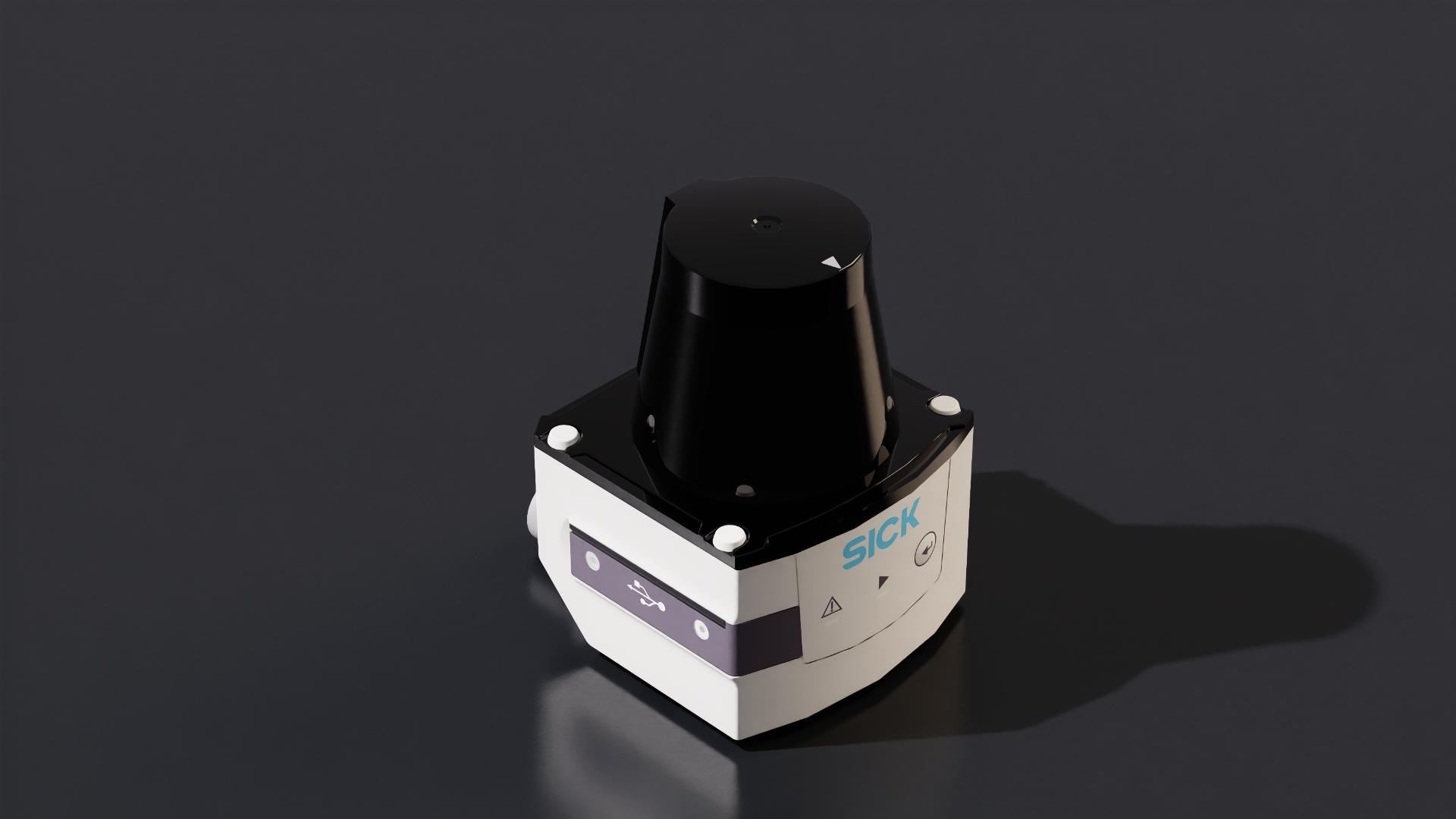
To create the sensor from the menu: Create>Sensors>RTX Lidar>SICK>TiM781#
To create the sensor from the Content Browser: Isaac Sim>Sensors>SICK>tim781.usd
SLAMTEC#
RPLIDAR S2E#
SLAMTEC RPLIDAR S2E is a low cost 360 degrees 2D laser scanner Lidar from SLAMTEC.

To create the sensor from the menu: Create>Sensors>RTX Lidar>Slamtec>RPLIDAR S2E#
To create the sensor from the Content Browser: Isaac Sim>Sensors>Slamtec>RPLIDAR_S2E.usd
Features and Specification
name |
RPLIDAR S2E |
type |
lidar |
scanRateBaseHz |
10.0 |
reportRateBaseHz |
32000 |
numberOfEmitters |
1 |
nearRangeM |
0.05 |
farRangeM |
30.0 |
rangeResolutionM |
0.013 |
rangeAccuracyM |
0.03 |
minDistBetweenEchos |
0.05 |
minReflectance |
0.1 |
minReflectanceRange |
10.0 |
wavelengthNm |
905.0 |
pulseTimeNs |
5 |
azimuthErrorMean |
0.0 |
azimuthErrorStd |
0.0 |
elevationErrorMean |
0.0 |
elevationErrorStd |
0.0 |
maxReturns |
1 |
Note
For the datasheet and full list of specifications, vist the RPLIDAR S2 product page.
ZVISION#
ML-30s+ (Certified)#
ZVISION ML-30s+ is a short range automotive grade solid state Lidar. Note there is no mesh for this lidar, so when it is created via the UI, only a prim will appear in the Stage window.
Features and Specification
name |
ML-30s+ |
|---|---|
type |
lidar |
scanRateBaseHz |
10.0 |
reportRateBaseHz |
10 |
numberOfEmitters |
51200 |
numberOfChannels |
51200 |
nearRangeM |
0.2 |
farRangeM |
45.0 |
effectiveApertureSize |
0.01 |
focusDistM |
0.12 |
rangeResolutionM |
0.03 |
rangeAccuracyM |
0.03 |
minDistBetweenEchos |
0.2 |
minReflectance |
0.1 |
minReflectanceRange |
270.0 |
wavelengthNm |
905.0 |
pulseTimeNs |
6 |
azimuthErrorMean |
0.0 |
azimuthErrorStd |
0.025 |
elevationErrorMean |
0.0 |
elevationErrorStd |
0.025 |
maxReturns |
2 |
To create the sensor from the menu: Create>Sensors>RTX Lidar>ZVISION>ML30S+
To create the sensor from the Content Browser: Isaac Sim>Sensors>ZVISION>ZVISION_ML30S.usda
Note
For the datasheet and full list of specifications, visit the ML-30s+ product page.
ML-Xs (Certified)#
ZVISION ML-Xs is a long range automotive high performance grade solid state Lidar. Note there is no mesh for this lidar, so when it is created via the UI, only a prim will appear in the Stage window.
Features and Specification
name |
ML-Xs |
|---|---|
type |
lidar |
scanRateBaseHz |
10.0 |
reportRateBaseHz |
10 |
numberOfEmitters |
108000 |
numberOfChannels |
108000 |
nearRangeM |
0.5 |
farRangeM |
250 |
effectiveApertureSize |
0.01 |
focusDistM |
0.12 |
rangeResolutionM |
0.03 |
rangeAccuracyM |
0.05 |
minReflectance |
0.1 |
minReflectanceRange |
270.0 |
wavelengthNm |
1550.0 |
pulseTimeNs |
6 |
azimuthErrorMean |
0.0 |
azimuthErrorStd |
0.025 |
elevationErrorMean |
0.0 |
elevationErrorStd |
0.025 |
maxReturns |
2 |
To create the Lidar prim: Create>Sensors>RTX Lidar>ZVISION>MLXS
To create the sensor from the Content Browser: Isaac Sim>Sensors>ZVISION>ZVISION_MLXS.usda
Note
For the datasheet and full list of specifications, visit the ML-Xs product page.
RTX Radars#
Texas Instruments#
IWRL6432AOP#
Texas Instruments IWRL6432AOP is a single-chip, low-power industrial mmWave radar sensor operating in the 57 GHz to 63.5 GHz band with an integrated Antenna-On-Package (AOP). Built on TI’s 45nm RF CMOS process, the device combines an FMCW transceiver, ARM Cortex-M4F application processor, hardware accelerator, and on-package antennas into an extremely compact form factor. It is designed for applications such as building and factory automation, commercial and residential security, presence and motion detection, and gesture recognition for human-machine interfaces.

To create the sensor from the menu: Create>Sensors>RTX Radar>TexasInstruments>IWRL6432AOP#
To create the sensor from the Content Browser: Isaac Sim>Sensors>TexasInstruments>IWRL6432AOP>IWRL6432AOP.usd
Features and Specification
Parameter |
Value |
|---|---|
Frequency Range |
57 – 63.5 GHz |
Bandwidth |
6.5 GHz (continuous) |
Number of TX Channels |
2 (integrated AOP) |
Number of RX Channels |
3 (integrated AOP) |
TX Output Power |
11 dBm |
Maximum Range |
~20 m (typical) |
ADC Sampling Rate |
12,500 ksps |
IF Bandwidth |
5 MHz (real-only Rx) |
Application Processor |
ARM Cortex-M4F @ 160 MHz |
Hardware Accelerator |
TI Radar HWA 1.2 (FFT, CFAR, log magnitude) @ 80 MHz |
On-Chip RAM |
1 MB |
Host Interfaces |
UART, CAN-FD, SPI |
Additional Interfaces |
QSPI, I2C, JTAG, GPIO, PWM |
Supply Voltage (IO) |
1.8 V or 3.3 V |
Operating Temperature |
–40°C to 105°C |
Package |
101-ball FCCSP (AMY), 10.9 mm × 6.7 mm, 0.5 mm pitch |
Edge AI Support |
Edge AI Studio enabled |
Key Features
Antenna-On-Package (AOP): Integrates 2 TX and 3 RX antennas directly on-package, significantly simplifying PCB design and reducing BOM cost.
Ultra-accurate chirp engine: Fractional-N PLL-based FMCW chirp generation for precise ranging.
Multiple low-power modes: Idle mode, sleep mode, and deep sleep mode with clock gating and selective IP power-down; application image and RF profiles can be retained across low-power transitions.
Power flexibility: Supports BOM-Optimized and Power-Optimized power rail configurations; compatible with the TPS628502-Q1 power supply solution.
Built-in self-calibration: On-chip calibration system with ROM-based firmware requires no external calibration hardware.
Edge AI ready: Supported by TI Edge AI Studio for on-device model training and deployment (surface classification, point cloud classification, and more).
Radar Data Interface (RDIF): Enables raw ADC sample capture for external signal processing development.
Note
For the datasheet and full list of specifications, visit the IWRL6432AOP product page.
Tactile Sensors#
Tashan Technology#
Universal Tactile Sensor TS-F-A (Certified)#
Tashan Technology Universal Tactile Sensor TS-F-A is a tactile simulation model based on real products to advance research and innovation in robotic tactile perception technology and promote the development of embodied intelligent robots.

Features and Specification
- Outputs 11 dimensional feature channels:
Proximity sensing [1]
Tactile sensing [2-4]: Normal force, tangential force, tangential force direction
Raw capacitance values [5-11]: 7-channel raw capacitance data
To create the sensor from the Content Browser: Isaac Sim>Sensors>Tashan>TS-F-A>TS-F-A.usd
Note
For usage in Isaac Sim, visit the Tashan Technology Tactile Simulation Platform User Manual.
IMU Sensors#
STMicroelectronics#
STMicroelectronics provides an Isaac Sim extension for simulating their MEMS-based IMU sensors. The doc link is available here.
Please follow the instructions in the link to install the extension and create the sensor.
ASM330LHH#
STMicroelectronics ASM330LHH is a automotive 6 axis inertial module with 3D accelerometer and 3D gyroscope.
Note
Datasheet is available for download here
LSM6DSV#
STMicroelectronics LSM6DSV is a automotive 6 axis inertial module with 3 axis digital accelerometer and 3 axis digital gyroscope.
Note
Datasheet is available for download here
Sensor Gizmo in Viewport#

In Isaac Sim, the sensor functions are decoupled from physical meshes, and you can have sensors on stage without any mesh associated with the sensor. We use sensor gizmo to track the location of the actual sensing functions regardless of mesh. The gizmos are not visible by default, but you can toggle them on or off in the viewport.
To toggle the sensor gizmos, go to Viewport Menu >  > Show By Type > Sensors.