


[isaacsim.asset.importer.mjcf] MJCF Importer#
Version: 3.10.0
Overview#
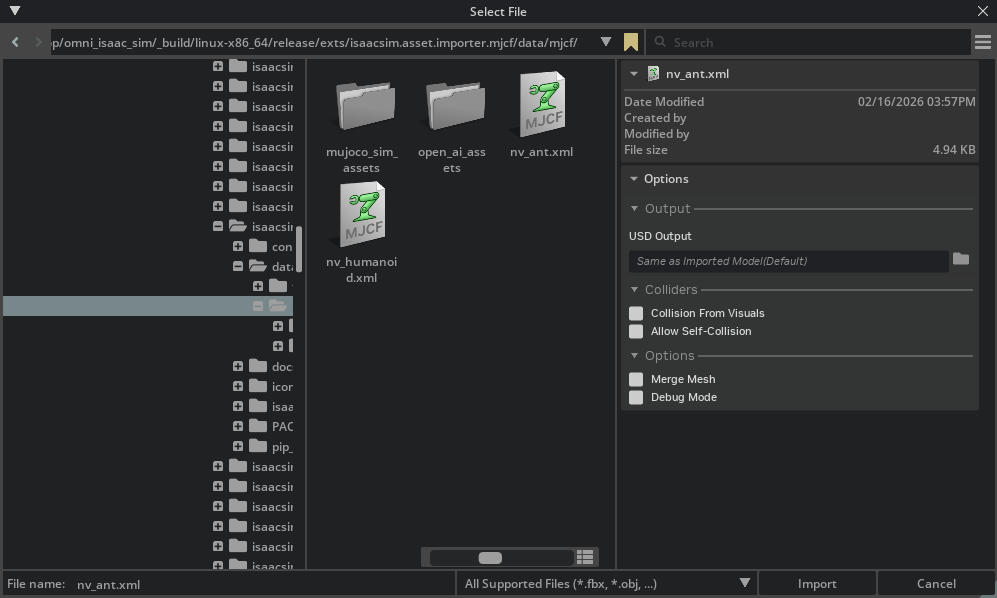
To enable this extension, go to the Extension Manager menu and enable isaacsim.asset.importer.mjcf extension.
High Level Code Overview#
Python#
The MJCF Importer extension uses MJCFImporterConfig, a dataclass that stores configuration
settings for MJCF import operations. The UI extension allows users to modify these settings
through a graphical interface. Configuration fields can be set directly on the dataclass instance.
The main entry point is the MJCFImporter class in python/impl/converter.py, which takes
an optional MJCFImporterConfig instance. The importer uses the mujoco-usd-converter library
to convert MJCF files to USD format.
Example usage:
.. code-block:: python
from isaacsim.asset.importer.mjcf import MJCFImporter, MJCFImporterConfig

# Create configuration
config = MJCFImporterConfig(
    mjcf_path="/path/to/robot.xml",
    usd_path="/path/to/output",
    merge_mesh=True,
    collision_from_visuals=True
)

# Create importer and import
importer = MJCFImporter(config)
output_path = importer.import_mjcf()
Note: The commands MJCFCreateAsset and MJCFCreateImportConfig in python/impl/command.py
are deprecated and should not be used in new code. Use MJCFImporter and MJCFImporterConfig directly instead.
Enable Extension#
The extension can be enabled (if not already) in one of the following ways:
Define the next entry as an application argument from a terminal.
APP_SCRIPT.(sh|bat) --enable isaacsim.asset.importer.mjcf
Define the next entry under [dependencies] in an experience (.kit) file or an extension configuration (extension.toml) file.
[dependencies]
"isaacsim.asset.importer.mjcf" = {}
Open the Window > Extensions menu in a running application instance and search for isaacsim.asset.importer.mjcf.
Then, toggle the enable control button if it is not already active.
Commands#
Public command API for module isaacsim.asset.importer.mjcf:
MJCFCreateAsset (deprecated)#
.. deprecated::
Use MJCFImporter() directly instead.
This command parses and imports a given mjcf file. It is deprecated and will be removed in a future version.
Arguments#
mjcf_path
import_config
prim_path
dest_path
MJCFCreateImportConfig (deprecated)#
.. deprecated::
Use MJCFImporterConfig() directly instead.
Returns an ImportConfig object that can be used while parsing and importing. It is deprecated and will be removed in a future version.
MJCF Importer Extension [isaacsim.asset.importer.mjcf]#
MJCF Import Workflow#
Use the MJCF importer configuration and converter classes to import MJCF files into USD. Below is a sample demonstrating how to import the Ant MJCF included with this extension.
 1import omni.usd
 2from isaacsim.asset.importer.mjcf import MJCFImporter, MJCFImporterConfig
 3from isaacsim.asset.importer.utils import stage_utils
 4
 5# Get path to extension data:
 6ext_manager = omni.kit.app.get_app().get_extension_manager()
 7ext_id = ext_manager.get_enabled_extension_id("isaacsim.asset.importer.mjcf")
 8extension_path = ext_manager.get_extension_path(ext_id)
 9
10# setting up import configuration:
11config = MJCFImporterConfig(mjcf_path=extension_path + "/data/mjcf/nv_ant.xml")
12
13# import MJCF
14importer = MJCFImporter(config)
15output_path = importer.import_mjcf()
16
17# open the resulting USD for inspection
18stage = stage_utils.open_stage(output_path)