


[isaacsim.robot_setup.xrdf_editor] Robot Description Editor#
Version: 3.6.1
Overview#
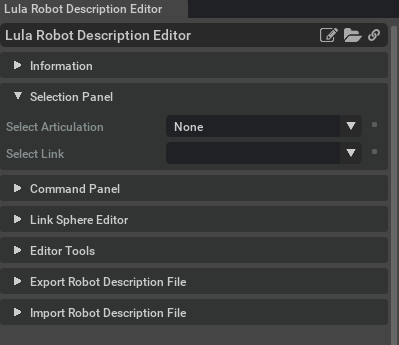
The isaacsim.robot_setup.xrdf_editor extension provides an interactive editor for creating and modifying Lula Robot Description files and cuMotion XRDF files. This extension enables users to generate collision sphere representations of robots, configure joint properties, and export robot configuration data for use with Lula-based algorithms and Isaac cuMotion.
Functionality#
Robot Configuration Management#
The extension allows users to select articulated robots from the stage and configure joint properties including default positions, active/fixed joint status, and acceleration/jerk limits. It retrieves and manages degrees of freedom (DOF) properties from selected articulations and provides a comprehensive UI for joint configuration.
Collision Sphere Generation and Editing#
Automatic Sphere Generation: The extension can automatically generate collision spheres from robot mesh geometry using collision sphere algorithms. It identifies and maps all meshes within each link of the selected articulation for sphere generation.
Manual Sphere Creation: Users can create collision spheres manually by placing individual spheres at specific locations with custom radii. The editor supports interactive sphere creation and deletion with full undo/redo functionality.
Sphere Manipulation: The extension provides tools for editing, connecting, and scaling collision spheres on a per-link basis. Users can interpolate spheres between two existing spheres for smooth collision coverage and apply scaling factors to existing spheres.
Visual Management and Filtering#
The extension includes a visual filtering system with customizable colors for different sphere categories. It distinguishes between filtered and non-filtered spheres using visual materials, making it easy to identify and work with specific subsets of collision geometry. Users can preview sphere generation and manage sphere visibility before committing changes.
File Operations and Data Management#
Import/Export Capabilities: The extension supports importing and exporting robot descriptions in both Lula YAML format and cuMotion XRDF format. It includes file format detection utilities with is_yaml_file and is_xrdf_file functions.
File Browser Integration: The extension provides filter functions on_filter_xrdf_item and on_filter_item for file browsers to show appropriate file types and folders.
Self-Collision Configuration: The extension generates self-collision ignore rules based on joint connections between robot links, automatically creating ignore dictionaries for collision detection optimization.
Key Components#
CollisionSphereEditor#
The CollisionSphereEditor class serves as the core component for interactive collision sphere management. It maintains sphere data organized by link paths and provides comprehensive editing capabilities including creation, deletion, scaling, and interpolation operations. The editor supports both preview mode for testing sphere placements and permanent modifications with undo/redo tracking.
Extension Class#
The main Extension class manages the overall workflow, handling robot selection, joint property configuration, and coordination between the UI and the collision sphere editor. It maintains articulation data including DOF names, joint limits, and provides methods for YAML file processing and dictionary management.
Integration#
The extension integrates with isaacsim.robot_motion.lula for Lula-based robot description functionality and uses omni.physics components for physics simulation integration to provide real-time feedback during sphere editing operations.
Enable Extension#
The extension can be enabled (if not already) in one of the following ways:
Define the next entry as an application argument from a terminal.
APP_SCRIPT.(sh|bat) --enable isaacsim.robot_setup.xrdf_editor
Define the next entry under [dependencies] in an experience (.kit) file or an extension configuration (extension.toml) file.
[dependencies]
"isaacsim.robot_setup.xrdf_editor" = {}
Open the Window > Extensions menu in a running application instance and search for isaacsim.robot_setup.xrdf_editor.
Then, toggle the enable control button if it is not already active.
Actions in isaacsim.robot_setup.xrdf_editor#
ID |
Display Name |
Description |
|---|---|---|
isaacsim.robot_setup.xrdf_editorcuMotion/Lula_Robot_Description_Editor |