

[isaacsim.robot.wheeled_robots] Wheeled Robots#
Version: 5.1.2
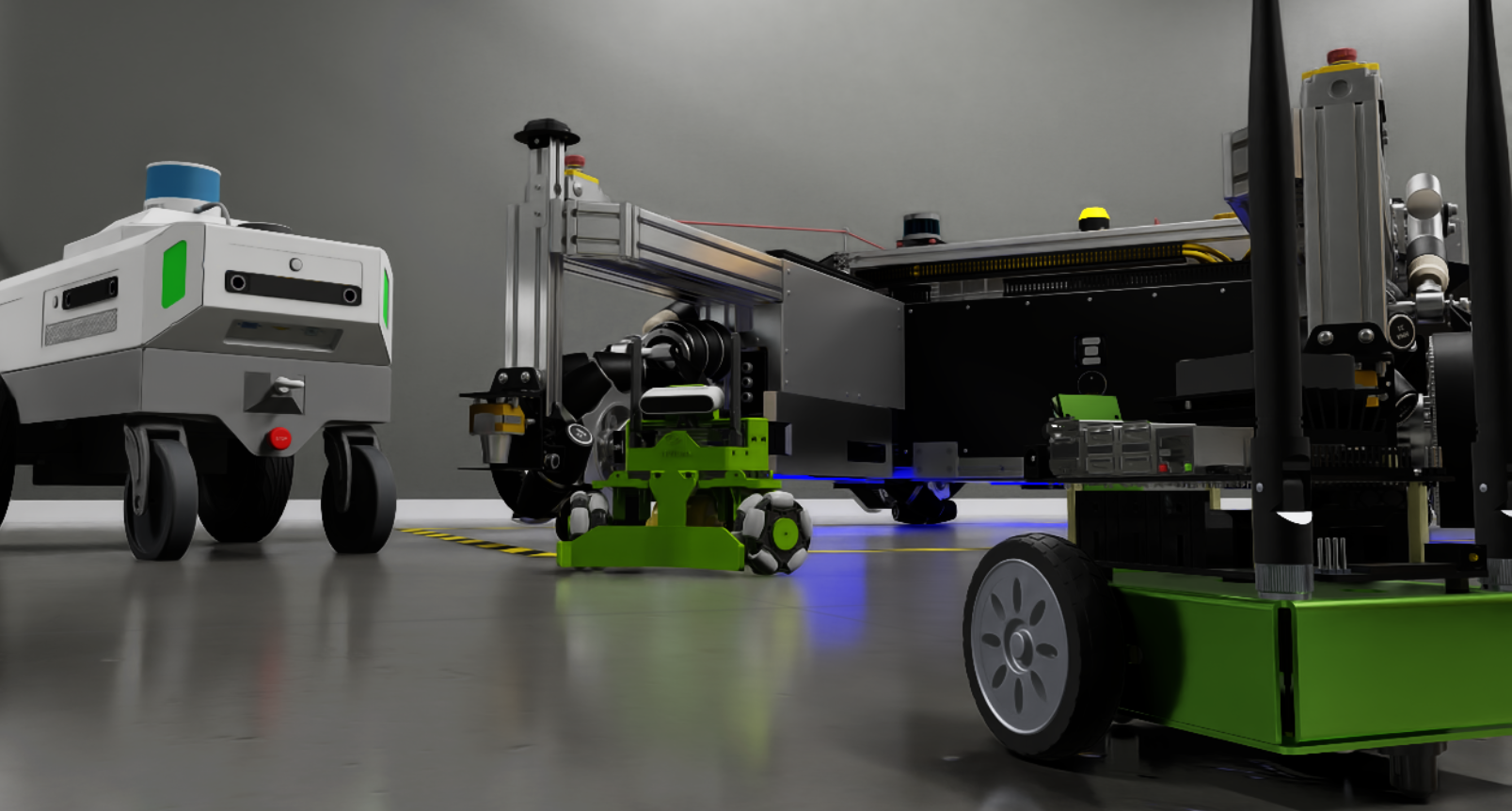
This extension provides wheeled robot utilities
Enable Extension#
The extension can be enabled (if not already) in one of the following ways:
Define the next entry as an application argument from a terminal.
APP_SCRIPT.(sh|bat) --enable isaacsim.robot.wheeled_robots
Define the next entry under [dependencies] in an experience (.kit) file or an extension configuration (extension.toml) file.
[dependencies]
"isaacsim.robot.wheeled_robots" = {}
Open the Window > Extensions menu in a running application instance and search for isaacsim.robot.wheeled_robots.
Then, toggle the enable control button if it is not already active.
Basic Usage#
The classes and controllers provided by isaacsim.robot.wheeled_robots are designed to be run within the world
simulation context provided by isaacsim.core.api. Like many other classes provided by core,
wheeled_robots are created by wrapping prims already present on the stage in an interface class. This API is expected
by world to do things like initialize and reset data structures, apply drive commands, retrieve joint states, etc.
Creating this interface means specifying the articulation being managed, the name that world will know this object by, and the names of the drivable joints.
1# Assuming a stage context containing a Jetbot at /World/Jetbot
2from isaacsim.robot.wheeled_robots.robots import WheeledRobot
3jetbot_prim_path = "/World/Jetbot"
4
5#wrap the articulation in the interface class
6jetbot = WheeledRobot(prim_path=jetbot_prim_path,
7                      name="Joan",
8                      wheel_dof_names=["left_wheel_joint", "right_wheel_joint"]
9                     )
Commanding the robot should be done prior to the physics step using an ArticulationAction, a type provided
by isaacsim.core.api to facilitate things like mixed command modes (effort, velocity, and position)
and complex robots with multiple types of actions that could be taken.
1from isaacsim.core.utils.types import ArticulationAction
2
3action = ArticulationAction(joint_velocities = np.array([1.14, 1.42]))
4jetbot.apply_wheel_actions(action)
It is rarely the case however, that a user will want to command a robot by directly manipulating the joints, and so we also provide a suite of controllers to convert various types of general commands into specific joint actions. For example, you may want to control your differential base using throttle and steering commands.
1from isaacsim.robot.wheeled_robots.controllers import DifferentialController
2
3throttle = 1.0
4steering = 0.5
5controller = DifferentialController(name="simple_control", wheel_radius=0.035, wheel_base=0.1)
6jetbot.apply_wheel_actions(controller.forward(throttle, steering))
API#
Python API#
controllers
This controller uses a unicycle model of a differential drive. |
|
This controller computes the joint drive commands required to produce the commanded forward, lateral, and yaw speeds of the robot. |
|
This controller closes the control loop, returning the wheel commands that will drive the robot to a desired pose. |
robots
This class wraps and manages the articulation for a two wheeled differential robot base. |
|
Sets up the attributes on the prims of a holonomic robot. |
utilities (controllers)
A quintic polynomial for smooth trajectory generation between two points. |
|
Generates a smooth trajectory using quintic polynomials between start and goal states. |
|
Stanley steering control. |
|
Proportional control for the speed. |
Controllers#
- class DifferentialController(
- name: str,
- wheel_radius: float,
- wheel_base: float,
- max_linear_speed: float = 1e+20,
- max_angular_speed: float = 1e+20,
- max_wheel_speed: float = 1e+20,
Bases:
BaseControllerThis controller uses a unicycle model of a differential drive. The Controller consumes a command in the form of a linear and angular velocity, and then computes the circular arc that satisfies this command given the distance between the wheels. This can then be used to compute the necessary angular velocities of the joints that will propel the midpoint between the wheels along the curve. The conversion is
\[ \begin{align}\begin{aligned}\omega_R = \frac{1}{2r}(2V + \omega b)\\\omega_L = \frac{1}{2r}(2V - \omega b)\end{aligned}\end{align} \]where \(\omega\) is the desired angular velocity, \(V\) is the desired linear velocity, \(r\) is the radius of the wheels, and \(b\) is the distance between them.
- Parameters:
name – Name identifier for the controller.
wheel_radius – Radius of left and right wheels in cms.
wheel_base – Distance between left and right wheels in cms.
max_linear_speed – Limits the maximum linear speed that will be produced by the controller.
max_angular_speed – Limits the maximum angular speed that will be produced by the controller.
max_wheel_speed – Limits the maximum wheel speed that will be produced by the controller.
- forward(
- command: ndarray,
Convert from desired [signed linear speed, signed angular speed] to [Left Drive, Right Drive] joint targets.
- Parameters:
command – Desired vehicle [forward, rotation] speed.
- Returns:
The articulation action to be applied to the robot.
- class HolonomicController(
- name: str,
- wheel_radius: ndarray | None = None,
- wheel_positions: ndarray | None = None,
- wheel_orientations: ndarray | None = None,
- mecanum_angles: ndarray | None = None,
- wheel_axis: float = array([1, 0, 0]),
- up_axis: float = array([0, 0, 1]),
- max_linear_speed: float = 1e+20,
- max_angular_speed: float = 1e+20,
- max_wheel_speed: float = 1e+20,
- linear_gain: float = 1.0,
- angular_gain: float = 1.0,
Bases:
BaseControllerThis controller computes the joint drive commands required to produce the commanded forward, lateral, and yaw speeds of the robot. The problem is framed as a quadratic program to minimize the residual “net force” acting on the center of mass.
Hint
The wheel joints of the robot prim must have additional attributes to define the roller angles and radii of the mecanum wheels.
stage = omni.usd.get_context().get_stage()
joint_prim = stage.GetPrimAtPath("/path/to/wheel_joint")
joint_prim.CreateAttribute("isaacmecanumwheel:radius",Sdf.ValueTypeNames.Float).Set(0.12)
joint_prim.CreateAttribute("isaacmecanumwheel:angle",Sdf.ValueTypeNames.Float).Set(10.3)
The
HolonomicRobotUsdSetupclass automates this process.- Parameters:
name – Name identifier for the controller.
wheel_radius – Radius of the wheels, array of 1 can be used if all wheels are the same size.
wheel_positions – Position of the wheels relative to center of mass of the vehicle. Number of wheels x [x,y,z].
wheel_orientations – Orientation of the wheels in quaternions relative to center of mass frame of the vehicle. Number of wheels x [quaternions].
mecanum_angles – Mecanum wheel angles. Array of 1 can be used if all wheels have the same angle.
wheel_axis – The spinning axis of the wheels.
up_axis – The up axis.
max_linear_speed – Maximum “forward” speed.
max_angular_speed – Maximum “turning” speed.
max_wheel_speed – Maximum “twisting” speed.
linear_gain – Multiplicative factor. How much the solver should “care” about the linear components of the solution.
angular_gain – Multiplicative factor. How much the solver should “care” about the angular components of the solution.
- build_base()#
Build the base constraint matrix and optimization problem setup for the holonomic controller.
Sets up the quadratic programming problem by computing wheel direction vectors, distance matrices, and constraint matrices based on the mecanum wheel configuration.
- forward(
- command: ndarray,
Calculate wheel speeds given the desired signed vehicle speeds.
- Parameters:
command – [forward speed, lateral speed, yaw speed].
- Returns:
Action containing wheel joint velocities.
- reset()#
Reset the controller state.
- class WheelBasePoseController(
- name: str,
- open_loop_wheel_controller: BaseController,
- is_holonomic: bool = False,
Bases:
BaseControllerThis controller closes the control loop, returning the wheel commands that will drive the robot to a desired pose. It does this by exploiting an open loop controller for the robot passed at class initialization.
Hint
The logic for this controller is the following:
calculate the difference between the current position and the target position, and compare against the position tolerance. If the result is inside the tolerance, stop forward motion (ie. stop if closer than position tolerance)
calculate the difference between the current heading and the target heading, and compare against the heading tolerance. If the result is outside the tolerance, stop forward motion and turn to align with the target heading (ie. dont bother turning unless it’s by more than the heading tolerance)
otherwise proceed forward
- Parameters:
name – Name identifier for the controller.
open_loop_wheel_controller – A controller that takes in a command of [longitudinal velocity, steering angle] and returns the ArticulationAction to be applied to the wheels if non holonomic. and [longitudinal velocity, latitude velocity, steering angle] if holonomic.
is_holonomic – Whether the robot uses holonomic drive.
- forward(
- start_position: ndarray,
- start_orientation: ndarray,
- goal_position: ndarray,
- lateral_velocity: float = 0.2,
- yaw_velocity: float = 0.5,
- heading_tol: float = 0.05,
- position_tol: float = 0.04,
Use the specified open loop controller to compute speed commands to the wheel joints of the robot that will move it towards the specified goal position.
- Parameters:
start_position – The current position of the robot, (X, Y, Z).
start_orientation – The current orientation quaternion of the robot, (W, X, Y, Z).
goal_position – The desired target position, (X, Y, Z).
lateral_velocity – How fast the robot will move forward.
yaw_velocity – How fast the robot will turn.
heading_tol – The heading tolerance.
position_tol – The position tolerance.
- Returns:
Action containing wheel joint commands to drive toward the goal.
- reset()#
Reset the controller state.
Robots#
- class WheeledRobot(
- prim_path: str,
- name: str = 'wheeled_robot',
- robot_path: str | None = None,
- wheel_dof_names: str | None = None,
- wheel_dof_indices: int | None = None,
- usd_path: str | None = None,
- create_robot: bool | None = False,
- position: ndarray | None = None,
- orientation: ndarray | None = None,
Bases:
RobotThis class wraps and manages the articulation for a two wheeled differential robot base. It is designed to be managed by the World simulation context and provides an API for applying actions, retrieving dof parameters, etc…
Creating a wheeled robot can be done in a number of different ways, depending on the use case.
Most commonly, the robot and stage are preloaded, in which case only the prim path to the articulation root and the joint labels are required. Joint labels can take the form of either the joint names or the joint indices in the articulation.
jetbot = WheeledRobot(prim_path="/path/to/jetbot",
                    name="Joan",
                    wheel_dof_names=["left_wheel_joint", "right_wheel_joint"]
                    )

armbot = WheeledRobot(prim_path="path/to/armbot"
                        name="Weird_Arm_On_Wheels_Bot",
                        wheel_dof_indices=[7, 8]
                    )
Alternatively, this class can create and populate a new reference on the stage. This is done with the create_robot parameter set to True.
carter = WheeledRobot(prim_path="/desired/path/to/carter",
                        name = "Jimmy",
                        wheel_dof_names=["joint_wheel_left", "joint_wheel_right"],
                        create_robot = True,
                        usd_path = "/Isaac/Robots/NVIDIA/NovaCarter/nova_carter.usd",
                        position = np.array([0,1,0])
                    )
Hint
In all cases, either wheel_dof_names or wheel_dof_indices must be specified!
- Parameters:
prim_path – The stage path to the root prim of the articulation.
name – The name used by World to identify the robot.
robot_path – Relative path from prim path to the robot.
wheel_dof_names – Names of the wheel joints. Either this or the wheel_dof_indices must be specified.
wheel_dof_indices – Indices of the wheel joints in the articulation. Either this or the wheel_dof_names must be specified.
usd_path – Nucleus path to the robot asset. Used if create_robot is True.
create_robot – Create robot at prim_path using asset from usd_path.
position – The location to create the robot when create_robot is True.
orientation – The orientation of the robot when create_robot is True.
- apply_action(
- control_actions: ArticulationAction,
Apply joint positions, velocities and/or efforts to control an articulation
- Parameters:
control_actions (ArticulationAction) – actions to be applied for next physics step.
indices (Optional[Union[list, np.ndarray]], optional) – degree of freedom indices to apply actions to. Defaults to all degrees of freedom.
Hint
High stiffness makes the joints snap faster and harder to the desired target, and higher damping smoothes but also slows down the joint’s movement to target
For position control, set relatively high stiffness and low damping (to reduce vibrations)
For velocity control, stiffness must be set to zero with a non-zero damping
For effort control, stiffness and damping must be set to zero
Example:
>>> from isaacsim.core.utils.types import ArticulationAction
>>>
>>> # move all the robot joints to the indicated position
>>> action = ArticulationAction(joint_positions=np.array([0.0, -1.0, 0.0, -2.2, 0.0, 2.4, 0.8, 0.04, 0.04]))
>>> prim.apply_action(action)
>>>
>>> # close the robot fingers: panda_finger_joint1 (7) and panda_finger_joint2 (8) to 0.0
>>> action = ArticulationAction(joint_positions=np.array([0.0, 0.0]), joint_indices=np.array([7, 8]))
>>> prim.apply_action(action)
- apply_visual_material(
- visual_material: VisualMaterial,
- weaker_than_descendants: bool = False,
Apply visual material to the held prim and optionally its descendants.
- Parameters:
visual_material (VisualMaterial) – visual material to be applied to the held prim. Currently supports PreviewSurface, OmniPBR and OmniGlass.
weaker_than_descendants (bool, optional) – True if the material shouldn’t override the descendants materials, otherwise False. Defaults to False.
Example:
>>> from isaacsim.core.api.materials import OmniGlass
>>>
>>> # create a dark-red glass visual material
>>> material = OmniGlass(
...     prim_path="/World/material/glass",  # path to the material prim to create
...     ior=1.25,
...     depth=0.001,
...     thin_walled=False,
...     color=np.array([0.5, 0.0, 0.0])
... )
>>> prim.apply_visual_material(material)
- apply_wheel_actions(
- actions: ArticulationAction,
Applying action to the wheels to move the robot.
- Parameters:
actions – Action containing positions, velocities, or efforts for wheel joints.
- Raises:
Exception – If ArticulationAction length does not match the number of wheels.
- get_angular_velocity() ndarray#
Get the angular velocity of the root articulation prim
- Returns:
3D angular velocity vector. Shape (3,)
- Return type:
np.ndarray
Example:
>>> prim.get_angular_velocity()
[0. 0. 0.]
- get_applied_action() ArticulationAction#
Get the last applied action
- Returns:
last applied action. Note: a dictionary is used as the object’s string representation
- Return type:
Example:
>>> # last applied action: joint_positions -> [0.0, -1.0, 0.0, -2.2, 0.0, 2.4, 0.8, 0.04, 0.04]
>>> prim.get_applied_action()
{'joint_positions': [0.0, -1.0, 0.0, -2.200000047683716, 0.0, 2.4000000953674316,
                     0.800000011920929, 0.03999999910593033, 0.03999999910593033],
 'joint_velocities': [0.0, 0.0, 0.0, 0.0, 0.0, 0.0, 0.0, 0.0, 0.0],
 'joint_efforts': [0.0, 0.0, 0.0, 0.0, 0.0, 0.0, 0.0, 0.0, 0.0]}
- get_applied_joint_efforts(
- joint_indices: List | ndarray | None = None,
Get the efforts applied to the joints set by the
set_joint_effortsmethod- Parameters:
joint_indices (Optional[Union[List, np.ndarray]], optional) – indices to specify which joints to read. Defaults to None (all joints)
- Raises:
Exception – If the handlers are not initialized
- Returns:
all or selected articulation joint applied efforts
- Return type:
np.ndarray
Example:
>>> # get all applied joint efforts
>>> prim.get_applied_joint_efforts()
[ 0.  0.  0.  0.  0.  0.  0.  0.  0.]
>>>
>>> # get finger applied efforts: panda_finger_joint1 (7) and panda_finger_joint2 (8)
>>> prim.get_applied_joint_efforts(joint_indices=np.array([7, 8]))
[0.  0.]
- get_applied_visual_material() VisualMaterial#
Return the current applied visual material in case it was applied using apply_visual_material or it’s one of the following materials that was already applied before: PreviewSurface, OmniPBR and OmniGlass.
- Returns:
the current applied visual material if its type is currently supported.
- Return type:
Example:
>>> # given a visual material applied
>>> prim.get_applied_visual_material()
<isaacsim.core.api.materials.omni_glass.OmniGlass object at 0x7f36263106a0>
- get_articulation_body_count() int#
Get the number of bodies (links) that make up the articulation
- Returns:
amount of bodies
- Return type:
int
Example:
>>> prim.get_articulation_body_count()
12
- get_articulation_controller() ArticulationController#
Get the articulation controller
Note
If no
articulation_controllerwas passed during class instantiation, a default controller of typeArticulationController(a Proportional-Derivative controller that can apply position targets, velocity targets and efforts) will be used- Returns:
articulation controller
- Return type:
Example:
>>> prim.get_articulation_controller()
<isaacsim.core.api.controllers.articulation_controller.ArticulationController object at 0x7f04a0060190>
- get_articulation_controller_properties()#
Get the articulation controller properties for the wheel joints.
- Returns:
A tuple containing wheel DOF names and wheel DOF indices.
- get_default_state() XFormPrimState#
Get the default prim states (spatial position and orientation).
- Returns:
an object that contains the default state of the prim (position and orientation)
- Return type:
Example:
>>> state = prim.get_default_state()
>>> state
<isaacsim.core.utils.types.XFormPrimState object at 0x7f33addda650>
>>>
>>> state.position
[-4.5299529e-08 -1.8347054e-09 -2.8610229e-08]
>>> state.orientation
[1. 0. 0. 0.]
- get_dof_index(dof_name: str) int#
Get a DOF index given its name
- Parameters:
dof_name (str) – name of the DOF
- Returns:
DOF index
- Return type:
int
Example:
>>> prim.get_dof_index("panda_finger_joint2")
8
- get_enabled_self_collisions() int#
Get the enable self collisions flag (
physxArticulation:enabledSelfCollisions)- Returns:
self collisions flag (boolean interpreted as int)
- Return type:
int
Example:
>>> prim.get_enabled_self_collisions()
0
- get_joint_positions(
- joint_indices: List | ndarray | None = None,
Get the articulation joint positions
- Parameters:
joint_indices (Optional[Union[List, np.ndarray]], optional) – indices to specify which joints to read. Defaults to None (all joints)
- Returns:
all or selected articulation joint positions
- Return type:
np.ndarray
Example:
>>> # get all joint positions
>>> prim.get_joint_positions()
[ 1.1999920e-02 -5.6962633e-01  1.3480479e-08 -2.8105433e+00  6.8284894e-06
  3.0301569e+00  7.3234749e-01  3.9912373e-02  3.9999999e-02]
>>>
>>> # get finger positions: panda_finger_joint1 (7) and panda_finger_joint2 (8)
>>> prim.get_joint_positions(joint_indices=np.array([7, 8]))
[0.03991237  3.9999999e-02]
- get_joint_velocities(
- joint_indices: List | ndarray | None = None,
Get the articulation joint velocities
- Parameters:
joint_indices (Optional[Union[List, np.ndarray]], optional) – indices to specify which joints to read. Defaults to None (all joints)
- Returns:
all or selected articulation joint velocities
- Return type:
np.ndarray
Example:
>>> # get all joint velocities
>>> prim.get_joint_velocities()
[ 1.91603772e-06 -7.67638255e-03 -2.19138826e-07  1.10636465e-02 -4.63412944e-05
  3.48245539e-02  8.84692147e-02  5.40335372e-04 1.02849208e-05]
>>>
>>> # get finger velocities: panda_finger_joint1 (7) and panda_finger_joint2 (8)
>>> prim.get_joint_velocities(joint_indices=np.array([7, 8]))
[5.4033537e-04 1.0284921e-05]
- get_joints_default_state() JointsState#
Get the default joint states (positions and velocities).
- Returns:
an object that contains the default joint positions and velocities
- Return type:
Example:
>>> state = prim.get_joints_default_state()
>>> state
<isaacsim.core.utils.types.JointsState object at 0x7f04a0061240>
>>>
>>> state.positions
[ 0.012  -0.57000005  0.  -2.81  0.  3.037  0.785398  0.04  0.04 ]
>>> state.velocities
[0. 0. 0. 0. 0. 0. 0. 0. 0.]
- get_joints_state() JointsState#
Get the current joint states (positions and velocities)
- Returns:
an object that contains the current joint positions and velocities
- Return type:
Example:
>>> state = prim.get_joints_state()
>>> state
<isaacsim.core.utils.types.JointsState object at 0x7f02f6df57b0>
>>>
>>> state.positions
[ 1.1999920e-02 -5.6962633e-01  1.3480479e-08 -2.8105433e+00 6.8284894e-06
  3.0301569e+00  7.3234749e-01  3.9912373e-02  3.9999999e-02]
>>> state.velocities
[ 1.91603772e-06 -7.67638255e-03 -2.19138826e-07  1.10636465e-02 -4.63412944e-05
  245539e-02  8.84692147e-02  5.40335372e-04  1.02849208e-05]
- get_linear_velocity() ndarray#
Get the linear velocity of the root articulation prim
- Returns:
3D linear velocity vector. Shape (3,)
- Return type:
np.ndarray
Example:
>>> prim.get_linear_velocity()
[0. 0. 0.]
- get_local_pose() Tuple[ndarray, ndarray]#
Get prim’s pose with respect to the local frame (the prim’s parent frame)
- Returns:
first index is the position in the local frame (with shape (3, )). Second index is quaternion orientation (with shape (4, )) in the local frame
- Return type:
Tuple[np.ndarray, np.ndarray]
Example:
>>> # if the prim is in position (1.0, 0.5, 0.0) with respect to the world frame
>>> position, orientation = prim.get_local_pose()
>>> position
[0. 0. 0.]
>>> orientation
[0. 0. 0.]
- get_local_scale() ndarray#
Get prim’s scale with respect to the local frame (the parent’s frame)
- Returns:
scale applied to the prim’s dimensions in the local frame. shape is (3, ).
- Return type:
np.ndarray
Example:
>>> prim.get_local_scale()
[1. 1. 1.]
- get_measured_joint_efforts(
- joint_indices: List | ndarray | None = None,
Returns the efforts computed/measured by the physics solver of the joint forces in the DOF motion direction
- Parameters:
joint_indices (Optional[Union[List, np.ndarray]], optional) – indices to specify which joints to read. Defaults to None (all joints)
- Raises:
Exception – If the handlers are not initialized
- Returns:
all or selected articulation joint measured efforts
- Return type:
np.ndarray
Example:
>>> # get all joint efforts
>>> prim.get_measured_joint_efforts()
[ 2.7897308e-06 -6.9083519e+00 -3.6398471e-06  1.9158335e+01 -4.3552645e-06
  1.1866090e+00 -4.7079347e-06  3.2339853e-04 -3.2044132e-04]
>>>
>>> # get finger efforts: panda_finger_joint1 (7) and panda_finger_joint2 (8)
>>> prim.get_measured_joint_efforts(joint_indices=np.array([7, 8]))
[ 0.0003234  -0.00032044]
- get_measured_joint_forces(
- joint_indices: List | ndarray | None = None,
Get the measured joint reaction forces and torques (link incoming joint forces and torques) to external loads.
Forces and torques are reported in the local body reference frame (child joint frame of the link’s incoming joint).
Note
Since the name->index map for joints has not been exposed yet, it is possible to access the joint names and their indices through the articulation metadata.
prim._articulation_view._metadata.joint_names  # list of names
prim._articulation_view._metadata.joint_indices  # dict of name: index
To retrieve a specific row for the link incoming joint force/torque use
joint_index + 1- Parameters:
joint_indices (Optional[Union[List, np.ndarray]], optional) – indices to specify which joints to read. Defaults to None (all joints)
- Raises:
Exception – If the handlers are not initialized
- Returns:
measured joint forces and torques. Shape is (num_joint + 1, 6). Row index 0 is the incoming joint of the base link. For the last dimension the first 3 values are for forces and the last 3 for torques
- Return type:
np.ndarray
Example:
>>> # get all measured joint forces and torques
>>> prim.get_measured_joint_forces()
[[ 0.0000000e+00  0.0000000e+00  0.0000000e+00  0.0000000e+00  0.0000000e+00  0.0000000e+00]
 [ 1.4995076e+02  4.2574748e-06  5.6364370e-04  4.8701895e-05 -6.9072924e+00  3.1881387e-05]
 [-2.8971717e-05 -1.0677823e+02 -6.8384506e+01 -6.9072924e+00 -5.4927128e-05  6.1222494e-07]
 [ 8.7120995e+01 -4.3871860e-05 -5.5795174e+01  5.3687054e-05 -2.4538563e+01  1.3333466e-05]
 [ 5.3519474e-05 -4.8109909e+01  6.0709282e+01  1.9157074e+01 -5.9258469e-05  8.2744418e-07]
 [-3.1691040e+01  2.3313689e-04  3.9990173e+01 -5.8968733e-05 -1.1863431e+00  2.2335558e-05]
 [-1.0809851e-04  1.5340537e+01 -1.5458489e+01  1.1863426e+00  6.1094368e-05 -1.5940281e-05]
 [-7.5418940e+00 -5.0814648e+00 -5.6512990e+00 -5.6385466e-05  3.8859999e-01 -3.4943256e-01]
 [ 4.7421460e+00 -3.1945827e+00  3.5528181e+00  5.5852943e-05  8.4794536e-03  7.6405057e-03]
 [ 4.0760727e+00  2.1640673e-01 -4.0513167e+00 -5.9565349e-04  1.1407082e-02  2.1432268e-06]
 [ 5.1680198e-03 -9.7754575e-02 -9.7093947e-02 -8.4155556e-12 -1.2910691e-12 -1.9347857e-11]
 [-5.1910793e-03  9.7588278e-02 -9.7106412e-02  8.4155573e-12  1.2910637e-12 -1.9347855e-11]]
>>>
>>> # get measured joint force and torque for the fingers
>>> metadata = prim._articulation_view._metadata
>>> joint_indices = 1 + np.array([
...     metadata.joint_indices["panda_finger_joint1"],
...     metadata.joint_indices["panda_finger_joint2"],
... ])
>>> joint_indices
[10 11]
>>> prim.get_measured_joint_forces(joint_indices)
[[ 5.1680198e-03 -9.7754575e-02 -9.7093947e-02 -8.4155556e-12 -1.2910691e-12 -1.9347857e-11]
 [-5.1910793e-03  9.7588278e-02 -9.7106412e-02  8.4155573e-12  1.2910637e-12 -1.9347855e-11]]
- get_sleep_threshold() float#
Get the threshold for articulations to enter a sleep state
Search for Articulations and Sleeping in PhysX docs for more details
- Returns:
sleep threshold
- Return type:
float
Example:
>>> prim.get_sleep_threshold()
0.005
- get_solver_position_iteration_count() int#
Get the solver (position) iteration count for the articulation
The solver iteration count determines how accurately contacts, drives, and limits are resolved. Search for Solver Iteration Count in PhysX docs for more details.
- Returns:
position iteration count
- Return type:
int
Example:
>>> prim.get_solver_position_iteration_count()
32
- get_solver_velocity_iteration_count() int#
Get the solver (velocity) iteration count for the articulation
The solver iteration count determines how accurately contacts, drives, and limits are resolved. Search for Solver Iteration Count in PhysX docs for more details.
- Returns:
velocity iteration count
- Return type:
int
Example:
>>> prim.get_solver_velocity_iteration_count()
32
- get_stabilization_threshold() float#
Get the mass-normalized kinetic energy below which the articulation may participate in stabilization
Search for Stabilization Threshold in PhysX docs for more details
- Returns:
stabilization threshold
- Return type:
float
Example:
>>> prim.get_stabilization_threshold()
0.0009999999
- get_visibility() bool#
- Returns:
true if the prim is visible in stage. false otherwise.
- Return type:
bool
Example:
>>> # get the visible state of an visible prim on the stage
>>> prim.get_visibility()
True
- get_wheel_positions()#
Get the current positions of the wheel joints.
- Returns:
List of wheel joint positions.
- get_wheel_velocities()#
Get the current velocities of the wheel joints.
- Returns:
List of wheel joint velocities.
- get_world_pose() Tuple[ndarray, ndarray]#
Get prim’s pose with respect to the world’s frame
- Returns:
first index is the position in the world frame (with shape (3, )). Second index is quaternion orientation (with shape (4, )) in the world frame
- Return type:
Tuple[np.ndarray, np.ndarray]
Example:
>>> # if the prim is in position (1.0, 0.5, 0.0) with respect to the world frame
>>> position, orientation = prim.get_world_pose()
>>> position
[1.  0.5 0. ]
>>> orientation
[1. 0. 0. 0.]
- get_world_scale() ndarray#
Get prim’s scale with respect to the world’s frame
- Returns:
scale applied to the prim’s dimensions in the world frame. shape is (3, ).
- Return type:
np.ndarray
Example:
>>> prim.get_world_scale()
[1. 1. 1.]
- get_world_velocity() ndarray#
Get the articulation root velocity
- Returns:
current velocity of the the root prim. Shape (3,).
- Return type:
np.ndarray
- initialize(physics_sim_view=None)#
Initialize the wheeled robot and resolve wheel DOF indices.
- Parameters:
physics_sim_view – Physics simulation view.
- is_valid() bool#
Check if the prim path has a valid USD Prim at it
- Returns:
True is the current prim path corresponds to a valid prim in stage. False otherwise.
- Return type:
bool
Example:
>>> # given an existing and valid prim
>>> prims.is_valid()
True
- is_visual_material_applied() bool#
Check if there is a visual material applied
- Returns:
True if there is a visual material applied. False otherwise.
- Return type:
bool
Example:
>>> # given a visual material applied
>>> prim.is_visual_material_applied()
True
- post_reset()#
Reset callback to switch control mode to velocity.
- set_angular_velocity(velocity: ndarray) None#
Set the angular velocity of the root articulation prim
Warning
This method will immediately set the articulation state
- Parameters:
velocity (np.ndarray) – 3D angular velocity vector. Shape (3,)
Hint
This method belongs to the methods used to set the articulation kinematic state:
set_linear_velocity,set_angular_velocity,set_joint_positions,set_joint_velocities,set_joint_effortsExample:
>>> prim.set_angular_velocity(np.array([0.1, 0.0, 0.0]))
- set_default_state( ) None#
Set the default state of the prim (position and orientation), that will be used after each reset.
- Parameters:
position (Optional[Sequence[float]], optional) – position in the world frame of the prim. shape is (3, ). Defaults to None, which means left unchanged.
orientation (Optional[Sequence[float]], optional) – quaternion orientation in the world frame of the prim. quaternion is scalar-first (w, x, y, z). shape is (4, ). Defaults to None, which means left unchanged.
Example:
>>> # configure default state
>>> prim.set_default_state(position=np.array([1.0, 0.5, 0.0]), orientation=np.array([1, 0, 0, 0]))
>>>
>>> # set default states during post-reset
>>> prim.post_reset()
- set_enabled_self_collisions(flag: bool) None#
Set the enable self collisions flag (
physxArticulation:enabledSelfCollisions)- Parameters:
flag (bool) – whether to enable self collisions
Example:
>>> prim.set_enabled_self_collisions(True)
- set_joint_efforts(
- efforts: ndarray,
- joint_indices: List | ndarray | None = None,
Set the articulation joint efforts
Note
This method can be used for effort control. For this purpose, there must be no joint drive or the stiffness and damping must be set to zero.
- Parameters:
efforts (np.ndarray) – articulation joint efforts
joint_indices (Optional[Union[list, np.ndarray]], optional) – indices to specify which joints to manipulate. Defaults to None (all joints)
Hint
This method belongs to the methods used to set the articulation kinematic state:
set_linear_velocity,set_angular_velocity,set_joint_positions,set_joint_velocities,set_joint_effortsExample:
>>> # set all the robot joint efforts to 0.0
>>> prim.set_joint_efforts(np.array([0.0, 0.0, 0.0, 0.0, 0.0, 0.0, 0.0, 0.0, 0.0]))
>>>
>>> # set only the fingers efforts: panda_finger_joint1 (7) and panda_finger_joint2 (8) to 10
>>> prim.set_joint_efforts(np.array([10, 10]), joint_indices=np.array([7, 8]))
- set_joint_positions(
- positions: ndarray,
- joint_indices: List | ndarray | None = None,
Set the articulation joint positions
Warning
This method will immediately set (teleport) the affected joints to the indicated value. Use the
apply_actionmethod to control robot joints.- Parameters:
positions (np.ndarray) – articulation joint positions
joint_indices (Optional[Union[list, np.ndarray]], optional) – indices to specify which joints to manipulate. Defaults to None (all joints)
Hint
This method belongs to the methods used to set the articulation kinematic state:
set_linear_velocity,set_angular_velocity,set_joint_positions,set_joint_velocities,set_joint_effortsExample:
>>> # set all the robot joints
>>> prim.set_joint_positions(np.array([0.0, -1.0, 0.0, -2.2, 0.0, 2.4, 0.8, 0.04, 0.04]))
>>>
>>> # set only the fingers in closed position: panda_finger_joint1 (7) and panda_finger_joint2 (8) to 0.0
>>> prim.set_joint_positions(np.array([0.04, 0.04]), joint_indices=np.array([7, 8]))
- set_joint_velocities(
- velocities: ndarray,
- joint_indices: List | ndarray | None = None,
Set the articulation joint velocities
Warning
This method will immediately set the affected joints to the indicated value. Use the
apply_actionmethod to control robot joints.- Parameters:
velocities (np.ndarray) – articulation joint velocities
joint_indices (Optional[Union[list, np.ndarray]], optional) – indices to specify which joints to manipulate. Defaults to None (all joints)
Hint
This method belongs to the methods used to set the articulation kinematic state:
set_linear_velocity,set_angular_velocity,set_joint_positions,set_joint_velocities,set_joint_effortsExample:
>>> # set all the robot joint velocities to 0.0
>>> prim.set_joint_velocities(np.array([0.0, 0.0, 0.0, 0.0, 0.0, 0.0, 0.0, 0.0, 0.0]))
>>>
>>> # set only the fingers velocities: panda_finger_joint1 (7) and panda_finger_joint2 (8) to -0.01
>>> prim.set_joint_velocities(np.array([-0.01, -0.01]), joint_indices=np.array([7, 8]))
- set_joints_default_state(
- positions: ndarray | None = None,
- velocities: ndarray | None = None,
- efforts: ndarray | None = None,
Set the joint default states (positions, velocities and/or efforts) to be applied after each reset.
Note
The default states will be set during post-reset (e.g., calling
.post_reset()orworld.reset()methods)- Parameters:
positions (Optional[np.ndarray], optional) – joint positions. Defaults to None.
velocities (Optional[np.ndarray], optional) – joint velocities. Defaults to None.
efforts (Optional[np.ndarray], optional) – joint efforts. Defaults to None.
Example:
>>> # configure default joint states
>>> prim.set_joints_default_state(
...     positions=np.array([0.0, -1.0, 0.0, -2.2, 0.0, 2.4, 0.8, 0.04, 0.04]),
...     velocities=np.zeros(shape=(prim.num_dof,)),
...     efforts=np.zeros(shape=(prim.num_dof,))
... )
>>>
>>> # set default states during post-reset
>>> prim.post_reset()
- set_linear_velocity(velocity: ndarray) None#
Set the linear velocity of the root articulation prim
Warning
This method will immediately set the articulation state
- Parameters:
velocity (np.ndarray) – 3D linear velocity vector. Shape (3,).
Hint
This method belongs to the methods used to set the articulation kinematic state:
set_linear_velocity,set_angular_velocity,set_joint_positions,set_joint_velocities,set_joint_effortsExample:
>>> prim.set_linear_velocity(np.array([0.1, 0.0, 0.0]))
- set_local_pose( ) None#
Set prim’s pose with respect to the local frame (the prim’s parent frame).
Warning
This method will change (teleport) the prim pose immediately to the indicated value
- Parameters:
translation (Optional[Sequence[float]], optional) – translation in the local frame of the prim (with respect to its parent prim). shape is (3, ). Defaults to None, which means left unchanged.
orientation (Optional[Sequence[float]], optional) – quaternion orientation in the local frame of the prim. quaternion is scalar-first (w, x, y, z). shape is (4, ). Defaults to None, which means left unchanged.
Hint
This method belongs to the methods used to set the prim state
Example:
>>> prim.set_local_pose(translation=np.array([1.0, 0.5, 0.0]), orientation=np.array([1., 0., 0., 0.]))
- set_local_scale(
- scale: Sequence[float] | None,
Set prim’s scale with respect to the local frame (the prim’s parent frame).
- Parameters:
scale (Optional[Sequence[float]]) – scale to be applied to the prim’s dimensions. shape is (3, ). Defaults to None, which means left unchanged.
Example:
>>> # scale prim 10 times smaller
>>> prim.set_local_scale(np.array([0.1, 0.1, 0.1]))
- set_sleep_threshold(threshold: float) None#
Set the threshold for articulations to enter a sleep state
Search for Articulations and Sleeping in PhysX docs for more details
- Parameters:
threshold (float) – sleep threshold
Example:
>>> prim.set_sleep_threshold(0.01)
- set_solver_position_iteration_count(count: int) None#
Set the solver (position) iteration count for the articulation
The solver iteration count determines how accurately contacts, drives, and limits are resolved. Search for Solver Iteration Count in PhysX docs for more details.
Warning
Setting a higher number of iterations may improve the fidelity of the simulation, although it may affect its performance.
- Parameters:
count (int) – position iteration count
Example:
>>> prim.set_solver_position_iteration_count(64)
- set_solver_velocity_iteration_count(count: int)#
Set the solver (velocity) iteration count for the articulation
The solver iteration count determines how accurately contacts, drives, and limits are resolved. Search for Solver Iteration Count in PhysX docs for more details.
Warning
Setting a higher number of iterations may improve the fidelity of the simulation, although it may affect its performance.
- Parameters:
count (int) – velocity iteration count
Example:
>>> prim.set_solver_velocity_iteration_count(64)
- set_stabilization_threshold(threshold: float) None#
Set the mass-normalized kinetic energy below which the articulation may participate in stabilization
Search for Stabilization Threshold in PhysX docs for more details
- Parameters:
threshold (float) – stabilization threshold
Example:
>>> prim.set_stabilization_threshold(0.005)
- set_visibility(visible: bool) None#
Set the visibility of the prim in stage
- Parameters:
visible (bool) – flag to set the visibility of the usd prim in stage.
Example:
>>> # make prim not visible in the stage
>>> prim.set_visibility(visible=False)
- set_wheel_positions(positions)#
Set the positions of the wheel joints.
- Parameters:
positions – Target positions for each wheel joint.
- set_wheel_velocities(velocities)#
Set the velocities of the wheel joints.
- Parameters:
velocities – Target velocities for each wheel joint.
- set_world_pose( ) None#
Ses prim’s pose with respect to the world’s frame
Warning
This method will change (teleport) the prim pose immediately to the indicated value
- Parameters:
position (Optional[Sequence[float]], optional) – position in the world frame of the prim. shape is (3, ). Defaults to None, which means left unchanged.
orientation (Optional[Sequence[float]], optional) – quaternion orientation in the world frame of the prim. quaternion is scalar-first (w, x, y, z). shape is (4, ). Defaults to None, which means left unchanged.
Hint
This method belongs to the methods used to set the prim state
Example:
>>> prim.set_world_pose(position=np.array([1.0, 0.5, 0.0]), orientation=np.array([1., 0., 0., 0.]))
- set_world_velocity(velocity: ndarray)#
Set the articulation root velocity
- Parameters:
velocity (np.ndarray) – linear and angular velocity to set the root prim to. Shape (6,).
- property dof_names: List[str]#
List of prim names for each DOF.
- Returns:
prim names
- Return type:
list(string)
Example:
>>> prim.dof_names
['panda_joint1', 'panda_joint2', 'panda_joint3', 'panda_joint4', 'panda_joint5',
 'panda_joint6', 'panda_joint7', 'panda_finger_joint1', 'panda_finger_joint2']
- property dof_properties: ndarray#
Articulation DOF properties
DOF properties# Index
Property name
Description
0
typeDOF type: invalid/unknown/uninitialized (0), rotation (1), translation (2)
1
hasLimitsWhether the DOF has limits
2
lowerLower DOF limit (in radians or meters)
3
upperUpper DOF limit (in radians or meters)
4
driveModeDrive mode for the DOF: force (1), acceleration (2)
5
maxVelocityMaximum DOF velocity. In radians/s, or stage_units/s
6
maxEffortMaximum DOF effort. In N or N*stage_units
7
stiffnessDOF stiffness
8
dampingDOF damping
- Returns:
named NumPy array of shape (num_dof, 9)
- Return type:
np.ndarray
Example:
>>> # get properties for all DOFs
>>> prim.dof_properties
[(1,  True, -2.8973,  2.8973, 1, 1.0000000e+01, 5220., 60000., 3000.)
 (1,  True, -1.7628,  1.7628, 1, 1.0000000e+01, 5220., 60000., 3000.)
 (1,  True, -2.8973,  2.8973, 1, 5.9390470e+36, 5220., 60000., 3000.)
 (1,  True, -3.0718, -0.0698, 1, 5.9390470e+36, 5220., 60000., 3000.)
 (1,  True, -2.8973,  2.8973, 1, 5.9390470e+36,  720., 25000., 3000.)
 (1,  True, -0.0175,  3.7525, 1, 5.9390470e+36,  720., 15000., 3000.)
 (1,  True, -2.8973,  2.8973, 1, 1.0000000e+01,  720.,  5000., 3000.)
 (2,  True,  0.    ,  0.04  , 1, 3.4028235e+38,  720.,  6000., 1000.)
 (2,  True,  0.    ,  0.04  , 1, 3.4028235e+38,  720.,  6000., 1000.)]
>>>
>>> # property names
>>> prim.dof_properties.dtype.names
('type', 'hasLimits', 'lower', 'upper', 'driveMode', 'maxVelocity', 'maxEffort', 'stiffness', 'damping')
>>>
>>> # get DOF upper limits
>>> prim.dof_properties["upper"]
[ 2.8973  1.7628  2.8973 -0.0698  2.8973  3.7525  2.8973  0.04    0.04  ]
>>>
>>> # get the last DOF (panda_finger_joint2) upper limit
>>> prim.dof_properties["upper"][8]  # or prim.dof_properties[8][3]
0.04
- property handles_initialized: bool#
Check if articulation handler is initialized
- Returns:
whether the handler was initialized
- Return type:
bool
Example:
>>> prim.handles_initialized
True
- property name: str | None#
Returns: str: name given to the prim when instantiating it. Otherwise None.
- property non_root_articulation_link: bool#
Used to query if the prim is a non root articulation link
- Returns:
True if the prim itself is a non root link
- Return type:
bool
Example:
>>> # for a wrapped articulation (where the root prim has the Physics Articulation Root property applied)
>>> prim.non_root_articulation_link
False
- property num_bodies: int#
Number of articulation links
- Returns:
number of links
- Return type:
int
Example:
>>> prim.num_bodies
9
- property num_dof: int#
Number of DOF of the articulation
- Returns:
amount of DOFs
- Return type:
int
Example:
>>> prim.num_dof
9
- property prim: pxr.Usd.Prim#
Returns: Usd.Prim: USD Prim object that this object holds.
- property prim_path: str#
Returns: str: prim path in the stage
- property wheel_dof_indices#
Indices of the wheel joints in the articulation.
- Returns:
Indices of the wheel joints in the articulation.
- class HolonomicRobotUsdSetup(robot_prim_path: str, com_prim_path: str)#
Bases:
objectSets up the attributes on the prims of a holonomic robot. Specifically adds the isaacmecanumwheel:radius and isaacmecanumwheel:angle attributes to the wheel joints of the robot prim
- Parameters:
robot_prim_path – Path of the robot articulation.
com_prim_path – Path of the xform representing the center of mass of the vehicle.
- from_usd(robot_prim_path, com_prim_path)#
If the USD contains all the necessary information, automatically extract them and compile.
- Parameters:
robot_prim_path – Path of the robot articulation.
com_prim_path – Path of the xform representing the center of mass of the vehicle.
- get_articulation_controller_params()#
Parameters needed for articulation control.
- Returns:
List of wheel degree of freedom names.
- get_holonomic_controller_params()#
Parameters needed for holonomic robot control.
- Returns:
A tuple containing (wheel_radius, wheel_positions, wheel_orientations, mecanum_angles, wheel_axis, up_axis).
- property mecanum_angles#
Mecanum wheel angles for each wheel joint.
- Returns:
List of mecanum wheel angles.
- property up_axis#
Up axis of the USD stage.
- Returns:
Array representing the stage up axis.
- property wheel_axis#
Axis of rotation for the wheels.
- Returns:
Array representing the wheel rotation axis.
- property wheel_dof_names#
Degree of freedom names for each wheel joint.
- Returns:
List of wheel degree of freedom names.
- property wheel_orientations#
Orientation quaternions for each wheel relative to the center of mass.
- Returns:
Array of wheel orientations with shape (num_wheels, 4).
- property wheel_positions#
Position coordinates for each wheel relative to the center of mass.
- Returns:
Array of wheel positions with shape (num_wheels, 3).
- property wheel_radius#
Radius values for each wheel.
- Returns:
List of wheel radius values.
Utilities (controllers)#
- class QuinticPolynomial(xs, vxs, axs, xe, vxe, axe, time)#
Bases:
objectA quintic polynomial for smooth trajectory generation between two points.
This class represents a fifth-order polynomial that generates smooth trajectories with continuous position, velocity, and acceleration. It solves for the polynomial coefficients given boundary conditions at the start and end points, ensuring smooth motion profiles suitable for robotic path planning.
- The quintic polynomial has the form:
x(t) = a0 + a1*t + a2*t^2 + a3*t^3 + a4*t^4 + a5*t^5
The class provides methods to evaluate the polynomial and its derivatives at any time t, allowing calculation of position, velocity, acceleration, and jerk along the trajectory.
- Parameters:
xs – Start position.
vxs – Start velocity.
axs – Start acceleration.
xe – End position.
vxe – End velocity.
axe – End acceleration.
time – Total time duration for the trajectory.
- calc_first_derivative(t)#
Calculate the first derivative (velocity) of the quintic polynomial trajectory at time t.
- Parameters:
t – Time parameter for evaluation.
- Returns:
First derivative (velocity) value at time t.
- calc_point(t)#
Calculate the position on the quintic polynomial trajectory at time t.
- Parameters:
t – Time parameter for evaluation.
- Returns:
Position value at time t.
- calc_second_derivative(t)#
Calculate the second derivative (acceleration) of the quintic polynomial trajectory at time t.
- Parameters:
t – Time parameter for evaluation.
- Returns:
Second derivative (acceleration) value at time t.
- calc_third_derivative(t)#
Calculate the third derivative (jerk) of the quintic polynomial trajectory at time t.
- Parameters:
t – Time parameter for evaluation.
- Returns:
Third derivative (jerk) value at time t.
- quintic_polynomials_planner(
- sx: float,
- sy: float,
- syaw: float,
- sv: float,
- sa: float,
- gx: float,
- gy: float,
- gyaw: float,
- gv: float,
- ga: float,
- max_accel: float,
- max_jerk: float,
- dt: float,
Generates a smooth trajectory using quintic polynomials between start and goal states.
Finds the minimum time trajectory that satisfies acceleration and jerk constraints by testing different time durations from MIN_T to MAX_T.
- Parameters:
sx – Start x position [m].
sy – Start y position [m].
syaw – Start yaw angle [rad].
sv – Start velocity [m/s].
sa – Start acceleration [m/s^2].
gx – Goal x position [m].
gy – Goal y position [m].
gyaw – Goal yaw angle [rad].
gv – Goal velocity [m/s].
ga – Goal acceleration [m/s^2].
max_accel – Maximum acceleration [m/s^2].
max_jerk – Maximum jerk [m/s^3].
dt – Time step [s].
- Returns:
time: Time values along the trajectory
rx: X position trajectory
ry: Y position trajectory
ryaw: Yaw angle trajectory
rv: Velocity trajectory
ra: Acceleration trajectory
rj: Jerk trajectory
- Return type:
A tuple containing (time, rx, ry, ryaw, rv, ra, rj) where
- stanley_control(
- state,
- cx: list[float],
- cy: list[float],
- cyaw: list[float],
- last_target_idx: int,
- p: float = 0.5,
- i: float = 0.01,
- d: float = 10,
- k: float = 0.5,
Stanley steering control.
- Parameters:
state – State object containing vehicle position and orientation.
cx – X-coordinates of the reference path.
cy – Y-coordinates of the reference path.
cyaw – Yaw angles of the reference path.
last_target_idx – Previous target index in the trajectory.
p – Proportional gain parameter.
i – Integral gain parameter.
d – Derivative gain parameter.
k – Cross track error gain.
- Returns:
A tuple containing (steering angle, current target index).
- pid_control(target: float, current: float, Kp: float = 0.1) float#
Proportional control for the speed.
- Parameters:
target – Target speed value.
current – Current speed value.
Kp – Proportional gain coefficient.
- Returns:
Control output for speed adjustment.
Omnigraph Nodes#
The extension exposes the following Omnigraph nodes: